

A self-hosted Trello alternative gives your team control over its boards, attachments and hosting. It also makes you responsible for updates, access control and recovery. The right choice depends on the work you need to organize and the service you can maintain.
This guide compares Wekan, Taiga, Kanboard, Restyaboard and Focalboard for indie teams. It separates documented capabilities from operational judgments, highlights maintenance limits, and shows what to test before moving a real board. Product documentation and repository status were checked on 13 October 2026.
Choose by Workflow and Maintenance
Start with one representative project. Write down the steps a card follows, who may see it, which attachments it needs and what should happen when work changes hands. A familiar board layout helps adoption, but it does not prove that imports, notifications or permissions will fit your team.
- Workflow: decide whether you need a simple board or also a backlog, sprints, subtasks and work-in-progress limits.
- Migration: identify which Trello fields, attachments and integrations must survive. An importer is a starting point, not a promise of complete parity.
- Operations: name the person who will install updates, monitor storage and test restores. Include that time in the cost of self-hosting.
- Maintenance: check the exact release, its supported dependencies and the project’s support policy before committing your team.
A short pilot is more useful than an invented similarity score. Ask the people who will use the board to create tasks, move cards, find older work and use it on their phones. Record specific obstacles before adding plugins or changing the server.
Compare the Tools Before You Install

The table gives you a starting shortlist. It does not rank performance: these applications have different scopes, and no shared benchmark was run for this guide.
| Tool | Useful starting point | Deployment and maintenance consideration |
|---|---|---|
| Wekan | Teams wanting a familiar collaborative Kanban board | Meteor application; follow the chosen release’s database and upgrade instructions |
| Taiga | Teams combining Kanban with Scrum and backlog planning | Several services; use the official production deployment guide |
| Kanboard | A deliberately simple board with work-in-progress controls | PHP application; maintenance mode with fixes and community contributions |
| Restyaboard | Evaluating a legacy board or an existing Restya installation | Check current support, compatible dependencies and required app licensing first |
| Focalboard | Understanding or maintaining an existing standalone installation | The standalone project says it is no longer maintained |
Wekan
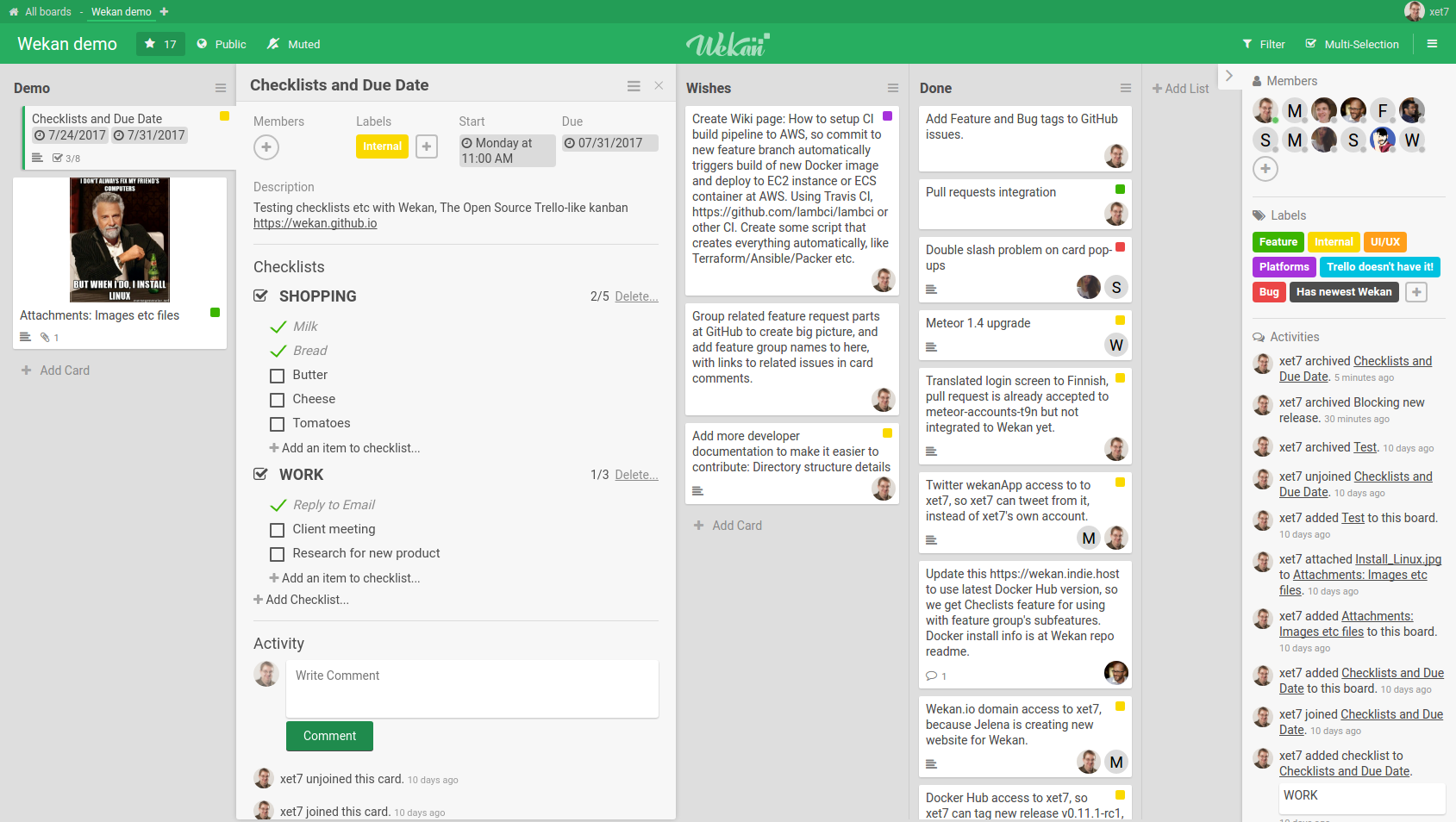
Wekan is an MIT-licensed collaborative Kanban application. Its boards, lists and cards make it a useful starting point when you want a familiar workflow and control over deployment. The project documents Trello import, an API and several authentication options; verify the options in the release you intend to run.
Avoid using an old deployment recipe merely because it mentions Wekan. The current main-branch README describes FerretDB with SQLite as its default database path and also supports MongoDB. An older release can have different requirements. Follow a matched application, database and backup configuration, and keep its upgrade notes with your operating procedure.
Taiga
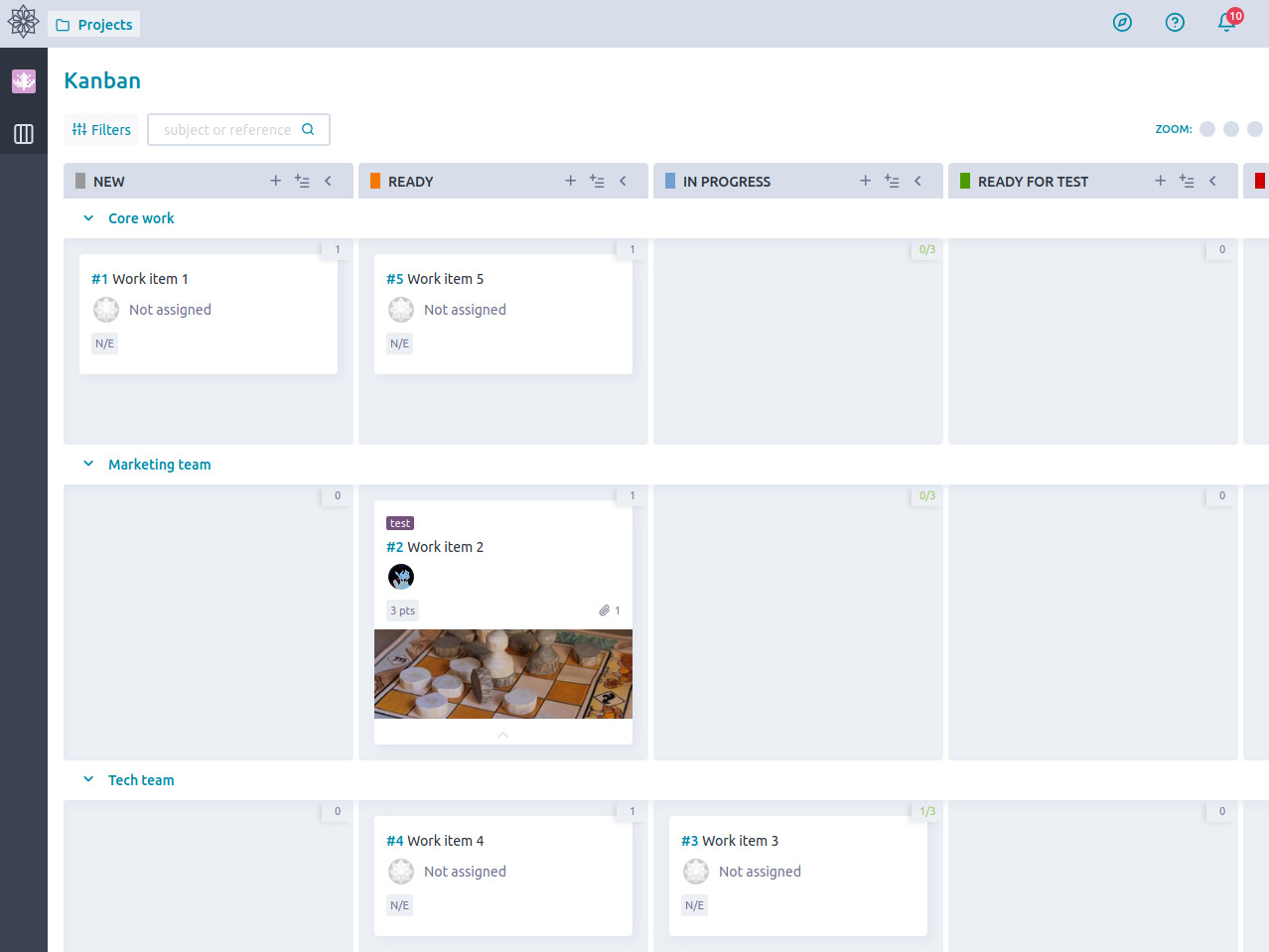
Taiga suits teams that need project planning alongside Kanban: a backlog, sprints and issues may matter more than reproducing Trello’s interface. Its official Docker deployment includes separate application and supporting services, so plan to maintain the full stack.
Taiga provides a Trello importer. Test how your actual boards map to its project model before deciding that a migration is complete. The backend and frontend have different upstream licenses; review the exact components and extensions you deploy. A plugin or authentication integration also has its own configuration and maintenance requirements.
Kanboard
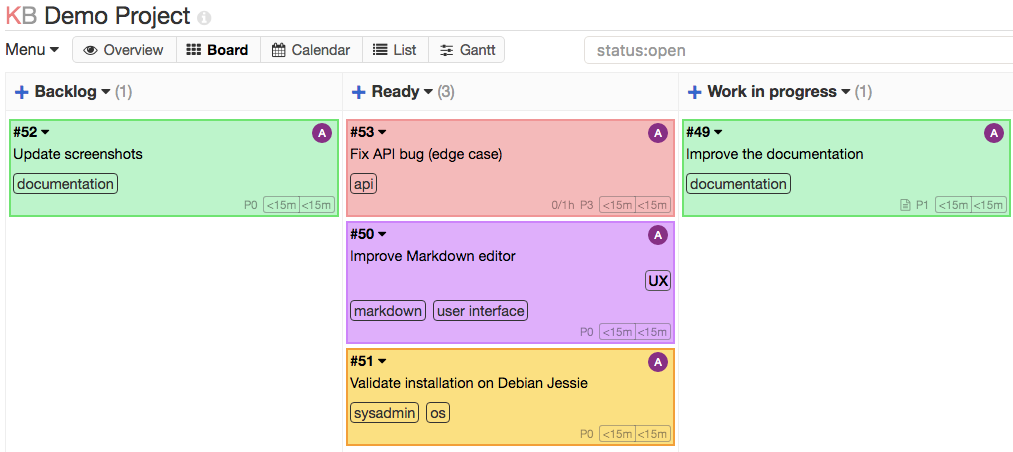
Kanboard deliberately concentrates on a simple Kanban workflow. It includes configurable columns, work-in-progress limits, subtasks, comments, attachments and automatic actions. Its PHP application can be attractive when your team already understands a conventional web stack.
The project README describes maintenance mode: the original author focuses on small fixes, while community contributions can produce releases. Treat that as a roadmap constraint, not the same claim as an abandoned project. Its documented API uses JSON-RPC. Check individual plugins rather than assuming that every integration is built in or actively maintained.
Restyaboard
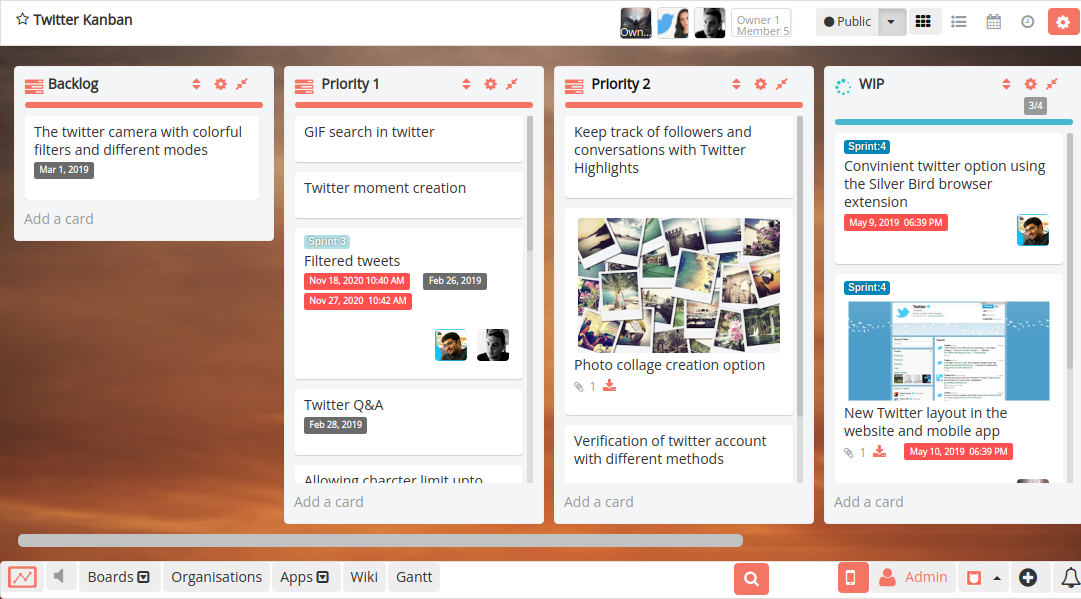
Restyaboard offers a Trello-style board and documents a Trello importer. Its repository describes both OSL 3.0 and commercial licensing, so confirm the terms and availability of the edition and apps you need.
The reviewed repository’s last-push metadata dates to October 2023. That fact does not establish the support status of every commercial Restya product, but it is a reason to investigate before a new installation. Check security support, deployment instructions and dependency compatibility directly. For a new team without an existing Restya commitment, evaluate the other actively supported options first.
Focalboard
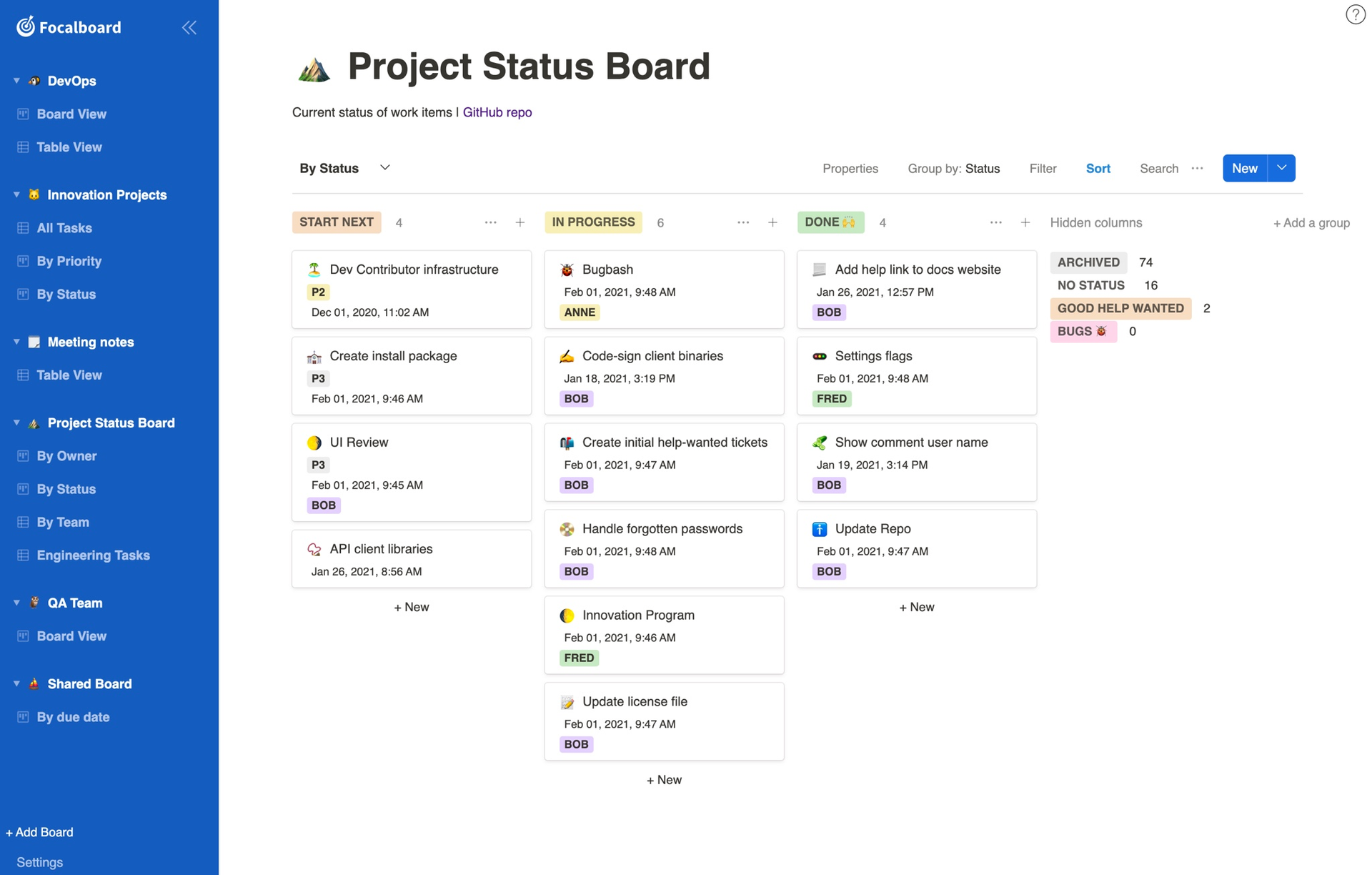
Focalboard offers boards and other views over project information, but its standalone repository explicitly says that it is no longer maintained. The official screenshot is a historical product example, not evidence of current support. Do not treat the standalone application and a separate Mattermost plugin as interchangeable products.
The repository includes a Trello conversion script; its presence does not guarantee compatibility with today’s exports. Licensing also varies between Mattermost-produced compiled releases, source builds and specified components. Focalboard is included here because teams still encounter it in older recommendations. It would require a clear maintenance plan before serving a new team’s work.
These official images illustrate the publishers’ interfaces and sample boards. Their task names, counts and dates are sample or historical content, not measurements made for this comparison. Open an image for a larger view when examining interface details.
Plan the VPS and Deployment
Estimate the entire service: application, database, attachments, reverse proxy, logs and backup jobs. A minimum for one component does not specify the size of a production VPS. The figures below are publisher guidance checked on 13 October 2026, with their scope preserved.
| Source | Published guidance | How to use it |
|---|---|---|
| Wekan README | At least 1 GB RAM free for Wekan; at least 4 GB total RAM for a production server | Different scopes within one project; neither value is measured peak usage or a user-capacity guarantee |
| Taiga source-install guide | At least 1 GB RAM and 20 GB free storage | Older source-install prerequisites, on a page last updated 3 April 2024; not a current Docker sizing benchmark |
| Kanboard requirements | PHP 8.1 or newer; supported database and required PHP extensions | No numerical RAM minimum is specified on this page; size and test the chosen deployment |
These entries are not directly comparable memory measurements. Wekan distinguishes free application memory from total server memory; Taiga’s cited figures belong to an older installation path; Kanboard supplies a dependency checklist. None establishes a per-tool concurrency limit or an installation-time guarantee.
Prefer the installation guide for a supported release and pin your configuration. Taiga recommends its Docker route for production. Kanboard’s current requirements recommend PostgreSQL and caution against SQLite with Docker or NFS; a minimal database choice must still match the deployment environment. The Docker VPS hosting guide explains the infrastructure context, but containers do not remove database administration or backup responsibilities.
Before inviting users, configure the public URL, HTTPS, outgoing mail and persistent storage. Check password reset, restart behavior and attachment retrieval. Keep database ports private and separate application secrets from the files you share with collaborators. Record the installed versions so a restore can reproduce the service.
Move a Trello Board Without Losing Context

An import succeeds only when the team can continue working. Wekan, Taiga and Restyaboard document Trello import paths; Focalboard retains a conversion script, while Kanboard migrations may need a reviewed plugin or API-based transformation. Use each project’s instructions for the selected version instead of promising one-click parity.
- Keep an export: preserve the original Trello export and a list of essential attachments, automations and integrations. Store the export as sensitive project data.
- Try one board: import a representative project into an isolated pilot. Map members, labels, dates, comments, checklists and archived cards explicitly.
- Inspect access: test with ordinary member accounts. Verify that restricted cards and attachments remain restricted, and check whether attachments were copied or still depend on external links.
- Rebuild integrations: test mail, webhooks and chat notifications separately. A migrated card does not recreate a Trello Power-Up or automation.
- Plan the switch: agree on a pause in editing, perform the final import, and keep the old board and export available for a defined rollback period.
Get the team’s acceptance before ending the old workflow. Compare meaningful samples as well as totals: an imported card count can match while comments, ownership or attachment access are wrong.
Protect Access, Attachments and Backups
Self-hosting gives you control over data location and configuration. It does not automatically supply encryption at rest, reliable audit records or regulatory compliance. Establish the controls your actual projects require, then test them in the application and its infrastructure.
- Access: restrict administration, disable unused signup paths and test project roles with a non-admin account. Use supported central authentication only after verifying its behavior.
- Updates: monitor application and dependency releases. Review plugin permissions and remove unused extensions.
- Private files: confirm that attachment downloads enforce authorization. Do not apply public caching rules to authenticated pages, API responses or private uploads.
- Recovery: back up the database, attachment storage and required configuration together. Protect backup credentials and keep a copy outside the application host.
A backup is useful when you can restore it. Rebuild an isolated copy, sign in, open several attachments and check permissions. Decide how much recent work you can afford to lose and how long recovery may take. Our self-hosted backup guide provides context for that operating plan.
Measure Capacity Before You Scale

There is no verified universal number of users that a small VPS can support across these tools. Active cards, attachment sizes, searches, background work and simultaneous edits change the load. Measure a representative workload before making a capacity promise.
| Check | Record during the pilot | What the result helps decide |
|---|---|---|
| User actions | Board open, search, card move and attachment upload times | Which operations need investigation |
| Host and database | CPU pressure, memory use, swap activity, storage latency and database errors | Whether the constraint is compute, memory, storage or configuration |
| Growth and recovery | Attachment growth, backup duration and an actual restore result | Storage headroom and recovery planning |
Record the application version, VPS configuration, dataset and concurrent actions with each result. Repeat the same test after a change. Cache public static assets only where appropriate, and keep authenticated content private. Use the VPS server optimization guide as a diagnostic reference, not a reason to apply every tuning change at once.
Choose a Starting Point
Start with Wekan for a familiar collaborative board, Taiga for a broader planning workflow, or Kanboard for a deliberately simple system whose maintenance model you accept. Treat Restyaboard and standalone Focalboard as choices requiring extra support investigation. Select the tool only after one real board passes your import, permissions, backup and everyday-use checks.
Frequently Asked Questions
What should an indie team compare first?
Which option has a simple deployment model?
Can we import our Trello boards?
How much RAM do we need?
Is standalone Focalboard a good default for a new installation?

