

Data loss is inevitable—hardware fails, human error occurs, and ransomware attacks remain a threat. A self hosted backup solution gives you full control over how your data is stored, protected, and restored. With this approach, you manage your own backup infrastructure and define exactly how it works. This model demands a higher level of responsibility, but it also provides flexibility and privacy that managed solutions cannot match.
What Is Self Hosted Backup Software?
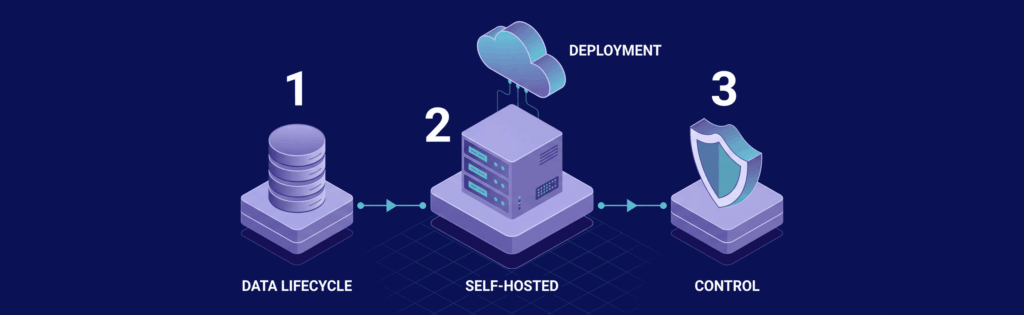
Self hosted backup software is installed and managed on infrastructure you control, whether that be a VPS, dedicated server, or local machine. It allows you to configure your own backup workflows without relying on external platforms.
- Definition: Software that runs on your own server and handles backup, storage, and recovery processes, giving you full ownership over your data lifecycle. For further insights into taking command of your data, check out Mastering Self-Hosting: Take Control of Your Apps and Data.
- Control: You decide where data is stored, how long it is retained, and how it is secured. This is critical when handling sensitive or regulated data.
- Deployment: Can be deployed on cloud servers, private infrastructure, or hybrid setups. This flexibility enables a tailor-made system for your environment.
This approach is useful for users seeking freedom from SaaS pricing structures and limitations. It is also commonly linked with open source backup solutions that allow full customization of implementation.
Why Choose Self Hosted Backup Software

Individuals and businesses choose self hosted backup solutions primarily for improved control, cost management, and flexibility.
- Data privacy: Your backups remain under your control, reducing the risk of third-party breaches or unauthorized access.
- Cost control: Avoid recurring per-user or per-GB fees common with SaaS models, which can result in long-term savings.
- Customization: Tailor backup schedules, retention policies, and storage destinations to meet your specific needs.
- Independence: Avoid dependency on a single provider’s ecosystem, making your setup more adaptable as your requirements change.
For many users, these benefits outweigh the additional responsibility required for managing the system.
Types of Backups Supported

Understanding backup types is important because each one affects storage usage, speed, and recovery options.
- Full backups: A complete copy of all data; while the most reliable, they require more storage and take longer to complete.
- Incremental backups: Only changes since the last backup are stored, saving storage space and speeding up backup times, but potentially complicating restores.
- Differential backups: Saves changes since the last full backup, offering a balance between speed and simplicity.
- Snapshots: Capture the state of a system at a specific point in time, typically at the filesystem or volume level. They are useful for quick recovery and system rollback, but do not always replace full backups.
A modern backup strategy often combines these methods to balance performance and storage efficiency.
Key Features to Look for in Self Hosted Backup Software
Selecting the right software depends heavily on its features. Consider these critical options:
- Automation: Scheduled backups minimize human error and ensure consistent data protection.
- Encryption: Encrypt data during transfer and at rest to protect against unauthorized access.
- Deduplication: Removes duplicate data across backups to reduce storage requirements.
- Compression: Reduces file sizes before storage to optimize disk usage and transfer speeds.
- Multi-destination support: Allows storage in multiple locations, increasing redundancy and reliability.
- Versioning: Maintains multiple versions of files over time to aid in recovery from accidental changes or corruption.
- Monitoring and alerts: Provides notifications for failed backups or issues, ensuring prompt troubleshooting.
A good backup solution integrates these features into a system that runs reliably with minimal oversight.
Best Self Hosted Backup Software
Different tools serve different needs. The optimal choice depends on your technical proficiency and requirements.
BorgBackup
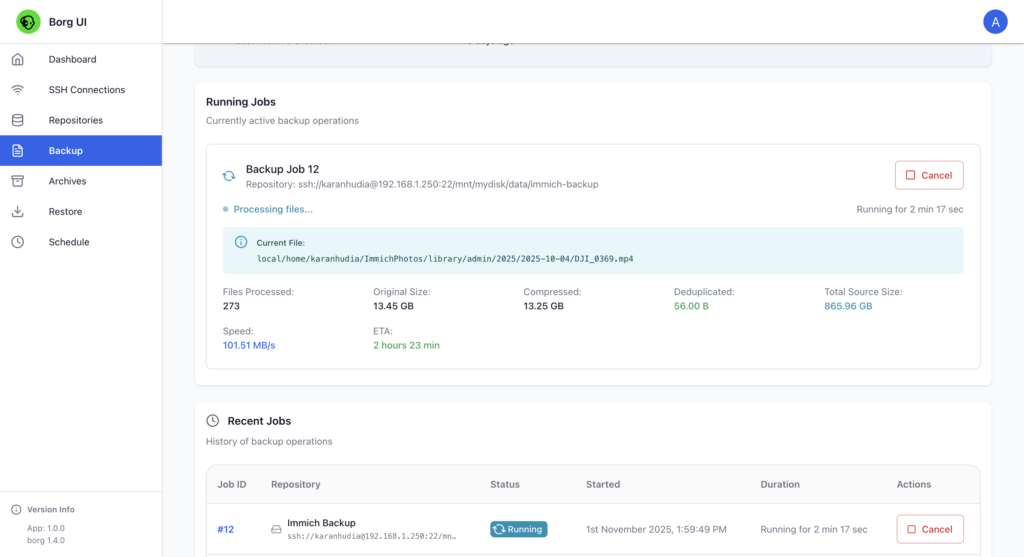
BorgBackup is recognized for its efficiency and strong deduplication capabilities. Primarily designed for Linux environments, it suits advanced users needing superior storage efficiency, although its command-line focus may be a hurdle for novices.
Restic
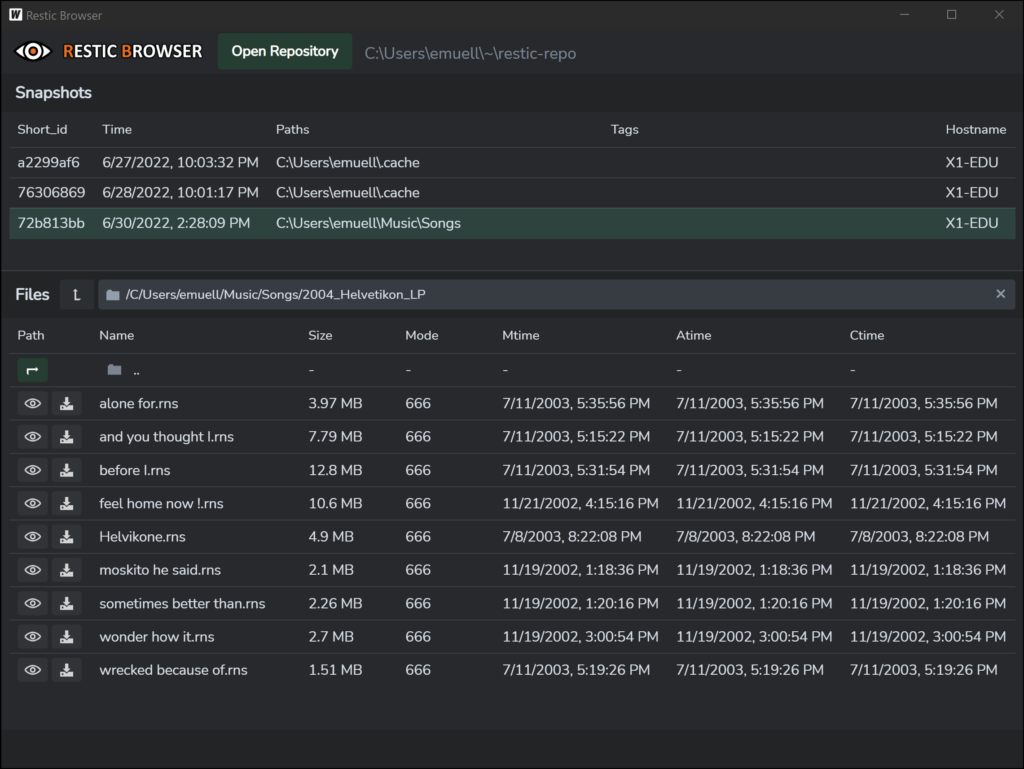
Restic emphasizes simplicity and security. With robust default encryption and support for a wide range of storage backends, it is a solid option for those who want an easy-to-use yet effective backup tool.
Duplicati
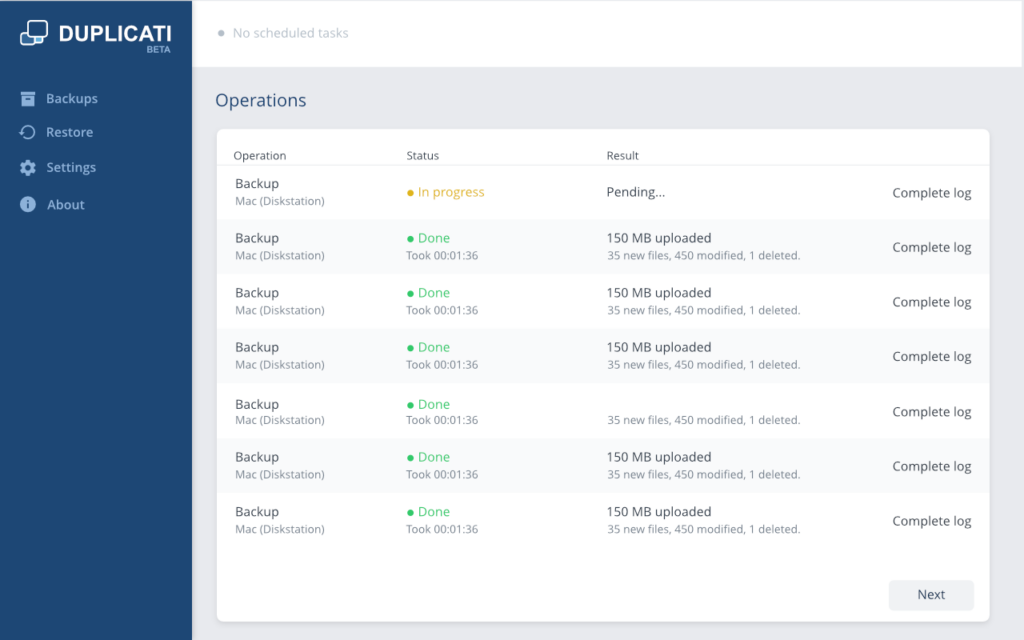
Duplicati features a user-friendly interface and supports both local and cloud storage, making it accessible for less technical users. It is a strong candidate for small to medium setups where ease of use is a priority.
UrBackup
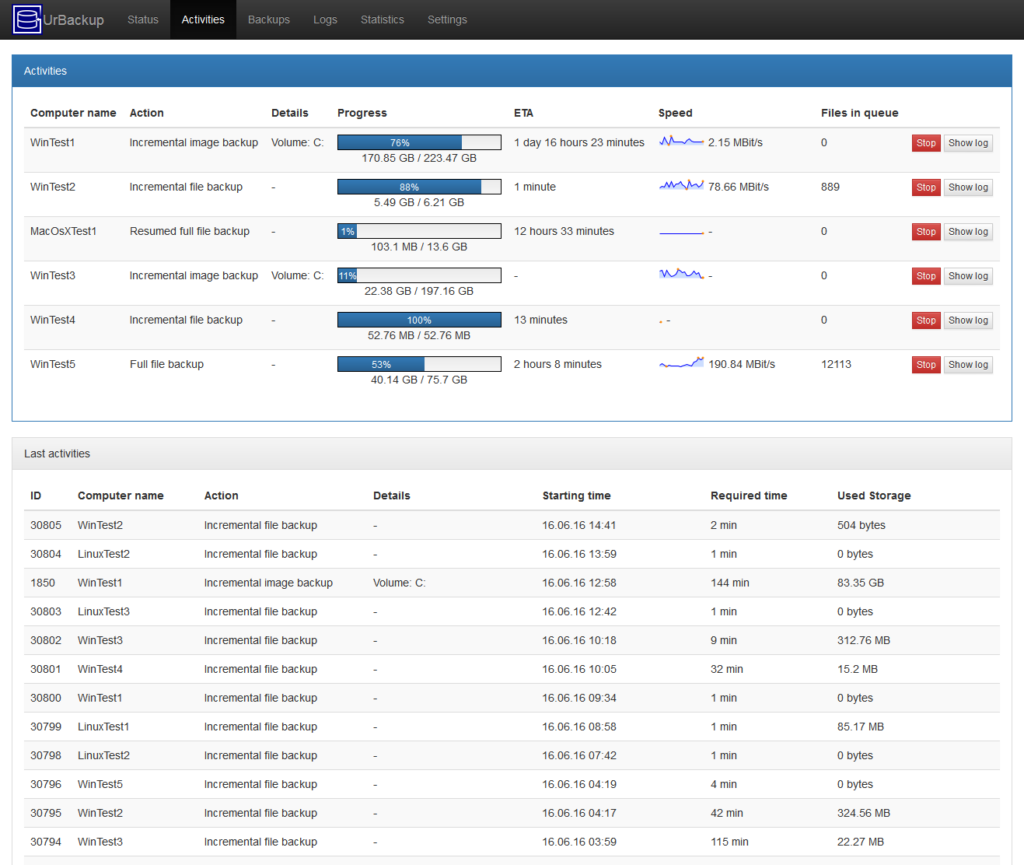
UrBackup utilizes a client-server model and efficiently manages backups for multiple devices. It performs well in mixed operating system environments, making it ideal for business settings that require centralized backup management.
Bacula
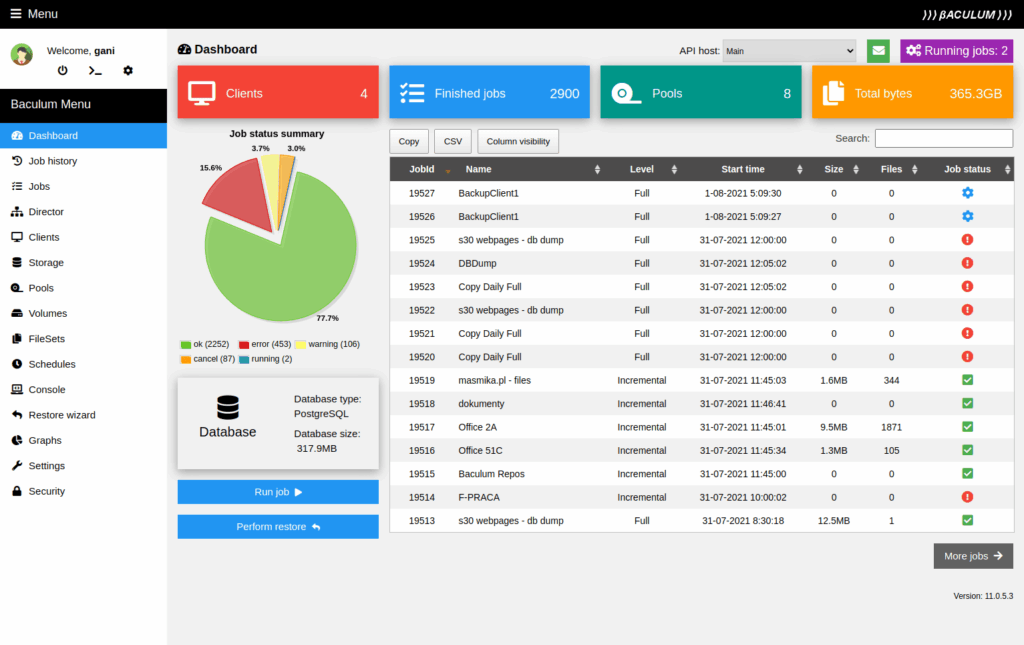
Bacula is designed for enterprise-scale deployments. It offers extensive features and scalability, but its complex setup and maintenance make it more suitable for experienced administrators.
Self Hosted vs Cloud Backup Solutions
The choice between self hosted and cloud backup solutions depends on your priorities and available resources.
- Self hosted: Provides full control and privacy, though it demands careful setup, maintenance, and monitoring.
- Cloud: Generally easier to deploy and manage but involves recurring costs and offers less control over data.
- Hybrid approach: Combines both methods to provide redundancy, balancing convenience with control.
A hybrid setup can offer the best of both worlds by ensuring reliability and flexibility.
How to Set Up Self Hosted Backup Software
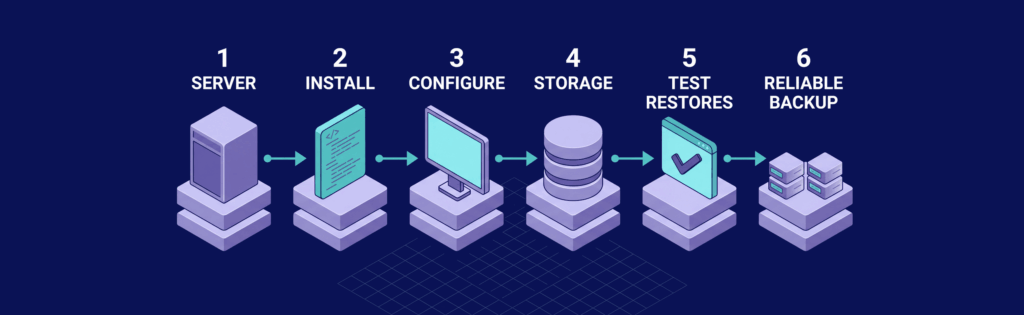
Setting up a self hosted backup system requires a structured approach to ensure reliability, consistency, and recoverability.
Choose Your Server Environment
Decide where your backup system will run, as this impacts performance, scalability, and reliability. A VPS is often a practical option because it offers flexibility without the upfront cost of dedicated hardware. In some cases, a dedicated server or a local machine might better meet your specific storage or performance needs.
For example, VPSus offers KVM VPS hosting plans starting at $10/mo, featuring full root access, NVMe SSD storage, and 1 Gbps port speeds. Their servers are available in seventeen locations including Atlanta, Los Angeles, Frankfurt, Amsterdam, among others.
Consider factors such as storage capacity, network speed, and geographic location to ensure that backups are stored safely and effectively.
Install the Backup Software
Once your environment is ready, install the backup software that matches your needs. Most tools include installation packages or scripts to simplify the process. Begin with a basic configuration and only enable advanced features gradually to simplify troubleshooting.
Ensure that permissions and access rights are correctly set, as many backup failures stem from misconfigured read/write permissions.
Configure Backup Jobs
Determine which data to back up and how frequently. Identify critical data such as databases, application files, and configuration settings, and create a backup schedule that aligns with the rate at which the data changes.
Select the backup type (full, incremental, or differential) carefully, as this choice will influence both storage usage and restore times.
Set Storage Destinations
Invest in multiple storage destinations to build in redundancy. For example, store one copy locally and another on a remote server or separate VPS. This strategy mitigates risks connected with hardware failure or data corruption. For further guidance on maintaining control of your files, see Self-Hosted Cloud Storage: Taking Control of Your Files and Privacy.
Test Restores
Regularly test restore procedures to ensure your backups are effective in real-world scenarios. Controlled restore tests help verify data integrity and measure recovery times, which are critical for planning and minimizing downtime.
Common Mistakes to Avoid
Even the best-designed backup systems can struggle if certain pitfalls are ignored:
- Skipping restore tests: Without testing, you cannot be sure that backups are reliable.
- Relying on a single backup location: This increases the risk of total data loss. Always maintain redundancy.
- Poor retention policies: Both excessive and insufficient backup retention can lead to problems. Find the right balance.
- Neglecting security: Unencrypted backups can expose sensitive data. Ensure that robust security measures are in place.
Avoiding these mistakes enhances both the reliability and effectiveness of your backup system.
When Self Hosted Backup Makes the Most Sense
Self hosted backup solutions are particularly beneficial in certain scenarios:
- Developers and sysadmins: Who require automated processes and detailed control over their infrastructure.
- Businesses handling sensitive data: Where strict privacy and regulatory compliance are non-negotiable.
- Large-scale storage users: Who need long-term cost efficiencies.
- Advanced users: Comfortable with the responsibilities of managing and maintaining complex systems.
For these users, self hosted backup solutions provide a level of adaptability that managed services do not offer.
Conclusion
A self hosted backup solution gives you control, flexibility, and independence, enabling you to build a tailored system rather than conforming to third-party service limitations. However, managing your own backup system requires careful configuration, monitoring, and testing to ensure its effectiveness.
Build a reliable backup system with VPS.us by using a dedicated VPS for demanding workloads. With the right infrastructure, you can confidently deploy tools like Borg, Restic, or Duplicati and maintain full ownership over your data.
FAQ
Q: What is self hosted backup software?
A: It is software installed on your own server (VPS, dedicated, or local) that manages backup, storage, and recovery, giving you full control over your data.
Q: How do I set up a self hosted backup solution?
A: Begin by selecting a server environment, then install the backup software, configure backup jobs and storage destinations, and routinely test restore procedures to ensure reliability.
Q: What benefits do self hosted backup solutions offer?
A: They provide enhanced control, improved data privacy, cost savings by avoiding recurring SaaS fees, and the flexibility to customize backup schedules and policies.
Q: How can I effectively test my backup restores?
A: Regularly perform controlled restore tests to verify data integrity, assess recovery speeds, and ensure that all critical applications function correctly after a recovery.

