

The calendar question is settled: Atlassian stopped selling new Data Center subscriptions on March 30, 2026. Existing customers can renew or expand only until March 30, 2028, and Data Center reaches its final end of support on March 28, 2029. If you want to keep your project tracker on your own infrastructure, the migration has to be planned now, around your renewal date rather than after it.
The good news: the open-source ecosystem has matured to the point where leaving Jira self-hosted is no longer a downgrade.
Match the Tool to Your Team
A flat “top 10” list isn’t a decision. The right alternative depends on what your team actually does. Here is the shortlist that matters in 2026, matched to the team it fits:
| Tool | Best for | The honest trade-off |
|---|---|---|
| Plane | Teams wanting the closest Jira parity, air-gapped support, native AI | Younger project than Jira; some advanced features still maturing |
| OpenProject | Teams leaving Atlassian who need Gantt, time tracking, and a migration tool | Heavier UI; more PM-manager oriented than dev-first |
| GitLab | DevOps teams who want issues + repos + CI/CD in one place | Less depth on advanced agile tracking than Jira |
| Redmine | Customization-heavy orgs that prioritize control over polish | Dated interface; plugin quality varies |
| WeKan | Small teams who just want self-hosted Kanban boards | Not a full Jira replacement — boards only |
Our point of view: if you’re migrating off Jira specifically and want the least retraining, start with OpenProject (it ships a dedicated Atlassian migration tool) or Plane (built explicitly to replace Jira across cloud, self-hosted, and air-gapped, with 80%+ feature parity). If your work already lives in Git, GitLab collapses three tools into one. For deeper context on running these, see our guides on self-hosting GitLab and self-hosted Asana alternatives.
Why This Migration Matters in 2026?
Atlassian ended support for Jira Server in February 2024. Jira Data Center is now on its own EOL path, with the final sunset set for March 28, 2029. If you’re running a self-hosted Jira in 2026, you’re on a clock — and moving to Atlassian Cloud isn’t always the answer, especially for teams with data-residency constraints, air-gapped environments, or a preference for open-source tooling. OpenProject even ships an official Jira Migrator (released March 2026) specifically to handle the export.
Full data ownership
Hosting the platform yourself ensures that all project histories, tickets, and attachments remain under your control. This is critical for companies that must meet strict compliance standards or handle sensitive information internally.
Customization freedom
Self-hosted tools allow you to modify workflows, automate processes, and even adjust the user interface without restrictions imposed by a vendor. This flexibility can help you build a solution tailored exactly to your team’s needs.
Cost flexibility
Instead of paying per-user cloud subscription fees, you can run open-source platforms on your own server at a predictable cost. For larger teams, this often translates to significant savings over time.
Avoid vendor lock-in
By controlling the infrastructure and software, you can migrate, modify, or integrate the tool with other systems as needed without being tied to one provider’s ecosystem. This flexibility ensures long-term adaptability as your processes and technology stack evolve.
The Self-Hosted Jira Alternatives That Matter in 2026
| Tool | Best for | Minimum VPS | Stack |
|---|---|---|---|
| OpenProject | Closest feature parity, official Jira Migrator | 4 GB RAM / 2 vCPU | Ruby on Rails + PostgreSQL |
| Plane | Modern UX, fast-moving project | 2 GB RAM / 1 vCPU | Python + Next.js + Postgres |
| Taiga | Scrum / Kanban teams | 2 GB RAM / 1 vCPU | Python + PostgreSQL |
| Redmine / RedmineUP | Plugin-rich, long-term stable | 2 GB RAM / 1 vCPU | Ruby on Rails |
| WeKan | Lightweight Kanban-only | 1 GB RAM / 1 vCPU | Meteor + MongoDB |
| Focalboard | Trello/Notion hybrid | 1 GB RAM / 1 vCPU | Go + React |
What Self-Hosting Saves vs Jira Cloud (2026 List Prices)
Atlassian’s answer to the Data Center sunset is Jira Cloud, which is free for up to 10 users and then billed per seat. The list prices below are Atlassian’s July 2026 monthly rates (Standard $7.91 and Premium $14.54 per user per month; annual billing is a little lower). The self-hosted column is the VPSus plan that comfortably runs OpenProject or Plane for that team size; the software itself is free.
| Team size | Jira Cloud Standard | Jira Cloud Premium | Self-hosted (VPSus plan) | Saving vs Standard, per year |
|---|---|---|---|---|
| 10 users | Free tier | $145/mo | KVM2, $20/mo | None: use the free tier unless you need self-hosting for compliance |
| 25 users | $198/mo | $364/mo | KVM4, $40/mo | ≈ $1,900 |
| 50 users | $396/mo | $727/mo | KVM4, $40/mo | ≈ $4,270 |
| 100 users | $791/mo | $1,454/mo | KVM8, $80/mo | ≈ $8,530 |
| 250 users | $1,978/mo | $3,635/mo | KVM8 or a dedicated server, $80–$150/mo | ≈ $22,000+ |
The number that is not in the table is your time: budget two to four hours a month for updates, backups and user administration, plus a one-off migration effort of a few days for a tracker with years of history. For a 25-person team that still leaves most of the saving intact; for a 10-person team on the free tier, self-hosting is a control decision, not a cost one. What you give up is the Atlassian Marketplace. If your workflow depends on specific Jira apps, price in the replacement before you count the saving.
Criteria for Choosing the Right Tool

When evaluating which Jira alternative to deploy, certain criteria can help determine the best fit for your team’s needs.
- Support for Agile workflows (Scrum, Kanban): The ability to replicate Jira’s boards and workflows is key for teams that rely heavily on Agile methodology. Look for tools that offer customizable boards, sprints, and backlog management.
- Scalability and reliability: A solution should be able to handle growth in team size and projects without performance degradation. Tools with proven scalability are safer for long-term use.
- Installation and upgrade complexity: Some platforms offer one-click installers and Docker containers, while others require manual setup. Evaluate how much time and expertise will be needed for initial deployment and ongoing updates.
- Plugin ecosystem and integrations with version control tools: A robust plugin system ensures you can expand features over time, while native integration with Git or SVN can streamline developer workflows.
- Community support and frequency of security updates: Actively maintained projects with strong communities are less risky and ensure you’ll get timely patches and help when needed.
Leading Self-Hosted Jira Alternatives
There are several strong contenders when it comes to replacing Jira with a self-hosted Jira alternative, each offering different strengths to fit unique team needs and workflows. Each option has unique strengths that make it suitable for different types of teams and workflows.
GitLab (Self-Managed)

A full DevOps platform combining Git repositories, CI/CD pipelines, issue tracking, and boards. For teams already focused on code delivery, GitLab integrates planning directly with development, making it a strong Jira replacement for developer-heavy environments. Its self-hosted version offers full control over repositories and pipelines, and the built-in Agile boards can support both Scrum and Kanban workflows.
OpenProject

This platform offers rich Agile and traditional project management tools, including interactive Gantt charts, time tracking, and cost management. It’s particularly suited for teams with project managers who need detailed planning and reporting features. Its community edition is free to host, while the enterprise version offers additional support and advanced modules for larger organizations.
Redmine
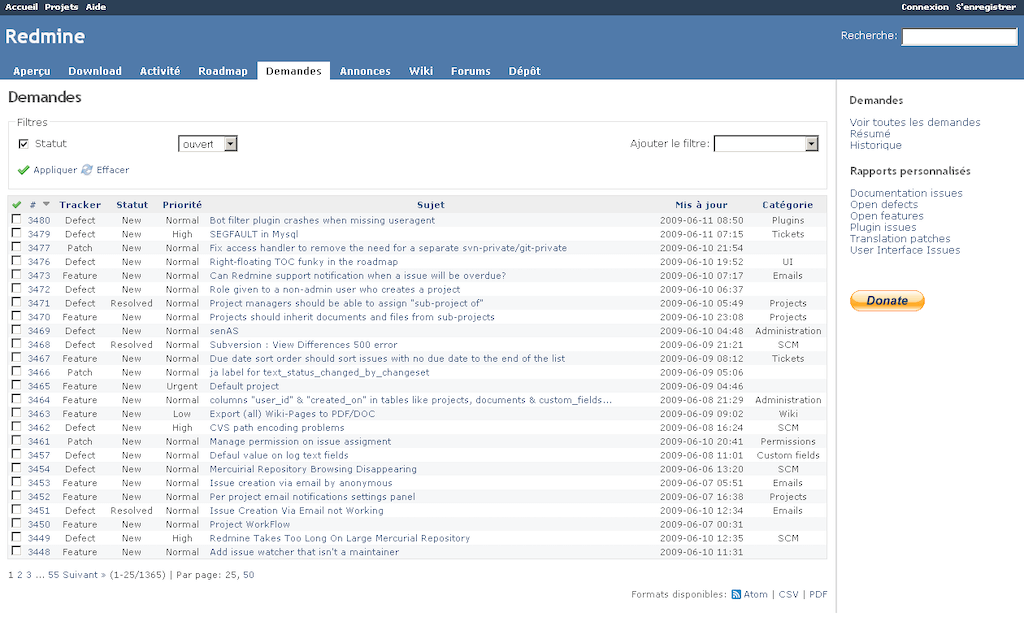
A mature, Ruby on Rails–based solution that supports multiple projects, flexible roles, Gantt charts, calendars, and SCM integrations. It has a large plugin ecosystem and works well for teams that want flexibility and custom workflows. Because of its open-source nature, Redmine can be heavily customized, making it a good choice for organizations that want to build a tailored solution.
Taiga

Lightweight and user-friendly, Taiga is built for Agile teams. It supports Scrum and Kanban boards, backlogs, and sprint planning. Its modern interface and Docker deployment options make it appealing for teams that want simplicity without losing core Agile functionality. Taiga’s open API also makes integration with other systems straightforward.
Tuleap

An application lifecycle management platform that supports Agile, V-model, and hybrid methodologies. With strong integration for Git and SVN repositories and full traceability across the SDLC, it’s suited for organizations needing comprehensive lifecycle tracking. Its built-in features cover everything from requirements to testing, making it suitable for complex development environments.
Plane (Plane.so)
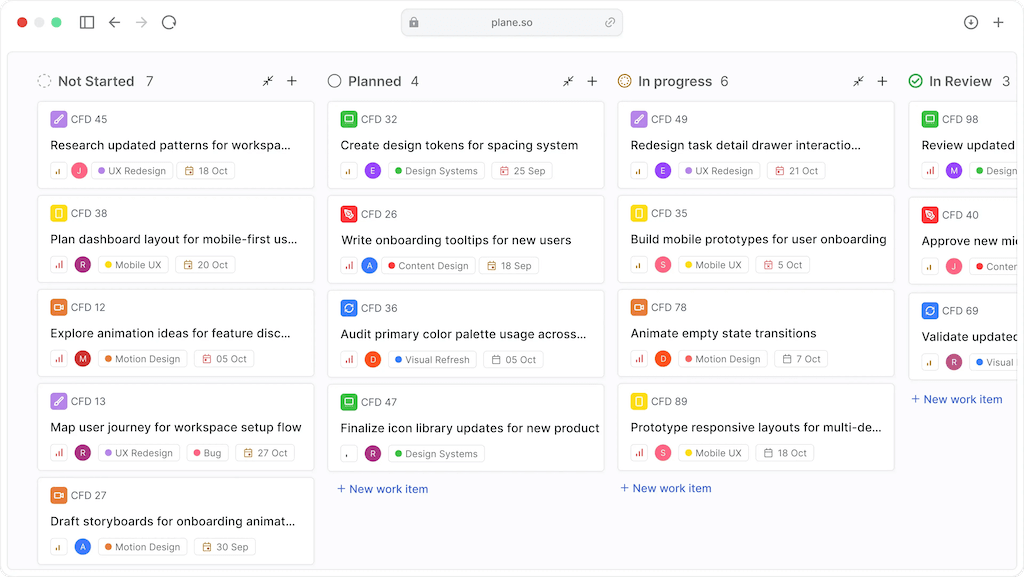
An emerging option designed to be lightweight and developer-focused. Plane offers simple issue tracking, epics, and cycles, with a modern interface similar to Linear or Monday. It’s ideal for smaller teams wanting a fresh alternative that is easy to set up and requires minimal server resources.
WeKan
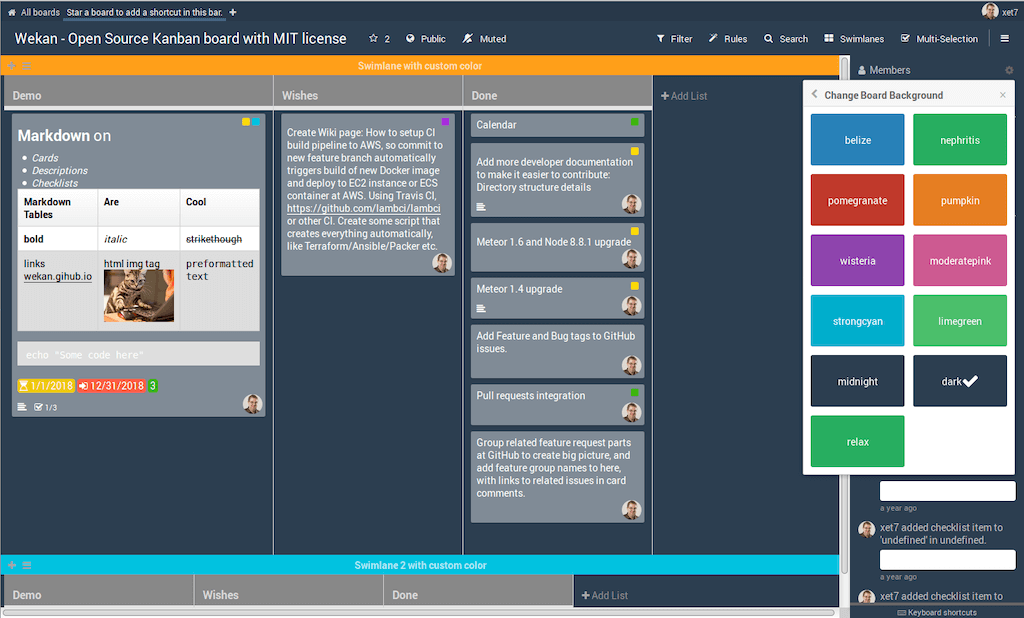
A minimal, Kanban-only board system. WeKan is a good choice for teams that don’t need complex project management features and just want a self-hosted alternative for simple card-based workflows. Its small footprint makes it easy to deploy on lightweight servers and maintain with minimal effort.
Comparing the Alternatives to Jira

Looking at how each tool stacks up against Jira helps identify the right fit based on your team’s priorities.
- GitLab offers strong integration between planning and code management, making it perfect for DevOps teams, though it lacks some of Jira’s more advanced project tracking features.
- OpenProject provides robust planning and reporting tools, which can appeal to project managers who need detailed oversight. It’s less developer-focused compared to Jira but excels in traditional PM workflows.
- Redmine offers flexibility through plugins and custom fields, though the interface can feel dated and requires more manual configuration compared to Jira.
- Taiga shines for Agile teams that prioritize clean design and straightforward workflows but may not meet the needs of teams requiring extensive reporting.
- Tuleap covers the entire software lifecycle with built-in traceability, making it a strong contender for regulated environments, though it can be more complex to set up.
- Plane is easy to deploy and lightweight, ideal for small teams or startups, but lacks Jira’s extensive ecosystem and advanced customization.
- WeKan is the simplest alternative, perfect for lightweight Kanban workflows, though it won’t satisfy teams looking for deeper functionality or advanced reporting.
Migration Path from Jira
Switching from Jira to a self-hosted platform requires planning to ensure smooth adoption and minimal disruption. Planning ahead is essential when self-hosting Jira or migrating to another self-hosted platform to ensure data integrity and a smooth transition.
- Export data from Jira using CSV or native JSON: This ensures you capture all issues, comments, and histories that you’ll need to migrate.
- Use import tools provided by your chosen platform: Tools like OpenProject offer dedicated Jira importers, while Taiga and Redmine have migration scripts to ease the process.
- Map issue types, workflows, and permissions to fit the new system: Aligning your existing Jira structures with the new tool helps maintain consistency and reduces confusion for users.
- Test the new platform with a subset of data before performing a full migration: A trial migration helps identify and fix any issues before you move all projects and users.
Operational Best Practices for Self-Hosting

Running your own project management tool demands consistent maintenance to keep it secure and reliable. These practices are key whether you are self-hosting Jira or running any other project management solution on your own servers.
Keep the platform updated with security patches and new releases
Regular updates ensure you are protected against vulnerabilities and benefit from the latest features. Staying current also prevents compatibility issues with plugins and integrations over time.
Automate backups to ensure data safety
Scheduled backups help prevent data loss in case of system failure or human error, and make disaster recovery easier. Storing copies offsite or in a separate location adds an extra layer of protection.
Monitor server performance and scale resources as the team grows
As more users and projects are added, keeping an eye on resource usage helps maintain performance and avoid downtime. Proactive monitoring allows you to plan upgrades before performance issues arise.
Provide training and documentation to help the team adapt to the new tool
Ensuring everyone understands the platform encourages adoption and reduces transition friction. Clear internal guides also help new team members onboard faster with minimal support required.
How to Pick — Decision Framework
Small team, lightweight needs? WeKan or Focalboard. Runs on a 1 GB VPS.
Migrating an existing Jira install with many years of history? OpenProject. The official Jira Migrator preserves work packages, attachments, and custom fields.
Starting fresh and the team is under 30? Plane. The UX is the closest thing to modern Linear in open source.
Heavy customization, plugins, time tracking? Redmine — 20+ years of stability and a massive plugin catalog.
Conclusion
There are many viable self-hosted alternatives to Jira, each catering to different team needs. Whether you need full lifecycle management with Tuleap, project planning depth with OpenProject, developer integration with GitLab, or lightweight Agile boards with Taiga, there’s a solution available that can match your workflows while giving you full control over your environment. For organizations that prefer to self-host Jira, these options provide comparable features with the added benefit of maintaining all data in-house. Selecting the right self-hosted Jira alternatives ensures you can match the tool to your processes while retaining full control over deployment and data.
A Reliable VPS Option for Your Jira Alternative
To host your self-hosted Jira alternative with reliable performance and full control, pick the VPSus KVM VPS plan that matches the tool: KVM4 (4 vCores, 4 GB ECC RAM, 40 GB NVMe, $40/mo) for OpenProject, KVM2 (2 vCores, 2 GB, $20/mo) for Plane, Taiga or Redmine, and KVM1 ($10/mo) for a WeKan or Focalboard board. All plans include full root access, NVMe storage and 17 locations, so you can keep your data in the country you need.
Frequently Asked Questions
Is there a free alternative to Jira?
Yes, several. OpenProject Community Edition, Plane Community Edition, Taiga, Redmine, WeKan and Focalboard are all open source and free to self-host with unlimited users; you pay only for the server, from $10–$40 per month on a VPS. GitLab Community Edition adds issue boards to Git hosting and CI/CD at no licence cost.
Which Jira alternative is easiest to migrate to?
OpenProject, because it ships an official Jira Migrator that imports projects, work packages, comments, attachments and custom fields from a Jira export. Plane and Taiga import Jira CSV or JSON exports but need more manual mapping of issue types and workflows.
Can I still buy Jira Data Center in 2026?
Not as a new customer: sales of new Data Center subscriptions ended on March 30, 2026. Existing Data Center customers can renew and add users until March 30, 2028, and the product reaches end of support on March 28, 2029, after which the only Atlassian-hosted option is Jira Cloud.
What about Jira Service Management alternatives?
For IT service desks rather than project tracking, look at Zammad, GLPI or osTicket, which are open source and self-hosted, or at GitLab’s service desk feature if your team already lives in GitLab. The tools in this guide replace Jira Software, not the ITSM product.

