Running n8n on your own server gives you total control over your automation workflows, data, and environment. While cloud versions of n8n are convenient, self-hosting provides better privacy, customization, and scalability. It’s an excellent choice for developers, businesses, and power users who want to manage everything themselves. However, before diving in, it’s essential to understand the technical requirements and best practices that ensure a smooth setup and reliable performance. Understanding the full range of n8n self-hosting requirements ensures your workflows perform efficiently and your setup remains stable over time.
n8n VPS Requirements by Workload (2026)
Every “n8n requirements” page repeats the documented minimum “2 CPU cores, 2 GB RAM, 20 GB SSD“, and then leaves you guessing. That minimum is a development figure. The moment you run real workflows on a schedule, it stops being enough. Here is how we actually size n8n, mapped to what you’re running rather than a single one-size number.
| Your workload | RAM / vCPU | VPS.US plan | Notes |
|---|---|---|---|
| Testing / personal, a few workflows | 2 GB / 1–2 vCore | KVM1 ($10) – KVM2 ($20) | SQLite is fine here |
| Production, scheduled + webhook flows | 4 GB / 2 vCore | KVM4 ($40) | Switch to PostgreSQL |
| Heavy: parallel executions, big payloads | 8 GB / 4 vCore | KVM8 ($80) | Consider queue mode |
The honest line most guides won’t give you: 4 GB RAM and 2 vCPUs is where production n8n actually starts working. The 2 GB minimum keeps the process alive, but the moment PostgreSQL runs alongside n8n and a workflow handles a chunky JSON payload, 2 GB starts swapping and executions slow to a crawl. Budget for 4 GB and you stop fighting your own server.
Before committing to a plan, spin up n8n in Docker and watch it under your real workflows. Docker is the recommended deployment because upgrades are a single image pull and the whole stack lives in one docker-compose.yml:
docker run -d --restart unless-stopped \
  --name n8n -p 5678:5678 \
  -v n8n_data:/home/node/.n8n \
  docker.n8n.io/n8nio/n8n

# Watch live resource use while your workflows run:
docker stats n8n
Let docker stats run through a normal day. If memory sits comfortably under your plan’s ceiling, you’re sized right. If it pins near the limit during executions, move up a tier before you hit production. For the full deployment walkthrough, follow our self-host n8n with Docker guide, and harden it with the n8n hardening checklist.
The PostgreSQL Gotcha Nobody Sizes For
n8n ships with SQLite by default, and that is exactly why so many self-hosted instances mysteriously degrade after a few weeks. SQLite is a single-file database — fine for testing, but it locks under concurrent writes and bloats as your execution history grows. For any instance you actually depend on, run PostgreSQL alongside n8n. The catch: Postgres needs its own slice of RAM. That is the real reason the “2 GB minimum” misleads — it never accounted for the database you’ll inevitably add.
This is also the strongest argument for self-hosting in the first place. n8n’s own Cloud plans bill by execution volume; a $40/month KVM4 VPS runs unlimited executions with no per-run metering. If you’re automating anything at real volume, the math flips in your favor fast — you own the runtime instead of renting it by the task. For the full comparison, see our breakdown of whether n8n is really free and n8n vs Zapier vs Make vs IFTTT.
What Is n8n and Why Self-Host It

n8n (short for “nodemation”) is an open-source workflow automation platform that connects different applications and services to automate tasks. You can create workflows that move data, trigger events, or manage repetitive actions across APIs without coding everything from scratch.
Many users choose to self-host n8n for full control. When you host it yourself, your data never leaves your environment, which is vital for sensitive business information. You can modify or extend n8n’s functionality by developing custom nodes and integrations, or by managing execution environments tailored to your infrastructure.
Self-hosting also makes financial sense. Cloud versions charge per execution or user, while a VPS or dedicated server can handle unlimited workflows for a fixed cost. For developers and system administrators, running n8n on-premises or in a VPS also allows integration with internal systems that would otherwise be inaccessible from the public internet.
System Requirements for n8n Self-Hosting
Before you install n8n, make sure your setup meets all n8n self-hosting requirements, including hardware, software, and network readiness. These factors determine how efficiently n8n executes workflows, especially under load.
Operating System
Linux distributions like Ubuntu or Debian are preferred for their stability and community support. Windows and macOS are supported but less common for production environments.
CPU and RAM
A small setup can start with 1 vCPU and 1GB RAM, but production environments benefit from 2 or more CPU cores and at least 2–4GB of memory. These n8n system requirements serve as a practical baseline to ensure consistent performance and prevent workflow delays. This ensures smooth execution, especially if you run multiple concurrent workflows or use integrations that demand more processing power.
Storage
Meeting n8n server requirements also includes ensuring reliable and fast storage access, since workflow data and logs grow quickly in production. SSD storage is highly recommended because it speeds up reading and writing workflow data. A minimum of 10GB is required, but if you store large logs, attachments, or temporary files, plan for at least 25GB or more.
Network
A stable and secure network connection is essential. Open TCP port 5678 for the web interface, and ensure firewalls or security groups allow access only from trusted IPs.
Dependencies
You’ll need Node.js version 18 or newer, npm or yarn as your package manager, and PM2 for process management if you deploy manually. These dependencies ensure that n8n runs efficiently and restarts automatically if the system reboots.
Database Choice: PostgreSQL vs SQLite for n8n
n8n supports two database backends: SQLite (the default) and PostgreSQL. For a personal instance running a handful of scheduled workflows, SQLite works fine. The moment you start accepting inbound webhooks or running more than 10 active workflows, PostgreSQL is not optional — it is required for stability.
Where SQLite Breaks Down
SQLite uses a single-writer lock. When two webhook-triggered workflows fire at the same time, one write must wait for the other to finish. In practice, this creates three failure scenarios that catch self-hosters off guard:
- Execution data loss under concurrent webhooks. When multiple webhooks arrive within milliseconds, SQLite queues the writes. Under sustained load the queue backs up, n8n times out waiting for a lock, and execution records silently drop. You see the webhook fire in your logs but no execution appears in the n8n UI.
- Database corruption during heavy writes. If n8n crashes or the VPS reboots while SQLite is mid-write, WAL (Write-Ahead Logging) recovery usually handles it. But with high concurrency the WAL file itself can grow to hundreds of megabytes, and recovery after an unclean shutdown becomes unreliable. PostgreSQL handles crash recovery with battle-tested WAL and checkpoint mechanisms designed for concurrent access.
- Execution history queries slow to a crawl. n8n stores every execution in the database. After a few months of active use, a SQLite database can grow past 1 GB. Querying execution history through the n8n UI becomes noticeably sluggish because SQLite reads the entire file sequentially. PostgreSQL uses proper indexing and query planning, keeping the UI responsive even with millions of stored executions.
Switching to PostgreSQL
If you deployed n8n with Docker (see our guide to self-hosting n8n with Docker), switching is straightforward: add a PostgreSQL container to your docker-compose.yml, set the DB_TYPE=postgresdb environment variable along with your connection credentials, and use n8n’s built-in export/import CLI to migrate existing workflow data. The entire process takes under 15 minutes on a KVM2 or higher tier.
For a detailed look at the full VPS specifications n8n needs, check our n8n VPS requirements breakdown.
Docker vs Manual Installation
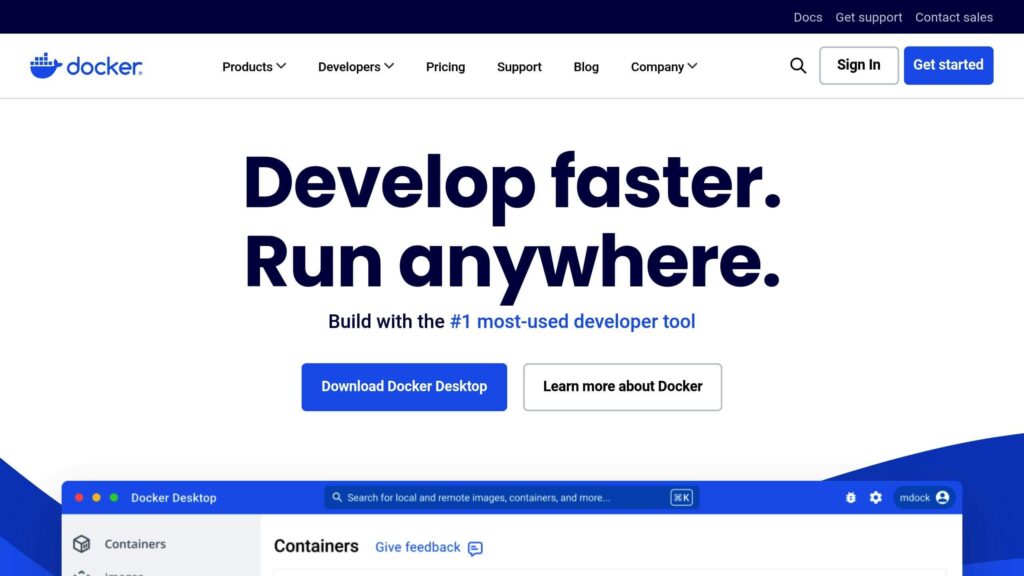
Meeting all n8n hosting requirements allows you to choose between different installation methods with confidence, whether through containers or manual deployment. There are two main ways to install n8n: via Docker or manual setup. Each has benefits depending on your use case and technical background.
- Docker installation is the most convenient and popular method. It packages n8n and all its dependencies into containers, simplifying deployment and updates. Docker Compose allows you to manage additional services like PostgreSQL or Redis in one configuration file. It also ensures consistent environments across systems, making it easier to migrate or scale.
- Manual installation offers more control. You’ll install Node.js and n8n directly on your server, configure environment variables manually, and handle database connections yourself. This method is great for users who want deeper insight into the setup process or need to integrate n8n into an existing infrastructure.
For most users, Docker is the better choice because it simplifies updates, reduces compatibility issues, and ensures isolation between services. However, manual installation is ideal if you prefer maximum customization or are working in a restricted environment where Docker isn’t available. If you would like to dive on the exact set up steps, you may refer to our previous article.
🚀 Launch Your First n8n Automation in Under 5 Minutes
Your quick start checklist
Environment Configuration
After installation, configuring n8n correctly is crucial for security and reliability. Environment variables determine how your instance behaves, including authentication, encryption, and scaling.
- Encryption Key: Set N8N_ENCRYPTION_KEY to protect stored credentials. Without it, sensitive data could be exposed.
- Base URL and Webhooks: Define the correct WEBHOOK_URL and N8N_HOST values so that external services can trigger workflows reliably.
- Execution Mode: Choose between regular mode or queue mode. Queue mode uses Redis for distributed task execution, improving scalability.
- Authentication and Access: Enable built-in authentication or use reverse proxy authentication to secure the admin panel.
- SMTP Settings: Configure email notifications for errors, password resets, or status alerts.
Proper configuration ensures smooth integrations with external systems and reduces downtime from misrouted webhooks or credential issues.
n8n Sizing Guide: Workflows to VPS Tier
The single biggest question self-hosters ask is “how much server do I actually need?” The answer depends almost entirely on two variables: how many workflows you run and how many of those workflows fire concurrently via webhooks or schedules.
RAM is the primary bottleneck in n8n deployments — not CPU, not disk. Each active workflow execution holds its payload in memory, and a single webhook-triggered workflow processing a large JSON body can consume 150–300 MB on its own. The table below maps real-world workflow counts to the VPS for n8n tier that keeps your instance responsive.
| VPS Spec | Concurrent Workflows | Executions/Minute | Avg Response Time |
|---|---|---|---|
| 1 vCPU, 1GB RAM | 2–3 | ~8–10 | 200–400ms |
| 2 vCPU, 2GB RAM | 5–8 | ~20–30 | 150–300ms |
| 4 vCPU, 4GB RAM | 15–20 | ~60–80 | 100–200ms |
| 8 vCPU, 8GB RAM | 30–50+ | 150–200 | 80–150ms |
Workflows tested with HTTP requests, Slack messages, and database operations. API latency (~100–200ms per call) is the dominant bottleneck, not VPS capacity, until you exceed concurrent workflow limits.
What this means: On a 2 vCPU VPS, you can comfortably run 5–8 concurrent automation workflows without slowdown. Each workflow execution takes ~150–300ms (mostly waiting for APIs). Your bottleneck is almost always external API response time, not your VPS.
n8n Self-Hosting Security Checklist: Protect Your Workflows in Production
Self-hosted environments must be secured from external threats. Begin by setting up HTTPS with Let’s Encrypt or another SSL provider to encrypt all traffic between users and the n8n interface. Using a reverse proxy like NGINX or Caddy simplifies SSL management and adds flexibility for load balancing later.
Restrict administrative access by limiting n8n’s interface to trusted IPs or using a VPN for internal access. Configure a firewall to block unnecessary inbound ports. Always use strong passwords and consider implementing two-factor authentication if your workflows involve sensitive data.
Regularly apply software updates for Node.js, n8n, and all dependencies. Vulnerabilities are often patched in new releases, so keeping your environment up to date prevents many potential exploits.
Pro tip: Is self-hosted n8n safe for production? Yes, but only if you follow this checklist. Most security breaches stem from weak credentials, unencrypted databases, and exposed ports—all preventable. Learn how to secure your n8n instance in detail.
Scaling and Performance Optimization

As your automation workload increases, n8n can be scaled horizontally or vertically.
Queue Mode with Redis is the recommended scaling method. It distributes workload across multiple worker instances, each processing tasks independently. This setup improves execution speed and prevents bottlenecks when multiple workflows run simultaneously.
For large-scale deployments, use load balancers to distribute incoming requests across multiple n8n instances. You can also deploy n8n behind NGINX or Traefik for efficient routing.
To monitor system health, integrate n8n with Prometheus and Grafana. These tools provide real-time metrics on CPU, memory, and workflow performance. If your VPS supports it, allocate dedicated CPU and RAM resources or use Docker resource limits to prevent overload.
Optimizing performance not only improves reliability but also reduces costs by making better use of available resources.
Maintenance and Troubleshooting
Keeping up with n8n hosting requirements over time is essential for maintaining consistent performance and preventing data corruption or configuration issues. Routine maintenance is essential for smooth operation. Schedule regular backups of both your database and environment configuration files. This ensures a quick recovery in case of corruption or data loss.
Keep your n8n instance updated by pulling the latest Docker image or running npm update if installed manually. Review logs frequently to identify errors, especially failed workflows or connection issues with APIs and databases.
Common problems include port conflicts, permission errors, or missing dependencies. If workflows suddenly stop running, restart the process manager (PM2 or Docker container) and check logs using verbose mode. For persistent issues, n8n’s community forum is a helpful resource.
Documenting your setup and maintenance process also helps future troubleshooting and scaling efforts.
Docker vs Bare Node.js: Which n8n Setup is Right for You?
Most people choose Docker, but here’s the honest comparison:
| Setup Method | Setup Time | Maintenance | Best For |
|---|---|---|---|
| Docker | 15 min | Low—automatic updates via image rebuild | Teams, production, quick scaling |
| Bare Node.js + npm | 30 min | Moderate—manual npm updates, systemd service config | Lightweight setups, older servers, single machine |
| Managed n8n (Cloud) | 0 min | None—handled by n8n | Simplicity, low-execution volumes, hands-off |
Recommendation: Use Docker. It’s the de facto standard, easiest to upgrade, and simplest to move between VPS providers. Bare Node.js is only worth it if you’re constrained by disk space or running on very old hardware.
Recommended VPS Configuration for n8n
When planning your deployment, review the n8n self-hosting requirements to determine the resources that best match your workflow volume and growth expectations. Choosing the right VPS depends on your usage patterns. A small personal setup might run well on a lightweight instance, but business environments require more robust resources.
For development or testing, a VPS with 1 vCPU, 1GB RAM, and 20GB SSD is sufficient. For production environments, choose at least 2 vCPUs, 4GB RAM, and 25GB SSD to handle concurrent workflows without performance drops. If you expect high traffic or run multiple workflows simultaneously, scale to 4 vCPUs and 8GB RAM.
Always select a provider offering SSD storage and reliable uptime. Automatic snapshots or off-site backups are valuable additions for disaster recovery. When selecting your hosting plan, check that it aligns with n8n server requirements to avoid performance bottlenecks and downtime during peak automation loads. Pairing your VPS with a managed database or external Redis instance can further enhance performance and resilience.
Final Words
Self-hosting n8n gives you the freedom to build, automate, and scale workflows exactly the way you want. By meeting all n8n self-hosting requirements, choosing the right database, and following strong security practices, you can maintain full control while ensuring long-term stability. With proper resource allocation and scaling strategies, n8n becomes a powerful backbone for automation that grows with your business.
Power Your n8n Workflows with VPS.us
At VPS.us, we provide the ideal environment for hosting and scaling your self-hosted n8n setup. Our infrastructure is optimized for stability, performance, and control; everything automation professionals need. For seamless performance and room to grow, we recommend our KVM2-US plan with 2 vCPU cores, 2 GB RAM, and 25 GB SSD storage. It’s perfectly suited for running production-grade n8n instances with room for multiple workflows and integrations.
With our reliable uptime, fast SSD storage, and flexible resources, you can focus on automating tasks while we handle the performance. Choose VPS.us and bring your n8n workflows to life with the power of a robust VPS designed for automation.
Frequently Asked Questions
What are the minimum requirements to self-host n8n?
How much RAM does n8n need in production?
Should I use SQLite or PostgreSQL with n8n?
Should I use Docker or bare metal to install n8n?
Is self-hosting n8n cheaper than n8n Cloud?
Does n8n need its own database?
Can I run n8n on Windows or macOS?
How do I back up my n8n workflows and data?
Is self-hosted n8n secure?