

Jira is not the only way to run issue tracking, planning, and engineering workflows. A self-hosted alternative can give you direct control over data location, backups, authentication, integrations, and upgrade timing. That control comes with operational responsibility, so the right choice depends as much on maintenance and migration risk as it does on boards and custom fields.
This guide compares five maintained self-hosted Jira alternatives for 2026: OpenProject, Redmine, Taiga, Plane, and Tuleap. It also explains how to size a VPS, evaluate upgrades and security, and migrate without giving up a tested rollback path. For a shorter overview, see the VPS.us guide to self-hosted Jira alternatives and their implementation trade-offs.
Why Self-Host an Issue Tracker in 2026?
Atlassian’s current Data Center timeline is a planning trigger. Impacted Data Center products, including Jira Software Data Center, reach end of life on March 28, 2029 at 23:59 PST. The phased wind-down began on March 30, 2026. Bitbucket Data Center is treated differently under Atlassian’s hybrid-license plan, so do not apply the Jira deadline to Bitbucket without checking the current policy.
That date does not mean every team should replace Jira immediately. It means self-managed Jira users now have a fixed window to inventory apps, workflows, custom fields, mail handlers, identity providers, automations, attachments, API consumers, and reporting dependencies. A test migration that ignores one of those layers can look successful while still breaking a critical business process.
Self-hosting is most useful when control is worth the work. You choose the deployment region, define the backup and retention policy, restrict administrative access, and decide when to upgrade. In exchange, your team owns patching, monitoring, TLS, mail delivery, database maintenance, incident response, and recovery testing. If nobody is accountable for those tasks, moving from Jira to an open-source tracker merely exchanges one risk for another.
Define Requirements Before Comparing Products

Start with the workflows you must preserve, not a vendor feature matrix. Export a representative sample of active and archived projects, then document the following requirements:
- Work model: Scrum, Kanban, service requests, release planning, roadmaps, or regulated lifecycle management.
- Identity: local accounts, LDAP, OIDC, SAML, enforced multi-factor authentication, and service accounts.
- Data model: issue types, statuses, custom fields, links, comments, attachments, work logs, and history.
- Integrations: Git hosting, CI/CD, chat, email intake, webhooks, APIs, and reporting tools.
- Governance: permissions, audit evidence, retention, legal hold, backup location, and restore objectives.
- Operations: supported installation method, upgrade frequency, database engine, storage growth, and monitoring.
Separate hard requirements from preferences. A familiar board layout is a preference; preserving issue history or meeting a specific authentication requirement may be a release blocker. Also verify which capabilities belong to a community edition and which require a paid edition. “Open source” does not guarantee that every enterprise feature is included at no cost.
Test Edition Boundaries and Import Coverage
Before building a shortlist, confirm the current license and edition boundary for every required capability. Authentication connectors, advanced audit controls, portfolio features, support, and migration assistance may differ between community and paid editions. Record the exact release and edition used in the pilot so a later upgrade does not quietly change the decision.
Import claims also need a practical test. Use Jira data containing comments, attachments, custom fields, user mentions, links, status history, and non-ASCII text. Compare source and target counts, then inspect representative records. A tool that imports basic issues but loses authorship or history may still be useful for a fresh start, but it is not a faithful migration path.
Compare Five Maintained Self-Hosted Jira Alternatives

The products below solve different problems. None is a drop-in Jira clone, and a successful choice should be based on a tested workflow and import rather than feature-name matching.
| Tool | Strongest fit | Operational profile | Main evaluation risk |
|---|---|---|---|
| OpenProject | Structured project planning, work packages, timelines, and mixed agile/traditional teams | Actively documented Docker and package deployments with PostgreSQL | Confirm edition boundaries and size the full application plus background workers and database |
| Redmine | Flexible issue tracking, custom workflows, time tracking, wikis, and repository links | Mature Ruby application with several supported database choices and a broad plugin ecosystem | Plugin quality and upgrade compatibility vary; test the exact set you intend to run |
| Taiga | Product teams centered on Scrum, Kanban, backlogs, epics, and a clean board experience | Official production guidance recommends Docker and includes PostgreSQL and RabbitMQ services | Validate identity, reporting, and importer behavior against your Jira data before committing |
| Plane | Modern product and engineering teams that want issues, cycles, modules, and a lightweight interface | Self-hosted deployment is container-oriented and evolves quickly | Pin reviewed releases and verify community-edition features, upgrade notes, and migration tooling |
| Tuleap | Organizations that need traceability across requirements, development, tests, releases, and governance | Broader application-lifecycle platform with more administration than a simple tracker | A larger capability surface increases configuration, training, and maintenance demands |
Phabricator is intentionally absent. Its upstream project states that active maintenance ended on June 1, 2021. Existing installations can still be encountered, and community forks exist, but unmaintained upstream software should not be presented as a default greenfield choice in 2026.
Size the VPS From Measured Workload
There is no defensible one-size-fits-all VPS specification for these products. Concurrent users, attachment volume, search indexing, background jobs, mail handling, plugins, database size, retention, and backup staging all affect resource use. Treat vendor guidance as a starting point and verify the target with a production-shaped test.
OpenProject provides a useful example of why generic sizing claims are risky. Its current system requirements list a quad-core CPU, 4 GB of memory, and 20 GB of free disk as a minimum single-server baseline for up to 200 total users, while warning that concurrency can change requirements substantially. That figure should not be copied to Redmine, Taiga, Plane, or Tuleap; each has a different service topology and workload profile.
- Record idle and peak CPU, memory, disk I/O, database connections, queue depth, and request latency.
- Load a realistic number of projects, issues, attachments, users, and automation events.
- Run reindexing, exports, mail delivery, backups, and restore tests during the pilot.
- Keep free disk space for database growth, temporary upgrade files, logs, and at least one local backup artifact.
- Scale only after identifying the constrained resource; adding CPU will not fix storage latency or memory pressure.
The VPS server optimization guide covers host-level measurements that help separate application bottlenecks from operating-system and storage problems.
Compare Deployment and Upgrade Complexity
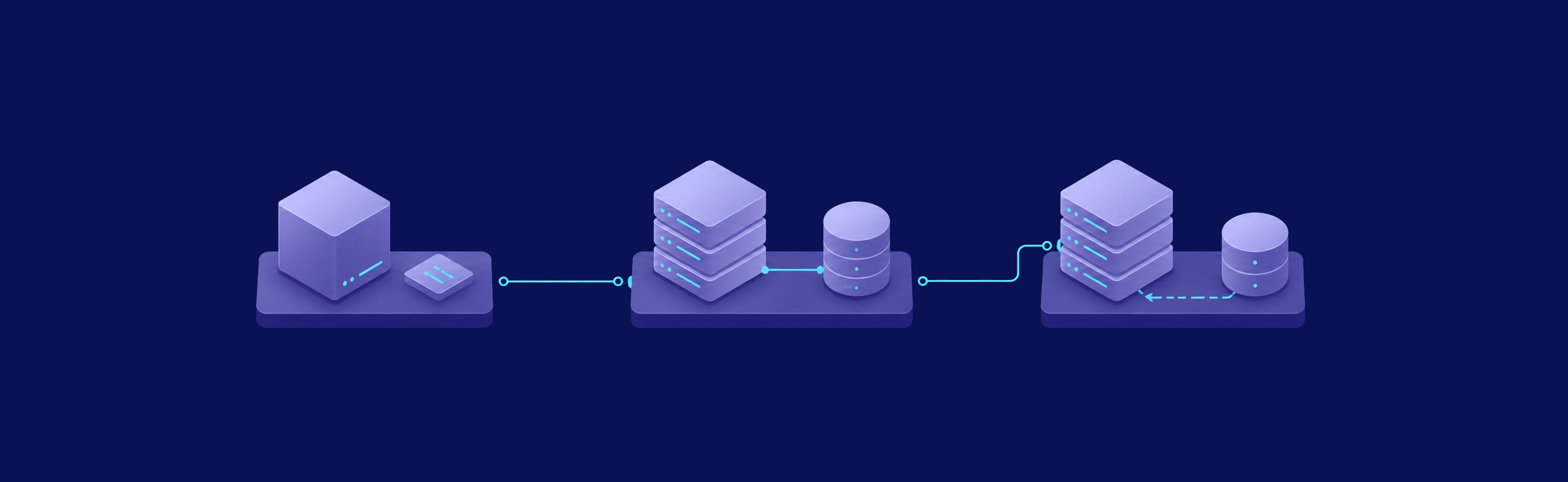
A quick install is not the same as an easy system to operate. Evaluate the complete lifecycle: first deployment, configuration management, secret rotation, database migrations, attachment storage, background workers, monitoring, backup consistency, rollback, and security updates.
Containerized installations can make application versions and service dependencies explicit, but containers do not remove operational work. You still need pinned image versions, reviewed release notes, protected environment files, persistent volumes, database backups, health checks, and a rollback plan. The VPS.us Docker VPS hosting guide explains the host and container boundaries that remain your responsibility.
For each candidate, rehearse an upgrade on a clone of production data. Measure downtime, confirm that database migrations complete, test integrations, and verify that the previous version can be restored from documented artifacts. Avoid a floating latest image in production; a release you have not reviewed can cross an incompatible database or configuration boundary.
Protect Identity, Data, and Recovery Paths
Issue trackers routinely contain vulnerability reports, customer names, internal roadmaps, incident details, and credentials pasted where they do not belong. Put the application behind HTTPS, expose only necessary ports, restrict the administration interface, and keep the database off the public network. Use a maintained identity provider where the selected edition supports it, enforce least privilege, and review dormant accounts and service tokens.
Back up every data class required for a complete restore: database, attachments, configuration, encryption or signing keys, uploaded assets, and any external object-storage metadata. Store at least one encrypted copy outside the VPS and test a restore into an isolated environment. A backup job that exits successfully is not recovery evidence. The VPS.us guide to self-hosted backup software provides additional patterns for off-host copies and restore testing.
Track patch cadence and security advisories for the application, its plugins, database, reverse proxy, container runtime, and host OS. If a plugin has no recent releases or clear maintainer, treat it as a migration liability rather than a free feature.
Migrate From Jira With a Reversible Cutover

Do not begin with a final export. Begin with a repeatable test migration and an explicit rollback decision. A safe sequence looks like this:
- Inventory: capture Jira projects, schemes, custom fields, apps, automations, users, groups, permissions, attachments, and API consumers.
- Map: define how each required object lands in the target. Record unsupported fields and transformations instead of silently discarding them.
- Pilot: migrate a representative project with real history, attachments, links, and edge cases.
- Validate: compare counts and samples, test permissions, search, email, webhooks, reports, and integration credentials.
- Rehearse: measure the final export/import window and document every command, owner, checkpoint, and abort condition.
- Freeze: put Jira into a controlled read-only window before the final delta or export, then take a source backup.
- Cut over: switch DNS or the reverse proxy only after acceptance checks pass. Keep the old system isolated and read-only for the approved retention window.
- Prove recovery: restore the new tracker from backup and confirm that the restored instance can authenticate, search, open attachments, and serve representative projects.
For a PostgreSQL-backed target, create a logical backup and checksum it before an upgrade or cutover. Replace the example database name with the reviewed target database; keep credentials out of shell history and use the project’s documented authentication method.
pg_dump --format=custom --file=tracker-backup.dump tracker
sha256sum tracker-backup.dump
Record the checksum with the migration evidence, copy the backup off-host, and perform a test restore. A checksum proves file integrity, not restore correctness.
Choose the Tracker That Matches Your Operating Model
Choose Redmine when you want mature, flexible issue workflows and can govern plugins carefully. Choose Taiga when product teams prioritize Scrum or Kanban and the pilot proves its identity and migration paths. Choose OpenProject when structured planning, work packages, and portfolio-style coordination matter. Evaluate Plane for a modern product-development experience, but pin and test releases closely. Consider Tuleap when lifecycle traceability and governance justify a larger platform.
The final decision should be based on a scored pilot using your own data. Include operational effort, edition boundaries, upgrade rehearsal, restore proof, and staff ownership alongside the visible product features. If two tools satisfy the workflow, the one your team can patch and restore reliably is usually the safer self-hosted choice.
For another issue-management perspective, compare these products with the VPS.us guide to self-hosted ticketing systems.
Frequently Asked Questions
When does Jira Software Data Center reach end of life?
Is Phabricator still a good new self-hosted Jira alternative?
How much RAM does a self-hosted issue tracker need?

