

Self hosted ticketing systems have become a serious alternative to SaaS helpdesk platforms. Organizations want more control over their data, more flexibility in how workflows are designed, and predictable long‑term costs. As teams grow and support channels multiply, the need for a centralized, customizable system becomes impossible to ignore.
This article explores what self hosted ticketing systems offer, how they differ from cloud‑based tools, and what to consider when choosing one. It also looks at real‑world use cases and the challenges that come with running your own infrastructure.
What a Ticketing System Actually Does
A ticketing system is the backbone of structured support. It turns scattered communication into organized, trackable work. Before diving into specific platforms, it helps to understand the core functions these systems provide.
A typical ticketing system handles the full lifecycle of a request. It captures incoming messages, assigns them to the right people, tracks progress, and ensures nothing falls through the cracks. It also provides internal collaboration tools so teams can work together without exposing internal notes to customers.
Some systems focus on email‑based workflows, while others support chat, social media, phone logs, and API‑driven intake. The more channels a team uses, the more important it becomes to unify them under one system.
Why Choose a Self Hosted Solution
Organizations choose self hosting for several reasons. The most common motivations revolve around control, cost, and customization.
- Data ownership: Keeping customer or internal data on your own servers avoids third‑party storage and reduces compliance concerns.
- Customization: Open source ticketing software allows code-level changes, plugin development, and deep integration with internal tools.
- Predictable costs: Instead of paying per agent or per feature, teams pay for their own infrastructure and nothing more.
- Independence: A self hosted system is not affected by vendor outages or pricing changes.
Self hosting also comes with responsibilities. Teams must manage updates, security patches, backups, and uptime. For organizations with technical capacity, these tradeoffs are acceptable. For others, they may require planning and dedicated resources.
Key Features to Evaluate

According to Zendesk’s Customer Experience Trends Report, teams using automation resolve tickets about 30% faster on average than teams relying primarily on manual workflows.
Yet, before selecting a platform, it helps to understand which features matter most. Different teams prioritize different capabilities, but several categories tend to be universal.
There are a few areas worth examining closely.
- Workflow and automation: A strong ticketing system supports custom statuses, routing rules, SLA timers, and automated actions. These features reduce manual work and keep response times consistent.
- Integrations: Most teams rely on multiple tools. Email, CRM systems, monitoring platforms, and chat applications often need to connect to the ticketing system. A flexible API or plugin ecosystem makes this easier.
- Access control: Role‑based permissions, LDAP or SSO support, and audit logs are essential for larger teams or regulated environments.
- Reporting: Metrics such as resolution time, ticket volume, and agent workload help teams improve their processes.
Overview of Popular Self Hosted Ticketing Systems
There is no single best open source ticketing system. Each platform has strengths that make it suitable for specific environments. The following examples illustrate the range of options available.
FreeScout
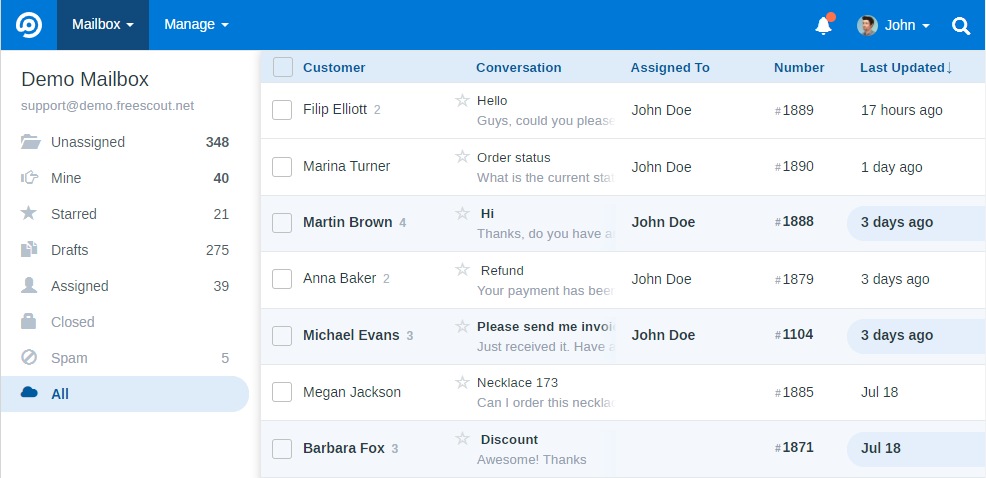
FreeScout is a lightweight, modular helpdesk that excels at email‑centric workflows. It is easy to deploy and offers a marketplace of extensions for features like chat, CRM syncing, and advanced automation.n
UVdesk
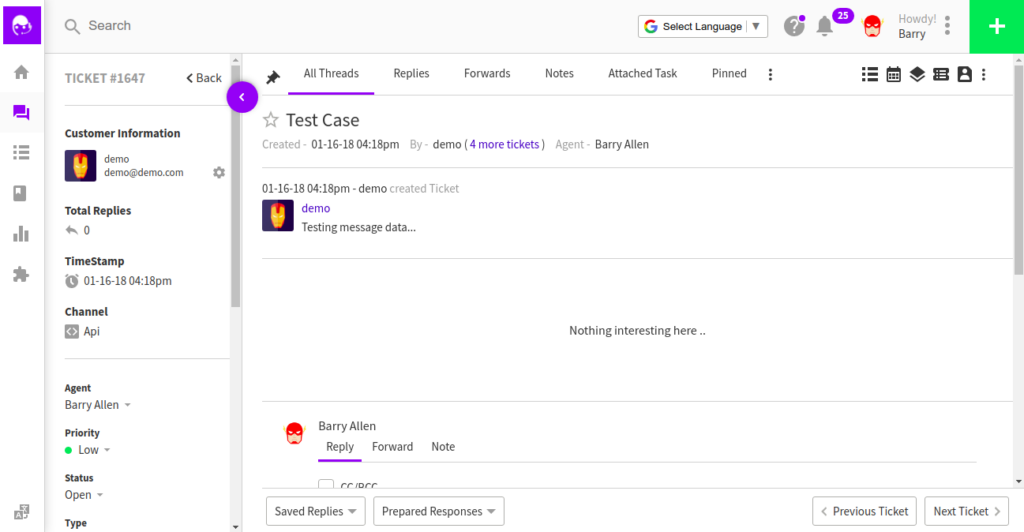
UVdesk provides a more enterprise‑oriented experience. It includes multi‑channel support, workflow automation, and a structured backend built for teams that need granular control.
osTicket
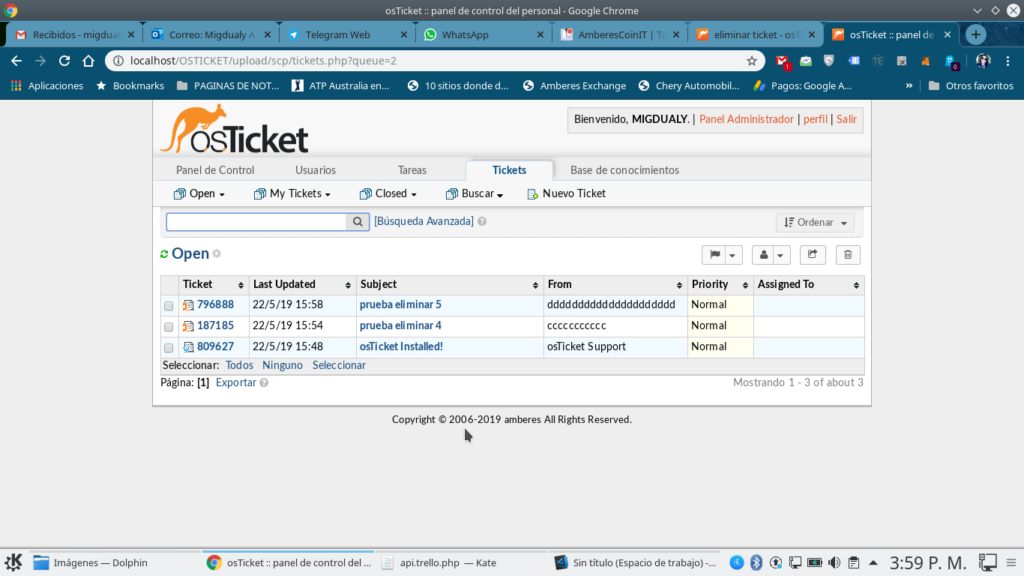
osTicket is one of the most widely used open source ticketing systems. It is stable, simple to deploy, and offers a familiar interface for traditional helpdesk operations.
Zammad
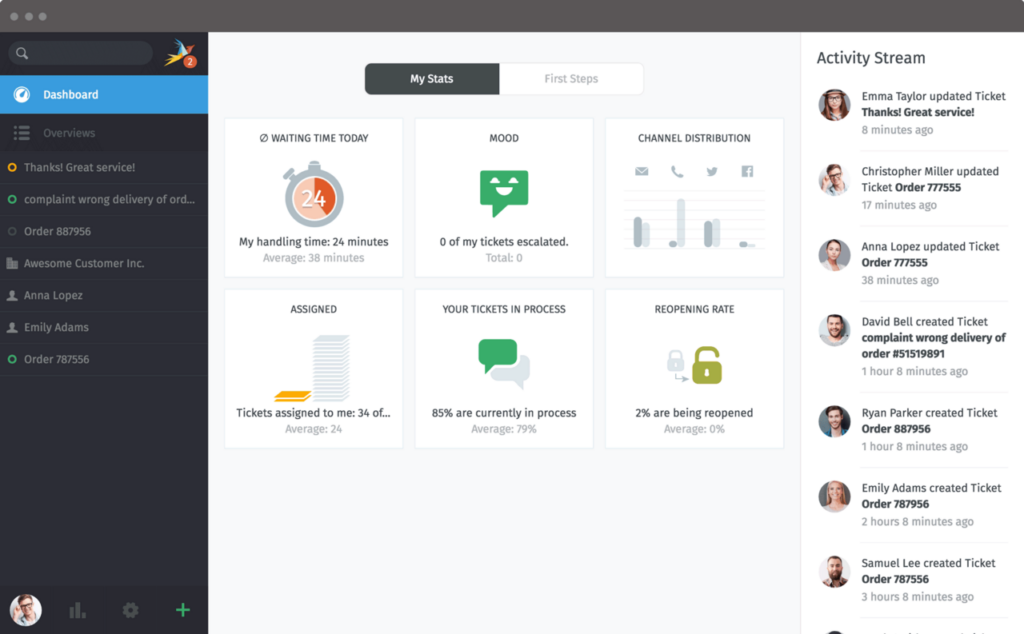
Zammad stands out for its modern interface and strong automation capabilities. It integrates well with chat platforms, telephony systems, and monitoring tools.
Other systems such as Hesk, OpenSupports, Trudesk, and OTOBO fill niche needs ranging from personal use to large IT departments.
Matching Systems to Use Cases
Different environments require different strengths. The following breakdown helps narrow the field.
Small teams often prefer simple, email‑driven systems like FreeScout or Hesk. These tools require minimal setup and focus on core functionality.
Growing startups benefit from platforms with automation and multi‑channel support. Zammad and UVdesk fit this category well.
IT departments usually need an open source IT ticketing system with LDAP integration, asset management, and monitoring tool compatibility.
OTOBO and osTicket are strong candidates for these requirements.
Developer‑centric teams may prefer systems with strong APIs and customization potential, such as Trudesk or Ticketit.
Hosting and Deployment Considerations
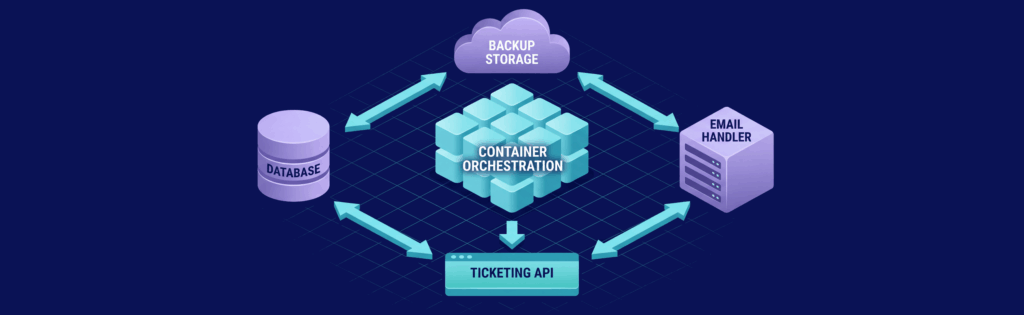
Self hosting a ticketing system depends heavily on the environment it runs in. The choices made at this stage influence performance, reliability, and long term maintainability.
Hosting approaches
Different teams choose different hosting methods depending on their skills and scale.
- Bare metal servers offer full control and strong performance.
- VPS hosting provides a balance of flexibility and cost efficiency.
- Docker based deployments simplify updates and portability.
- Kubernetes clusters support high availability and scaling.
Email handling
Ticketing systems rely on email for both intake and outbound communication. Proper configuration prevents lost tickets and delivery issues.
- SMTP must be authenticated and secured.
- IMAP or POP3 retrieval should be configured with attention to spam filtering.
- SPF, DKIM, and DMARC records help maintain deliverability.
Backup planning
A reliable backup strategy protects communication history and attachments.
- Databases should be backed up regularly.
- File attachments must be included in backup routines.
- Offsite storage adds protection against local failures.
Integrations and Automation
A ticketing system becomes more useful when it connects to the rest of the organization’s tools. Integrations reduce manual work and create a smoother workflow.
Common integration points
Teams often connect their ticketing system to tools they already rely on.
- CRM platforms synchronize customer information.
- Monitoring tools create tickets automatically when alerts occur.
- Chat platforms allow agents to create or update tickets from conversations.
- Billing systems attach customer history to support requests.
Automation opportunities
Automation helps maintain consistency and reduces repetitive tasks.
- Auto assignment rules distribute tickets based on category or workload.
- SLA timers track response and resolution expectations.
- Canned responses speed up replies to common questions.
- Escalation rules ensure overdue tickets receive attention.
Real World Use Cases
Self hosted ticket systems are used across many industries. Each environment has its own priorities, which influence the choice of platform.
Customer support operations
Businesses that sell products or services rely on ticketing systems to manage inquiries. E commerce stores handle order issues and returns, while SaaS companies track onboarding questions and bug reports.
Internal IT departments
IT teams often rely on an open source IT ticketing system to organize internal requests. Hardware issues, software problems, and access requests are logged and tracked. Asset management modules help maintain an inventory of equipment.
Managed service providers
MSPs depend on ticketing systems to coordinate support across multiple clients. Monitoring alerts generate tickets automatically, and client specific queues keep work organized.
Personal or small scale use
Some individuals use lightweight ticketing tools for personal organization. They track calls, commitments, or small freelance projects.
Challenges and Limitations

Self hosting offers control, but it also introduces responsibilities that teams must be prepared to handle. These challenges are manageable with planning, but they should not be underestimated.
Maintenance workload
Running your own system means staying on top of updates. Security patches must be applied promptly, and major version upgrades may require testing. Server maintenance tasks such as log rotation and monitoring need attention.
Security considerations
A self hosted system is only as secure as the environment around it. Firewalls and access controls must be configured correctly, HTTPS should be enforced, and regular audits help identify vulnerabilities.
Scaling concerns
As ticket volume grows, performance requirements increase. Database optimization may be necessary, additional CPU or RAM may be required, and distributed setups may be needed for very large teams.
Future Trends in Self Hosted Ticketing

The landscape of self hosted support tools continues to evolve. Several trends are shaping how organizations will deploy and use these systems in the coming years.
AI assisted workflows
Artificial intelligence is becoming more accessible in self hosted environments. Automated triage can categorize and prioritize tickets, suggested replies help agents respond faster, and sentiment analysis highlights urgent or sensitive cases.
Modular and low code platforms
More open source ticketing software platforms are adopting modular architectures that allow teams to build custom workflows without deep programming knowledge. Drag and drop builders simplify process design, plugin ecosystems continue to expand, and custom modules can be added without modifying core code.
Privacy focused adoption
Organizations with strict data requirements increasingly prefer self hosting. Healthcare providers need full control over patient communication, financial institutions must comply with strict regulations, and government agencies often require on premises solutions.
Hybrid hosting models
Some platforms now offer optional cloud services that complement self hosted deployments. Cloud search indexing improves performance, hosted analytics reduce server load, and optional remote backups add redundancy.
Conclusion
Self hosted ticketing systems give organizations control, flexibility, and predictable long term costs. They support a wide range of workflows, from customer support to internal IT operations. Choosing the right platform depends on team size, technical capacity, and the complexity of required integrations. With proper planning and infrastructure, a self hosted system can become a reliable foundation for communication and support.
Deploy Your Ticketing System on VPS.us
A self hosted ticket system performs best on reliable infrastructure with consistent performance. VPS.us offers virtual private servers that are well suited for helpdesk platforms. The KVM4 US plan includes 4 vCores, 4 GB ECC RAM, 40 GB NVMe storage, and unmetered 1 Gbps traffic, which provides a strong balance of speed and capacity for growing support teams.
If you want a dependable environment for your ticketing system, VPS.us provides the stability and performance needed for long term operation.

