

A self hosted document management system gives you full control over how your files are stored, accessed, and secured. Instead of relying on third-party platforms, you run everything on your own infrastructure — which is especially useful if privacy, compliance, or avoiding SaaS pricing is a priority. This guide explains how a self hosted system works, when it makes sense, and how to set it up with proper planning. For teams looking to manage documentation alongside file storage, this approach also creates a centralized and controlled knowledge base.
What Self Hosting Actually Changes
A self hosted document management system is software that organizes and tracks your files while running entirely on infrastructure you control. The “self hosted” part shifts both responsibility and control directly to you.
- Storage on Your Own Server or VPS: Your documents reside on infrastructure you control — whether that is a VPS, dedicated server, or on-prem hardware. This gives you full ownership over storage decisions such as disk type, redundancy, and geographic location. For added flexibility with storage, consider exploring Self-Hosted Cloud Storage: Taking Control of Your Files and Privacy to learn more about managing your data.
- Custom Access Rules and Authentication: You define user accounts, permissions, and authentication flows (LDAP or SSO), granting tighter control while requiring careful planning to avoid permission sprawl or security gaps.
- Control of Backups, Logging, and Data Retention: You decide the frequency of backups, storage destinations, and retention policies. This control is vital for compliance and recovery but requires active maintenance and testing. Enhance your backup strategy by reviewing our guide on Self Hosted Backup Software: Tools, Setup, and Best Practices.
In practice, you are trading convenience for direct management responsibility.
Why Teams Move Away From SaaS DMS Tools

Many start with cloud tools for their ease-of-use, but common issues include:
- Cost Creep Over Time: What starts as a low monthly fee can escalate with additional users, storage, or premium features, potentially becoming more expensive than running your own infrastructure.
- Data Ownership Concerns: Documents stored on external platforms may be subject to legal and operational challenges if the data is outside your control.
- Limited Flexibility: SaaS tools are built for broad use cases. Custom workflows or specialized requirements can be difficult or impossible to implement.
- Vendor Lock-in: Migrating away from a SaaS platform can prove challenging due to proprietary formats, API constraints, or export restrictions.
Self hosting addresses these concerns but replaces them with operational responsibilities.
Where Self Hosted Document Management Makes The Most Sense
Self hosting isn’t the best fit for every scenario. It works best when:
Sensitive or Regulated Data Handling
Industries like healthcare, legal, or finance require strict control over data access. Self hosting lets you meet compliance requirements without reliance on external platforms.
Existing Infrastructure Management
If your team already manages servers or infrastructure, adding a document management system becomes another service to maintain rather than an entirely new challenge.
Need for Custom Workflows or Integrations
Self hosted systems support tailored configurations, enabling integrations with internal tools and custom automation to meet specific business needs.
Long-Term Cost Control
Although there’s an upfront investment, long-term expenses can be lower and more predictable compared to recurring SaaS fees.
If none of these conditions apply, self hosting may introduce unnecessary complexity.
Core Features That Actually Matter In Daily Use

Real-world use of a document management system depends on several critical capabilities:
Flexible Document Organization
Folders, tags, and metadata should work together so that documents remain easy to locate. A system relying solely on folders can quickly become unwieldy as the number of files grows.
Essential Version Control
Without effective version control, users may overwrite files or lose track of changes. An effective versioning system allows you to track edits and roll back when needed.
Fast and Accurate Search
When managing self hosted documentation, a content search is vital rather than simple folder browsing. Full-text indexing helps locate documents quickly and accurately.
Clear and Enforceable Permissions
Strict access control prevents security risks and reduces user complaints. Well-defined permissions are key to maintaining secure and efficient operations.
Tooling Landscape: What You Are Choosing Between
Options vary based on team size, technical expertise, and workflow complexity. Tools generally fall into two categories:
Lightweight and Open Source Tools
- Simplified Deployment: Many open source tools offer containerized deployments (e.g., via Docker), enabling faster and more consistent installation. For assistance, check out Docker VPS Hosting: How to Run Containers Efficiently on Your Own Server.
- Community-Driven Support: Rely on forums, documentation, and community contributions rather than dedicated support teams.
- Flexibility with Caveats: While these tools allow extensive customization, they may suffer from UI inconsistencies or lack enterprise features.
Examples include Paperless-ngx and OpenDocMan, which work well for small teams or personal setups.
Heavier Enterprise Systems
- Advanced Permissions and Auditing: Fine-grained access controls and detailed logs assist in meeting compliance requirements in regulated settings.
- Workflow Automation: Built-in workflows for document review, approvals, and lifecycle management help streamline operations.
- Enhanced Scalability: These systems are designed to manage large datasets and integrate effectively with enterprise systems such as ERP or identity providers.
Examples like Alfresco or LogicalDOC illustrate this category’s balance of control and operational complexity.
Setup Overview Without The Hand-Holding
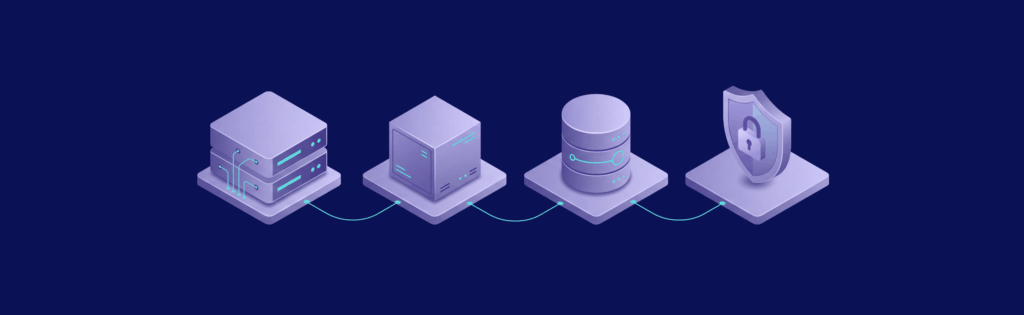
At a high level, setting up your self hosted document management system involves building a small service stack:
Provision a Server
Select a VPS, dedicated server, or cloud instance that offers reliability and sufficient resources.
Deploy the DMS
Most modern document management systems support containerized deployments (often via Docker), which simplifies installation and dependency management.
Attach Storage and Configure Indexing
Decide on the storage method for your documents and ensure indexing services are configured for rapid search performance.
Expose it Securely Over HTTPS
Secure communication is essential. Use a reverse proxy with SSL certificates to protect data during transit.
Define Users and Access Rules
Establish roles and permissions from the start to prevent complications as your user base grows.
Missing details in any step can lead to an unstable overall setup.
Security Is Not Optional Here

Self hosting means that security is your responsibility. Focus on these basics:
- Enforce HTTPS Everywhere: Avoid exposing services without encryption to prevent data interception.
- Implement Strong Authentication: Use strict password policies, SSO, or multi-factor authentication to minimize risk.
- Keep Systems Updated: Regular updates for both the operating system and applications help patch known vulnerabilities.
- Restrict Network Access: Limit access by using measures such as IP whitelisting or VPN-only connections.
- Enable Logging and Monitoring: Comprehensive logs are essential to detect and respond to suspicious activities.
Most breaches arise from misconfigurations rather than targeted attacks.
Backup Strategy: The Part Everyone Ignores Until It Breaks
Backups might seem mundane, but neglecting them can lead to disaster:
Automated Daily Backups with Retention
Regular automated backups protect data consistently without relying on manual processes.
Offsite Copy Storage
Keep backup copies offsite to safeguard against server failure—local backups alone won’t be enough if your primary server fails.
Versioned Backups
Maintain versioned backups so that you can roll back changes in the event of accidental deletion, data corruption, or ransomware.
Regular Restore Tests
Conduct restore tests frequently to ensure that your backup strategy is effective. Without testing, your backups may prove unreliable in a crisis.
Self Hosted Vs Cloud: The Real Trade-Off
This topic is not about declaring one option as superior to the other; rather, it’s about understanding the trade-off between control and convenience.
Benefits of Self Hosting:
- Complete Control: Decide how your data is stored and accessed without being dependent on third parties.
- Customized Integrations: Configure workflows and integrations to meet specific requirements.
- Predictable Cost Scaling: Infrastructure costs scale with usage, although careful capacity planning is essential.
Benefits of Cloud-Based Solutions:
- Zero Maintenance: The provider handles updates, uptime, and infrastructure management.
- Rapid Onboarding: Start quickly without the need for complex configurations.
- Reduced Operational Overhead: Support teams take care of issues, allowing you to focus on core business functions.
Ultimately, the choice hinges on whether you value granular control or operational simplicity.
Common Failure Points

A poorly planned self hosted document management system often fails for predictable reasons:
- Overcomplication: Attempting to build a perfect system from the start can lead to unnecessary complexity and delays.
- Neglected Permissions: Without proper planning for user access, security risks and user complaints are common.
- Inadequate Storage Planning: Underestimating future growth can force disruptive restructuring down the line.
- Insufficient Monitoring: Without proper monitoring, issues can go undetected until they escalate.
- Backup Negligence: Overlooking backups can turn minor issues into major data loss events.
These failures typically stem from planning oversights rather than inherent technical limitations.
Conclusion
A self hosted document management system is a valid solution for those who need complete control and are prepared to handle its complexities. It isn’t inherently superior to SaaS solutions; it simply shifts the maintenance and security responsibilities to you. If you already run your own infrastructure or want to avoid long-term vendor lock-in, self hosting is a viable option, though it may be more burdensome if your team isn’t prepared for the operational overhead.
Get The Performance You Need For Self Hosted Document Management
Running a document management system on weak or inconsistent infrastructure will cause more problems than the software itself. For example, VPSus’s KVM1 plan at $10/month offers 1 vCore, 1 GB ECC RAM, and 20 GB NVMe SSD storage, available in regions like Atlanta and Los Angeles, ensuring reliable performance for self hosted document management. Fast storage, stable performance, and sufficient resources are essential to handle indexing and multiple users efficiently.
Frequently Asked Questions
What is a self hosted document management system?
How does self hosting improve data security?
What are the key benefits of self hosting over SaaS solutions?
What are the essential components in setting up a self hosted DMS?

