
Securing your n8n instance is critical to protect sensitive data like API keys, OAuth tokens, and database credentials. Default settings prioritize ease of use but leave your system vulnerable to attacks. For example, a recent vulnerability (patched in version 1.121.0) allowed attackers to access the file system in versions 1.65–1.120.4. This guide outlines practical steps to safeguard your instance for solo users, power users, and teams with compliance needs.
Key Takeaways:
- Encryption Key: Set a persistent
N8N_ENCRYPTION_KEYto protect credentials. - Access Control: Enable authentication, 2FA, and restrict public access.
- Secure Connections: Use HTTPS/TLS via a reverse proxy.
- High-Risk Nodes: Disable dangerous nodes like
Execute Commandunless needed. - Data Retention: Configure automatic deletion of old execution logs.
- Webhook Security: Add authentication or IP restrictions to prevent misuse.
Whether you’re automating personal tasks or managing workflows for compliance-heavy environments, these measures will help you minimize risks and keep your n8n instance secure.
Why Default n8n Configurations Are Insecure
n8n’s default settings prioritize ease of use over robust security, which may seem convenient at first but introduces serious vulnerabilities as your instance grows. This setup creates a foundation for risks in credential storage and integration points, leaving your system exposed to potential security breaches.
How Default Encryption Weakens Credential Storage
When you first launch n8n, it automatically generates a random encryption key and stores it in a local settings file. While this might seem straightforward, losing this file during container restarts or migrations can permanently lock you out of critical data like API tokens, database credentials, and OAuth keys.
This risk is compounded by the fact that n8n doesn’t encrypt database and configuration files by default. Additionally, if you don’t set N8N_BLOCK_ENV_ACCESS_IN_NODE to true, the Code node can expose all environment variables, potentially leaking sensitive system-level secrets through workflow expressions. Another overlooked issue is file permissions – settings files don’t automatically restrict access to the file owner unless you enable N8N_ENFORCE_SETTINGS_FILE_PERMISSIONS.
Integration Points That Increase Your Attack Surface
Every webhook, API endpoint, and integration you add to n8n expands your attack surface. By default, webhooks can be set to “None” for authentication, making it possible for anyone who discovers the URL to trigger your workflows. This could mean unauthorized actions like processing payments, sending emails, or querying databases. While n8n generates random webhook paths like /webhook/abcdef123..., relying on obscurity alone is not a secure strategy.
High-risk nodes such as “Execute Command” and “SSH” are enabled by default, which can grant direct shell access to your server if exploited. If an attacker gains access to a workflow – whether through a compromised account or social engineering – these nodes provide a direct path to your host system. Additionally, the public API is often enabled by default, adding another management interface that attackers could target.
Security advisories have repeatedly highlighted how misconfigurations in n8n can lead to severe exposures. This reinforces the need for tailored security measures based on your specific operational requirements.
Consequences of Security Failures
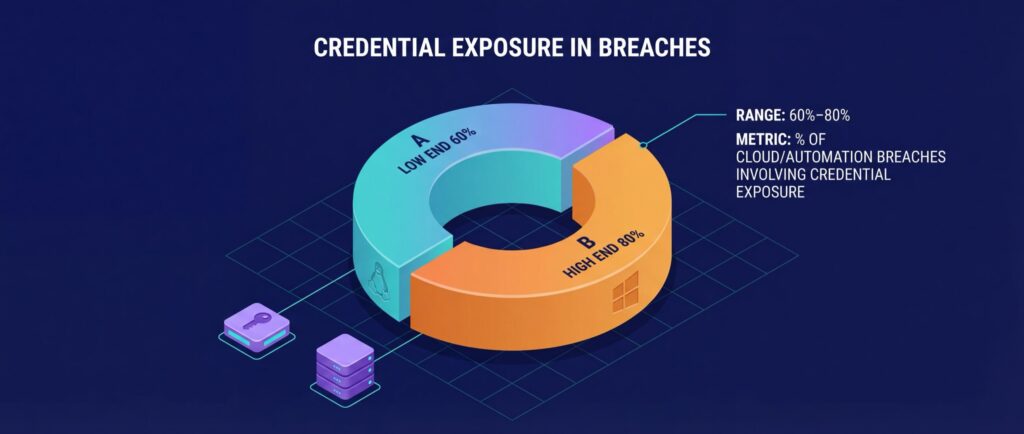
If the encryption key is compromised, attackers can decrypt all stored credentials, including Stripe keys, database passwords, AWS tokens, and OAuth credentials. Security incident studies indicate that credential exposure is involved in roughly 60–80% of cloud and automation platform breaches, largely because automation tools aggregate high-privilege API tokens and service credentials into one execution environment. With the “Execute Command” node enabled, they could run arbitrary shell commands on your server. Without SSL/TLS encryption, credentials are transmitted in plain text, making them vulnerable to interception.
| Security Risk | Impact | Default |
|---|---|---|
| Auto-Generated Encryption Key | Permanent credential loss on file deletion | Random key in local file |
| Unprotected Webhooks | Unauthorized workflow triggering | Authentication set to “None” |
| Execute Command Node | Arbitrary shell access on host | Enabled |
| No SSL/TLS | Credential interception in transit | No native SSL support |
| Public API Exposure | Unauthorized instance management | Often enabled |
As you add more integrations, n8n consolidates sensitive credentials, creating a single point of failure. This makes it a lucrative target for attackers. Workflows that handle personally identifiable information also introduce legal risks under regulations like GDPR and CCPA. Recognizing these vulnerabilities is the first step toward implementing the security measures covered later in this guide.
3 Security Profiles Based on Your Use Case
When it comes to securing your workflows, a one-size-fits-all approach just doesn’t work. Whether you’re automating simple personal tasks or managing sensitive, compliance-heavy operations, your security measures should match the level of risk and complexity involved. Overdoing it for low-risk scenarios wastes resources, while underestimating the needs of high-stakes environments can lead to serious consequences.
Here’s a breakdown of security practices tailored to different use cases, so you can align your setup with your specific needs.
Solo Users Running Low-Risk Workflows
If your automations revolve around personal tasks like syncing calendars, posting on social media, or aggregating news, your main concerns are credential security and unauthorized access. While you’re not working with sensitive data like payment details, a breach could still expose API keys or disrupt your workflows.
Here’s how to stay secure:
- Encryption Key: Set a persistent
N8N_ENCRYPTION_KEYto protect stored credentials. Without this, keys are regenerated on every restart, risking data loss. - Passwords and 2FA: Use a strong password (at least 12 characters) and enable two-factor authentication (2FA) if available, especially on n8n Cloud or via a reverse proxy for self-hosted setups.
- Secure Connections: Use a reverse proxy to enforce HTTPS/TLS, ensuring credentials remain secure during transmission.
- Credential Management: Store API keys in n8n’s credential manager and opt for OAuth wherever possible for safer, revocable access.
- Disable Unused Nodes: If you don’t need certain high-risk nodes like
executeCommand, add them to theN8N_NODES_DENYLISTenvironment variable. - Limit Data Retention: Configure
EXECUTIONS_DATA_MAX_AGEto automatically delete execution data after 30–60 days. - Restrict Access: Avoid exposing the n8n editor to the public internet. Use a VPN or IP allow-list to limit access to trusted networks.
- Stay Updated: Regularly apply updates to benefit from security patches. If you’re not using the public API, disable it with
N8N_PUBLIC_API_DISABLED=true.
Even for personal use, these steps can prevent unauthorized access and keep your automations running smoothly.
Power Users Managing Sensitive Data
When your workflows handle sensitive or confidential information, the stakes are higher. Credential isolation, strict access controls, and enhanced network security become essential.
Here’s how to level up your security:
- Encryption Key Management: Use a strong, unique
N8N_ENCRYPTION_KEYand store it securely in a vault like 1Password or AWS Secrets Manager. Losing this key means losing access to encrypted credentials permanently. - Environment Variable Restrictions: Set
N8N_BLOCK_ENV_ACCESS_IN_NODE=trueto block workflows from accessing sensitive system environment variables, reducing the risk of credential leaks. - Isolate Custom Code: If you’re running custom JavaScript, configure task runners in “external mode” as sidecar containers to isolate the core n8n process.
- File Access Controls: Set
N8N_BLOCK_FILE_ACCESS_TO_N8N_FILES=trueto prevent workflows from accessing configuration files or the.n8ndirectory. - Secure Connections: Enforce SSL/TLS through a reverse proxy and set
N8N_SECURE_COOKIE=trueto ensure session cookies are transmitted securely. - Webhook Security: Use header authentication or signature verification (e.g., GitHub webhook signatures) for webhook triggers to prevent unauthorized executions.
- Scoped API Keys: Follow the principle of least privilege by using scoped tokens instead of master keys, and rotate credentials regularly.
- Data Retention Policies: Configure
EXECUTIONS_DATA_PRUNEto automatically delete execution logs after 30 days, minimizing the impact of potential breaches. - Stay Up-to-Date: If you’re running versions between 1.65 and 1.120.4, upgrade immediately to 1.121.0 or later to fix a known vulnerability that allowed unauthorized file system access.
By implementing these measures, you can safeguard sensitive data and maintain tighter control over your workflows.
🚀 Launch Your First n8n Automation in Under 5 Minutes
Your quick start checklist
Teams With Compliance and Audit Requirements
For organizations bound by regulations like GDPR, CCPA, HIPAA, or SOC 2, security isn’t just about protection – it’s about meeting strict compliance standards. This requires centralized identity management, audit trails, and robust access controls.
Here’s what you’ll need:
- Centralized Identity Management: Use Single Sign-On (SSO) via SAML or LDAP to enforce organizational authentication policies. This is available in n8n’s Enterprise Edition.
- Role-Based Access Control (RBAC): Define user permissions based on roles to ensure access is limited to what’s necessary, implementing the principle of least privilege at the organizational level.
- External Secrets Management: Move sensitive credentials out of n8n entirely by integrating with tools like HashiCorp Vault or AWS Secrets Manager for centralized control and rotation.
- Version Control: Enable Git integration (Enterprise Edition) to track workflow changes, perform code reviews, and roll back to previous versions when needed.
- Audit and Prune: Configure
N8N_SECURITY_AUDIT_DAYS_ABANDONED_WORKFLOWto identify and clean up workflows that haven’t been executed in 90 days. UseEXECUTIONS_DATA_MAX_AGEto prune old execution data, simplifying GDPR compliance for “right to be forgotten” requests. - Encryption at Rest: Ensure the database and file system are encrypted at the OS or hardware level to meet compliance standards. n8n encrypts credentials using the
N8N_ENCRYPTION_KEY, but additional encryption reinforces security. - Isolated Environments: Run n8n in a dedicated environment, such as a Docker container or virtual machine with encrypted partitions.
- Privacy Settings: Disable anonymous usage data collection with
N8N_DIAGNOSTICS_ENABLED=falseif privacy requirements are strict. - Cluster Security: When scaling in Queue Mode, ensure all workers share the same
N8N_ENCRYPTION_KEYto decrypt shared credentials. UseN8N_ENFORCE_SETTINGS_FILE_PERMISSIONS=trueto lock down settings file access andN8N_GIT_NODE_DISABLE_BARE_REPOS=trueto restrict Git node interactions with bare repositories.
| Security Control | Solo Users | Power Users | Compliance Teams |
|---|---|---|---|
| Persistent Encryption Key | Required | Required | Required (with vault) |
| HTTPS/TLS | Reverse proxy | Reverse proxy | Reverse proxy + secure cookies |
| 2FA/MFA | Recommended | Required | Required + SSO/SAML |
| High-Risk Node Disabling | Optional | Recommended | Required |
| Execution Data Pruning | 60 days | 30 days | 7–30 days |
| RBAC | N/A | N/A | Required (Enterprise) |
| Audit Logging | Optional | Recommended | Required |
| External Secrets Management | N/A | Optional | Required |
Security Hardening Checklist
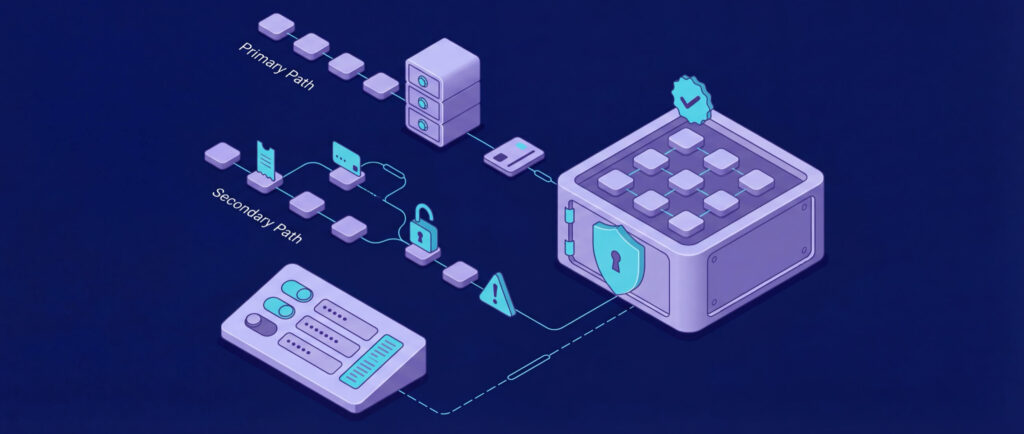
Once you’ve determined your security profile, the next step is to apply specific configuration changes that secure your n8n instance. This isn’t about lofty ideals – it’s about practical steps like setting environment variables, refining authentication methods, and enforcing network controls to minimize vulnerabilities.
Access Control and Authentication
Start by enabling multi-user management with N8N_USER_MANAGEMENT_DISABLED=false. Require Two-Factor Authentication (2FA) for all user accounts to add an extra layer of security.
For team environments, activate Role-Based Access Control (RBAC) to limit users to only the workflows they need. Additionally, integrate Single Sign-On (SSO) using SAML or LDAP for streamlined and secure access.
Secure user sessions by setting N8N_SECURE_COOKIE=true and N8N_SAMESITE_COOKIE=lax. To further reduce exposure, disable the public API with N8N_PUBLIC_API_DISABLED=true.
On November 18, 2025, n8n released a critical update addressing a vulnerability in versions 1.65 through 1.120.4. This flaw allowed unauthenticated remote attackers to gain read access to the file system through form-based workflows. If you’re running an affected version, upgrade to 1.121.0 or later immediately.
Once access controls are in place, focus on securing credentials and API tokens.
Managing Credentials and API Tokens
The N8N_ENCRYPTION_KEY environment variable plays a crucial role in keeping credentials safe. This key is used to encrypt sensitive data. If you don’t set it manually, n8n generates a random key on its first startup. However, if this auto-generated key is lost during a migration or restart, you’ll permanently lose access to encrypted credentials.
To avoid this, create a strong, unique encryption key and store it securely. For deployments using Docker or Kubernetes, consider using the _FILE suffix (e.g., N8N_ENCRYPTION_KEY_FILE) to load the key from a protected file instead of exposing it as plaintext.
Use N8N_BLOCK_ENV_ACCESS_IN_NODE=true to prevent workflows from accessing system environment variables, and N8N_BLOCK_FILE_ACCESS_TO_N8N_FILES=true to restrict access to the .n8n directory.
When connecting to external services, opt for OAuth whenever possible. OAuth tokens provide scoped, temporary access and can be revoked without affecting other credentials. If OAuth isn’t available, limit API keys to the minimum permissions necessary for your workflows.
“As a best practice, if your application provides such functionality, n8n recommends limiting that API key’s access to only the resources you need to access within n8n.” – n8n Legal/Security
Enforce strict file permissions by setting N8N_ENFORCE_SETTINGS_FILE_PERMISSIONS=true, which restricts the settings file to 0600 permissions (read/write for the owner only). Use EXECUTIONS_DATA_MAX_AGE to automatically delete old execution logs, ensuring compliance with your data retention policies.
Once credentials are secure, turn your attention to network and webhook security.
Network and Webhook Security
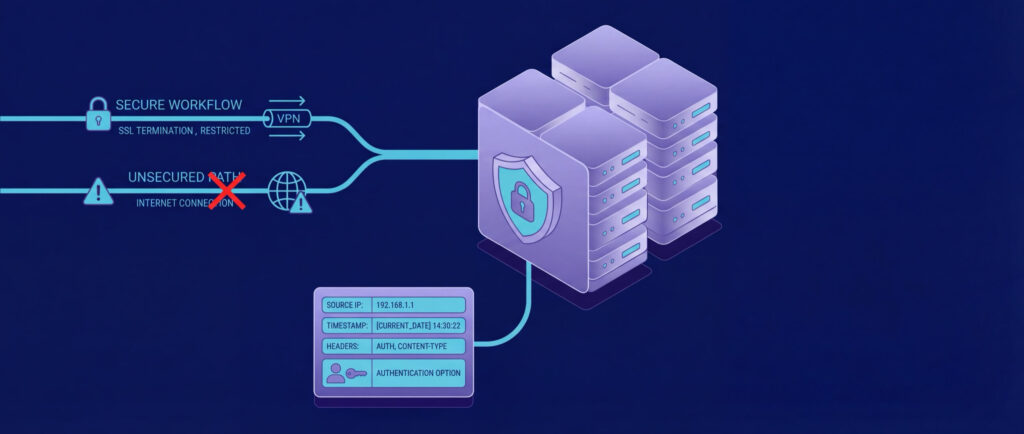
Never expose the n8n editor directly to the internet. Instead, run n8n behind a reverse proxy like Nginx, Traefik, or Caddy. These proxies handle SSL/TLS termination and enforce HTTPS for all traffic. Ensure the admin interface is accessible only through a VPN, SSH tunnel, or an IP allow-list that restricts access to trusted networks.
For webhook triggers, implement authentication at the workflow level. Options include Basic Auth, Header Auth (API keys), or HMAC signature verification, depending on what the sending service supports. For instance, GitHub and Stripe webhooks include signature headers that can be verified to confirm the source.
Since n8n doesn’t have built-in rate limiting, configure throttling at the reverse proxy level to prevent resource overuse. Alternatively, you can integrate cooldown logic into workflows using Wait nodes and conditional branches. For public-facing webhooks, restrict incoming requests to specific IP ranges by using firewalls or cloud security groups.
Isolate your n8n instance and its database within private subnets or VLANs to prevent lateral movement. Only essential services should have access to n8n, while all other internal traffic should be blocked. Enable logging to capture webhook request metadata – such as source IPs, headers, and timestamps – for forensic investigations if needed.
| Environment Variable | Recommended Value | Security Purpose |
|---|---|---|
N8N_ENCRYPTION_KEY | [Strong Random String] | Encrypts/decrypts stored credentials. |
N8N_USER_MANAGEMENT_DISABLED | false | Enables multi-user login and management. |
N8N_BLOCK_ENV_ACCESS_IN_NODE | true | Prevents workflows from reading system environment variables. |
N8N_SECURE_COOKIE | true | Ensures cookies are sent over HTTPS. |
N8N_PUBLIC_API_DISABLED | true | Disables the main n8n API for external access. |
N8N_BLOCK_FILE_ACCESS_TO_N8N_FILES | true | Blocks access to the .n8n directory and configuration files. |
Building Secure Workflows
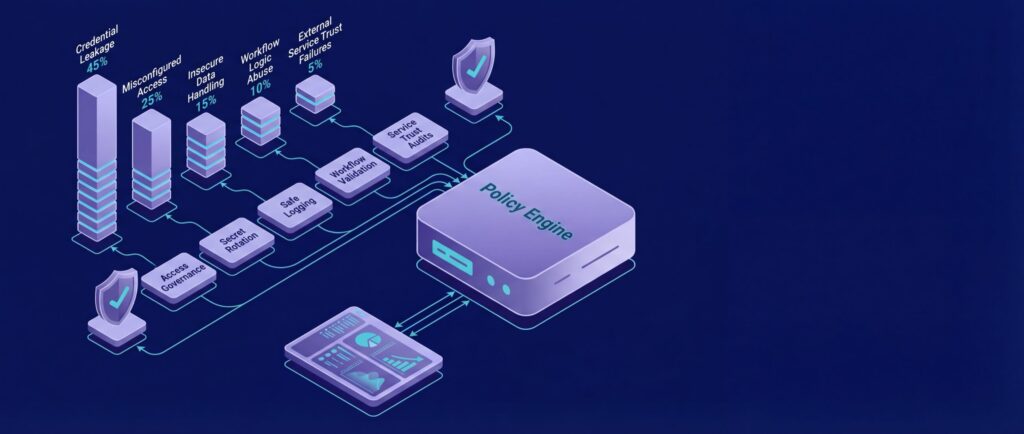
Securing your infrastructure is just one piece of the puzzle. How your workflows process data, manage errors, and interact with external services plays a huge role in ensuring overall security. Once you’ve hardened your instance, the next step is designing workflows that protect sensitive information throughout automation. Core practices like encrypting credentials and limiting node access – discussed earlier – remain just as important when applied to workflows.
Preventing Data Leaks in Workflows
Avoid embedding API keys or tokens directly into workflows. Instead, use the built-in Credentials feature to manage sensitive data. Credentials stay encrypted and are never included in exported workflows, keeping them secure.
To limit data exposure, only include the fields you absolutely need. Use the Set node to specify required fields or the Remove Keys node to strip out sensitive information, such as credit card numbers or Social Security numbers, before passing data to other nodes. For example, when syncing customer data, stick to essentials like email addresses and first names.
For workflows triggered by webhooks, validate incoming data formats immediately. A Filter node or Code node can sanitize inputs and reject invalid or malicious requests before they reach critical parts of your workflow, such as your database or external APIs. This step helps block harmful scripts or unexpected data from being processed or logged.
Once you’ve minimized the risk of data leaks, it’s time to address the use of high-risk nodes.
Limiting High-Risk Node Usage
Certain nodes, like Execute Command, SSH, HTTP Request, and Code, carry higher risks because they can bypass security measures if used improperly. For example:
- The
Execute Commandnode can run shell commands directly on your server. - The
SSHnode allows connections to remote systems. - The
HTTP Requestnode can send data to any URL. - The
Codenode can execute custom JavaScript or Python.
To mitigate these risks, use the N8N_NODES_DENYLIST setting to block risky nodes like executeCommand and SSH. For instance, adding N8N_NODES_DENYLIST=["n8n-nodes-base.executeCommand", "n8n-nodes-base.ssh"] ensures users cannot include these nodes in any workflow. Alternatively, you can use N8N_NODES_ALLOWLIST to restrict access to a pre-approved set of safe nodes.
When using the Code node, limit its capabilities. Prevent external module imports and enable N8N_BLOCK_ENV_ACCESS_IN_NODE=true to stop workflows from accessing system environment variables through code or expressions.
Regularly audit workflows for high-risk nodes. Where possible, replace the Execute Command node with the Code node, which operates in a sandboxed environment. You can also opt for dedicated integration nodes to handle specific tasks more securely.
In addition to restricting node usage, proper error handling is essential to protect sensitive data during workflow failures.
Error Handling That Protects Secrets
Error messages should never expose sensitive information. Use the Error Trigger node to centralize error handling across your instance. This approach lets you control what details are logged or sent to external platforms like Slack or email.
Before sending error notifications, use a Set node to include only safe fields, such as the workflow name, error code, and a general timestamp. For instance, error messages shared on Slack should never contain API tokens, customer credit card numbers, or raw database queries.
Be cautious with the “Continue on Fail” setting. Use it only when subsequent nodes are specifically designed to handle incomplete or malformed data. Otherwise, failed nodes might pass corrupted data downstream, leading to unpredictable results and potential exposure of sensitive information in logs.
Lastly, configure EXECUTIONS_DATA_PRUNE=true and set a short retention period using EXECUTIONS_DATA_MAX_AGE (e.g., 168 hours for seven days) for workflows that handle highly sensitive information. This ensures old execution logs are automatically deleted, reducing the risk of exposure if your instance is ever compromised.
Monitoring, Auditing, and Response
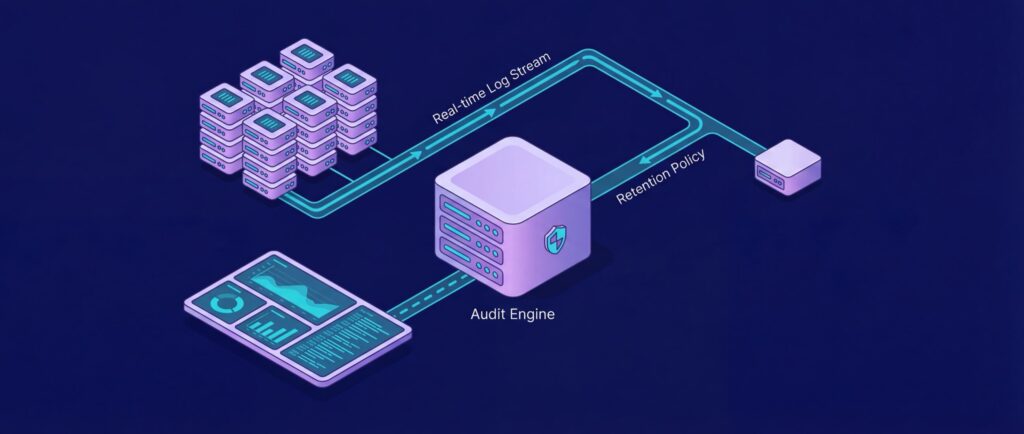
Once you’ve secured your instance and workflows, the next essential step is continuous monitoring. This ensures you can detect and respond to any security events effectively. Without proper logging and auditing, you risk missing critical security incidents like unauthorized access, credential misuse, or workflow errors.
Logging System Activity and Workflow Execution
n8n relies on the Winston logging library to track both system-level events and individual workflow executions. By default, these logs are written to the console, which works fine in containerized setups but falls short for long-term analysis. To address this, set N8N_LOG_OUTPUT=console,file to ensure logs are captured for both immediate use and persistent storage. You can control log file size and retention with N8N_LOG_FILE_SIZE_MAX and N8N_LOG_FILE_COUNT_MAX.
For production environments, stick to info level logging. This strikes a balance by recording important system and workflow details without overwhelming your storage. Use the debug level only when troubleshooting specific issues, as it generates highly detailed logs, including metadata like executionId, workflowId, and sessionId. These identifiers are invaluable for tracing activities and reconstructing events during a security review or incident.
If your workflows handle sensitive data, configure EXECUTIONS_DATA_MAX_AGE to automatically delete old execution records. For instance, setting this to 168 hours (seven days) reduces the amount of sensitive data stored, helping with GDPR compliance and lowering the risk of exposure if your instance is compromised.
Detailed logging is just one piece of the puzzle. Regular credential updates and a well-prepared breach response plan are equally important for maintaining a secure setup.
Credential Rotation and Breach Response
Rotating API keys, passwords, and tokens regularly is a key practice to limit potential damage from a breach. Use the n8n audit command – accessible via CLI, API (POST /audit), or even through an n8n workflow – to identify unused credentials, unprotected webhooks, and outdated instance versions. The audit tool generates five specific risk reports covering Credentials, Database (SQL injection risks), File System, Nodes (risky/community nodes), and Instance (outdated versions and webhook vulnerabilities). By default, workflows that haven’t run in 90 days are flagged as “abandoned.”
If unauthorized access is detected, act quickly: rotate all stored credentials, disable any unprotected webhooks flagged during an audit, and thoroughly review execution logs for unusual activity. Security issues should be reported to security@n8n.io. Additionally, keep an eye on n8n’s public status page for updates on incidents or advisories.
Periodic Workflow Security Reviews
Regularly reviewing your workflows is crucial for staying ahead of potential vulnerabilities. Schedule audits to identify and address risks before they can be exploited. Use the audit tool to highlight “Official Risky Nodes” like Execute Command and SSH, which can execute code directly on the host system. If these nodes aren’t necessary, disable them by setting N8N_NODES_DENYLIST to block their use.
To prevent workflows from accessing sensitive configuration files, set N8N_BLOCK_FILE_ACCESS_TO_N8N_FILES to true. During these reviews, also ensure that instance isolation and TLS termination remain enforced to protect your environment.
For enterprise users, the n8n Insights feature provides a powerful way to monitor workflow executions and resource usage. Pair this with centralized observability tools to track logs, metrics, and alerts for issues like errors, queue depth, or unusual execution times. Together, these measures can significantly enhance your overall security.
Conclusion
Keeping your n8n instance secure requires ongoing effort – regular monitoring, timely updates, and consistent reviews are non-negotiable. At the core of your defense is the N8N_ENCRYPTION_KEY, but long-term security relies on staying proactive. As the n8n team has emphasized, “Self-hosting n8n requires technical knowledge… Mistakes can lead to data loss, security issues, and downtime.”
The January 2026 advisory serves as a clear reminder of these risks. A vulnerability affecting versions 1.65–1.120.4 was patched in version 1.121.0 on November 18, 2025, but details weren’t publicly disclosed until two months later. This highlights the importance of regularly checking n8n’s GitHub for CVE disclosures and release notes to stay ahead of potential threats.
The hardening checklist offers a layered security strategy, covering encryption, access control, and more. To keep your instance resilient, integrate these measures into a disciplined upgrade and audit routine. Avoid using :latest tags in production; instead, rely on specific version tags and implement a controlled upgrade process. Additionally, configure EXECUTIONS_DATA_MAX_AGE to automatically prune outdated execution data – this not only reduces exposure in case of a breach but also simplifies GDPR compliance.
Make workflow audits a regular practice to detect and address abandoned integrations that could become attack vectors. By default, n8n flags workflows inactive for 90 days, giving you a clear starting point for these reviews. Also, revisit your N8N_NODES_DENYLIST settings periodically to ensure that high-risk nodes, such as Execute Command, remain disabled unless absolutely necessary.

