Running n8n on a Virtual Private Server (VPS) is one of the most efficient and professional ways to automate your workflows. While n8n can run on local machines or in cloud environments, using a VPS offers the ideal balance of power, flexibility, and privacy. It allows individuals and businesses to fully control their automation environment, integrate APIs at scale, and avoid the limitations of SaaS tools like Zapier or Make. In this in-depth guide, we will explore how n8n works, why a VPS is the best hosting option, the requirements for a successful setup, and how to optimize performance, security, and reliability from the ground up. This guide will also help you understand why choosing the right VPS for n8n can significantly enhance performance and stability for your automation workflows.
What Is n8n?

n8n is an open-source automation tool that enables users to connect different applications, APIs, and services to create workflows without writing complex code. The name “n8n” stands for “nodemation,” reflecting its foundation on Node.js and its ability to automate through interconnected nodes.
How It Works
n8n uses a modular design, where each node represents a specific action or integration. Users can connect nodes visually through a drag-and-drop interface to form workflows. Each node can trigger subsequent actions based on logic, making automation both visual and dynamic.
Key Features
Here are some of the key features of n8n:
- Workflow editor that requires no coding knowledge.
- Hundreds of built-in integrations with popular apps and web services.
- Custom webhook support for real-time triggers.
- Ability to execute custom JavaScript code or run external scripts like Python through integrations or command executions.
- Scheduling and event-based automation for hands-free operation.
Common Use Cases
Some of the common use cases include the following:
- Syncing data between CRM, CMS, and analytics tools.
- Sending notifications based on system events.
- Automating email campaigns or lead generation.
- Monitoring APIs or performing periodic data cleanup tasks.
Because n8n is open-source, it can be self-hosted, modified, and integrated with nearly any system. This freedom makes it ideal for developers, agencies, and businesses that require privacy and customization beyond what commercial automation platforms allow.
Why Host n8n on a VPS?

Hosting n8n on a VPS gives you complete authority over how your automation environment runs. Selecting the right VPS for n8n ensures that your automation platform remains efficient, responsive, and capable of handling complex workflows. Unlike cloud-based automation tools that impose limits on workflow execution, n8n on a VPS allows you to scale operations freely and build complex automations that fit your specific needs.
Full Root Access
With a VPS, you control the operating system, user permissions, networking, and resource allocation. This means you can install dependencies like Docker, PostgreSQL, or Redis, configure the environment variables exactly as needed, and secure your setup with firewalls or private keys.
Enhanced Performance
Workflows in n8n can be resource-intensive, especially when integrating APIs or processing large data sets. A VPS dedicates CPU cores and RAM exclusively to your setup, preventing slowdowns caused by shared hosting environments. For advanced users, NVMe storage options improve I/O speed, allowing faster read/write operations when handling data-heavy automations.
Improved Security
Running n8n on your own VPS reduces reliance on third-party servers. You decide how your data is stored and transmitted. With SSL encryption, firewalls, and access control lists, you can protect sensitive workflows and credentials against unauthorized access.
Scalability and Flexibility
Your VPS can grow with your needs. If you start small with a 2-core instance and later need more resources, upgrading is simple and seamless. Many VPS providers allow dynamic resource scaling without downtime.
Cost Efficiency
Self-hosting n8n eliminates recurring fees for task runs or workflow limits imposed by commercial automation services. Over time, this drastically reduces operating costs while offering more power and customization.
VPS Requirements for Running n8n
Before you begin, ensure your VPS meets n8n’s technical requirements. When evaluating the best VPS for n8n, focus on hardware resources, storage type, and network reliability to maintain optimal uptime. The right configuration prevents bottlenecks and ensures stability as your automation workflows grow in complexity.
Recommended Minimum Specifications
These are the recommended minimum specifications:
- CPU: 2 or more dedicated cores for handling concurrent workflows.
- RAM: 2 GB minimum, 4 GB recommended for medium to heavy workloads.
- Storage: 20 GB SSD or NVMe minimum for speed and efficiency.
- Operating System: Ubuntu 22.04 or Debian 12 are ideal choices for stability and wide community support.
Network and Security Requirements
Your VPS must have a public IP address for incoming webhooks and HTTPS traffic. Use Let’s Encrypt to install free SSL certificates for secure connections. Ensure that port 443 is open and correctly routed to your n8n instance.
Optional Tools That Improve Setup
Some tools can improve your setup:
- Docker: Simplifies setup, management, and updates.
- PostgreSQL: Offers improved stability compared to SQLite, especially for production environments.
- Nginx or Caddy: Acts as a reverse proxy to manage HTTPS and domain routing.
- Fail2ban and UFW: Protect your VPS from brute-force attacks and unauthorized connections.
With these elements in place, your VPS will be well-prepared for stable, long-term n8n hosting.
How to Install n8n on a VPS
There are two primary methods for installing n8n: using Docker or through manual setup. Both methods let you configure your n8n server according to your needs and the resources available on your VPS. Each approach has its advantages depending on your technical expertise and environment requirements.
Option 1: Installing n8n with Docker
Docker is the easiest way to deploy and manage n8n because it encapsulates all dependencies into isolated containers.
- Update your VPS: sudo apt update && sudo apt upgrade -y.
- Install Docker and Docker Compose.
- Pull the official n8n Docker image with docker pull n8nio/n8n.
- Create a Docker Compose file defining environment variables, ports, and volumes.
- Run docker-compose up -d to start the service in the background.
- Configure an Nginx reverse proxy for SSL and routing to your domain.
This approach simplifies updates, as you only need to pull the latest image and restart the container.
Option 2: Manual Installation via npm
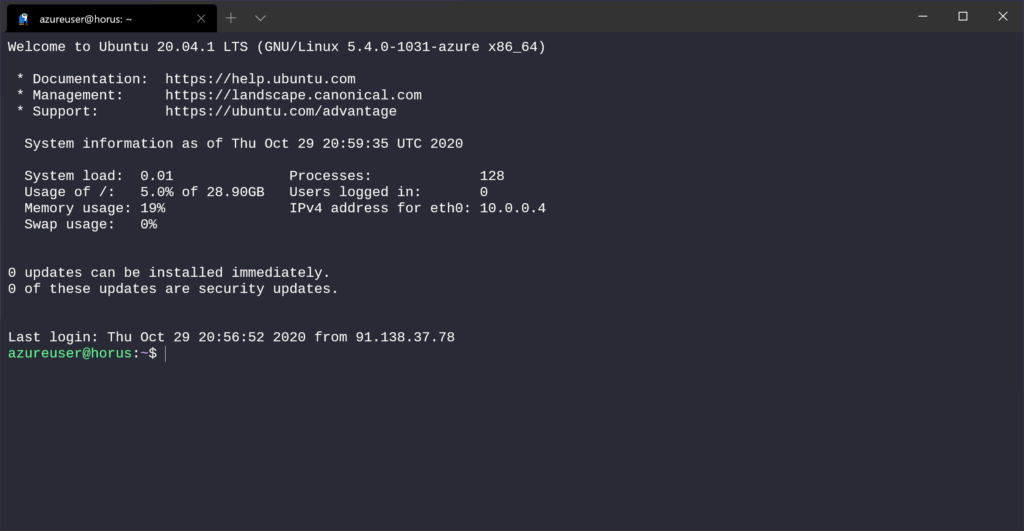
For users who prefer direct control:
- Update your VPS and install Node.js (v18 or newer).
- Run npm install -g n8n to install globally.
- Configure .env with database credentials and webhook URLs. By default, n8n runs on port 5678, so make sure this port is open in your firewall or reverse proxy configuration.
- Use Certbot to install SSL certificates for your domain.
- Create a systemd service file to ensure n8n starts automatically after reboot.
While manual installation gives more visibility into the process, Docker remains the better choice for most users due to its simplicity and portability.
Optimizing Performance and Security
After installation, it’s crucial to fine-tune your VPS and n8n instance to ensure smooth performance and long-term reliability. After installation, it’s crucial to fine-tune your VPS and n8n server to ensure smooth performance and long-term reliability.
Performance Optimization
You can optimize the performance with these tips:
- Load Balancing: If running multiple workflows simultaneously, consider deploying additional n8n instances using Docker Compose.
- Caching and Queues: Use Redis for managing execution queues in queue mode, allowing multiple workflow executions to run efficiently without overload.
- Monitoring Tools: Implement Prometheus, Grafana, or UptimeRobot to track performance and uptime metrics.
- Database Optimization: Switch from SQLite to PostgreSQL to improve workflow execution stability.
Security Measures
Take these security measures:
- Configure a firewall (UFW) to allow only ports 22, 80, and 443.
- Disable root SSH login and use SSH keys for access.
- Install fail2ban to block suspicious activity.
- Update system packages and Docker images regularly to patch vulnerabilities.
- Secure sensitive credentials with environment variables or encrypted vaults.
Backup and Recovery Strategy
Schedule automatic backups of your database, environment files, and workflow JSONs. Tools like rsync or duplicity can back up data to external storage or cloud drives, ensuring you can recover quickly from system failures.
Integrations and Advanced Configurations
One of n8n’s greatest strengths is its flexibility in advanced environments. By leveraging additional software and configuration, you can expand functionality far beyond basic workflow automation.
Using PostgreSQL
Migrating your workflow storage from SQLite to PostgreSQL enhances data reliability and supports concurrent executions without corruption risks. It’s a must for production setups where multiple users or instances access the same data.
Redis Queue Mode
For high-volume workflows, Redis Queue Mode enables distributed task handling. It allows n8n to process multiple tasks simultaneously and queue new ones efficiently.
Scaling with Docker Compose
Docker Compose lets you run multiple n8n containers behind an Nginx load balancer. This setup improves reliability, especially for enterprise-level automation where uptime is critical.
Integration Possibilities
With n8n, you can integrate CRMs, databases, social media APIs, IoT devices, and more. It supports custom code execution, allowing developers to extend functionality through JavaScript or API calls.
Choosing the Right Setup for n8n VPS Hosting
Selecting the right n8n hosting setup is just as important as installing the software itself. Your hosting environment directly affects how reliably your workflows execute and how well your automations scale over time.
When choosing a provider, focus on performance consistency, uptime guarantees, and resource scalability. A KVM-based VPS is generally the best choice for n8n because it provides full isolation, dedicated resources, and stable performance for queue processing and webhook handling.
Look for hosts that offer NVMe storage for fast data access, multiple global data center locations for reduced latency, and flexible upgrade paths as your automation requirements grow. With a reliable VPS host, you can ensure that n8n runs smoothly 24/7 without interruptions or unexpected throttling.
Common Issues and Troubleshooting Tips
Even well-configured n8n instances may encounter occasional issues. Understanding common errors and fixes ensures minimal downtime.
Workflow Hangs or Timeouts
This usually results from insufficient memory or unoptimized database queries. Increasing RAM or moving from SQLite to PostgreSQL can resolve these problems.
SSL Configuration Errors
If your HTTPS setup fails, verify your Nginx configuration and domain DNS records. Ensure Let’s Encrypt certificates are valid and renewed automatically.
Permission Problems
Check directory ownership for Docker volumes or n8n data folders. Running n8n under a non-root user with correct privileges prevents access conflicts.
Database Connection Issues
Ensure PostgreSQL is running and accessible. Test connectivity with psql to confirm credentials are correct.
Regular monitoring, proper logging, and version control make troubleshooting far easier over time.
Conclusion
Opting for n8n VPS hosting gives you the best of all worlds: control, speed, privacy, and scalability. With a VPS, you can automate workflows without arbitrary limits, integrate custom APIs, and maintain complete oversight of your data. Whether you’re running a small business, managing enterprise operations, or building personal automation projects, a VPS provides the foundation you need to scale securely and efficiently. Choosing a well-optimized VPS for n8n allows you to automate confidently, knowing your workflows have the necessary power and reliability behind them.
Host Your n8n Workflows on VPS.us
At VPS.us, we specialize in providing high-performance VPS hosting optimized for tools like n8n. Our KVM-based servers deliver consistent CPU performance, full root access, and enterprise-grade stability, making them ideal for automation and integration workloads. We understand that reliability and flexibility are crucial for automation professionals.
For hosting n8n, we recommend our KVM2-US plan featuring 2 CPU cores, 4 GB RAM, and 50 GB SSD storage. This configuration offers excellent performance for continuous workflows, webhook handling, and complex multi-node automations. With VPS.us, you can deploy your automation platform with confidence, knowing it’s backed by secure infrastructure, responsive support, and proven uptime.