

If you rely on Notion for notes, docs, and project management, you’ve probably wondered whether there’s a way to get the same experience without handing your data to a third party. The short answer: there is — and the self-hosted alternatives available in 2026 have matured significantly.
Whether you’re a solo developer who wants full ownership of your knowledge base, or a team that needs to meet compliance requirements, self-hosting gives you control over where your data lives, who can access it, and how it’s backed up. Notion is just one of many tools you can replace — we’ve covered the top self-hostable tools for developers across a wide range of categories. In this guide, we focus specifically on the seven strongest self-hosted Notion alternatives available today, complete with system requirements, Docker setup instructions, and a head-to-head feature comparison to help you pick the right one.
Quick Comparison: Self-Hosted Notion Alternatives at a Glance
| Feature | AFFiNE | AppFlowy | Outline | Anytype | SiYuan | Docmost | Trilium Notes |
|---|---|---|---|---|---|---|---|
| Core Approach | Docs + whiteboards + databases | AI workspace with multi-view databases | Team wiki & knowledge base | Decentralized, object-based workspace | Personal knowledge management | Lightweight team docs | Hierarchical personal notes |
| Best For | Teams needing an all-in-one workspace | Teams wanting Notion-like databases + AI | Teams needing polished documentation | Privacy-first individuals & small teams | Researchers & power note-takers | Small teams needing simple docs | Individuals managing complex knowledge |
| AI Features | Built-in AI assistance | Local AI via Ollama + cloud options | No | No | OpenAI integration (self-provided key) | No | No |
| Real-Time Collaboration | Yes | Yes | Yes | Peer-to-peer sync | Limited | Yes | No (single-user) |
| Offline Support | Yes (local-first) | Yes (native desktop/mobile) | No | Yes (offline-first) | Yes (local-first) | No | Yes |
| Database Views | Yes | Grid, Kanban, Calendar | No | Table, Kanban, Gallery | Yes | No | No |
| Min. RAM | 1 GB (2 GB recommended) | 1 GB | 1 GB | 2 GB | 1 GB | 1 GB | 512 MB |
| Min. Storage | 20 GB | 20 GB | 10 GB | 25 GB | 20 GB | 10 GB | 10 GB |
| Docker Support | Yes (recommended) | Yes | Yes (recommended) | Yes | Yes | Yes | Yes |
| License | MIT | AGPL-3.0 | BSL 1.1 | Any Source Available | AGPL-3.0 | AGPL-3.0 | AGPL-3.0 |
If you’re prioritizing data privacy, cost control, and full ownership of your information, these tools are worth exploring. AFFiNE stands out for its balance of features, ease of use, and community support.
What to Look for in a Self-Hosted Notion Alternative
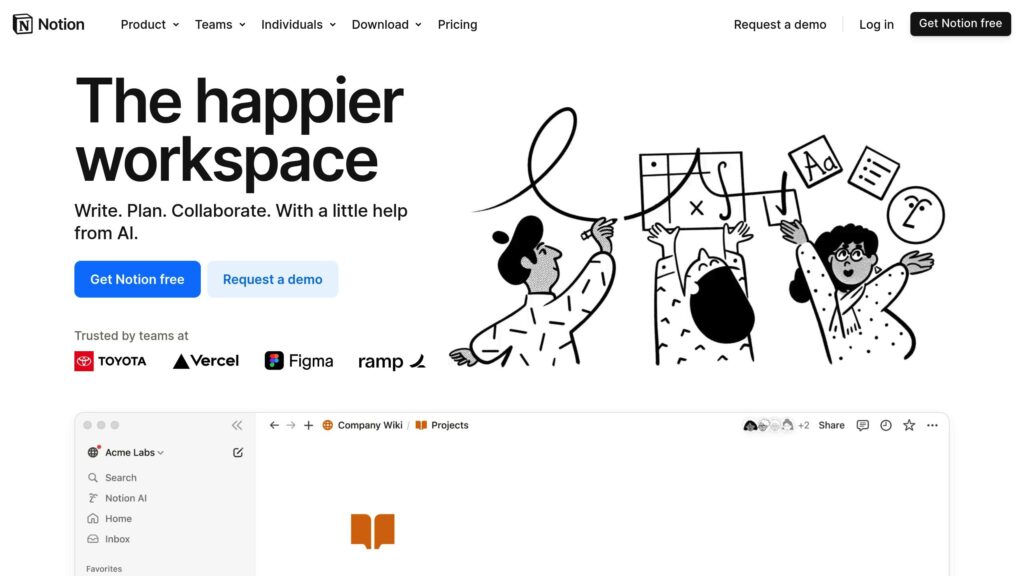
Before diving into each tool, here are the factors that matter most when evaluating a self-hosted replacement for Notion:
Features that match your workflow. Notion combines notes, databases, tasks, and wikis. Not every alternative covers all four. Identify which capabilities you actually use daily — if you mostly write docs, a lightweight wiki like Outline or Docmost will serve you better than a full platform like AFFiNE.
Ease of installation and maintenance. Every tool on this list supports Docker, but complexity varies. Some need only a single container; others require PostgreSQL, Redis, and an S3-compatible storage backend. Consider how much server administration you’re willing to take on.
Collaboration capabilities. If you’re a solo user, this matters less. If you’re a team, check whether the platform supports real-time co-editing, comments, permissions, and role-based access controls.
Data portability. Can you export your content as Markdown, HTML, or JSON? Being able to move your data out is just as important as hosting it yourself.
Active development and community. Open-source projects can stall. Check GitHub activity, release frequency, and whether there’s an active community forum or Discord — these are signs the project will be maintained long-term.
If task management is your primary need, you might also want to look at self-hosted Asana alternatives.
AFFiNE: Best All-in-One Workspace
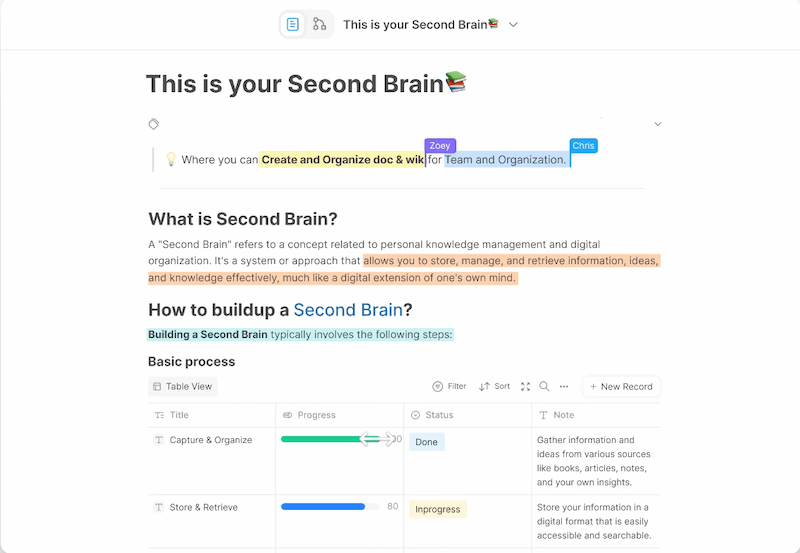
AFFiNE is the closest thing to a full Notion replacement you can self-host. It merges documents, whiteboards, and databases into a single platform with a local-first architecture, meaning your data is stored on your machine and synced on your terms.
What sets AFFiNE apart is its Edgeless Mode — a freeform canvas where you can mix written content with visual thinking, connecting ideas across pages in ways Notion simply doesn’t support. It also includes built-in AI assistance for writing and content organization.
Key Features
- Docs, whiteboards, and databases in one unified workspace
- Local-first architecture with full data control
- AI assistance built into the editor for writing, summarization, and organization
- Ready-to-use templates for common project types
- Active open-source community with 4,000+ Discord members and regular releases
System Requirements
| Resource | Minimum | Recommended |
|---|---|---|
| CPU | 2 cores | 4 cores |
| RAM | 1 GB | 2 GB |
| Storage | 20 GB SSD | 40 GB SSD |
| Database | PostgreSQL (with pgvector for AI features) | |
| Cache | Redis |
Docker Setup
AFFiNE’s recommended installation method is Docker Compose. Here’s how to get started:
# Download the official compose file
wget -O docker-compose.yml https://github.com/toeverything/affine/releases/latest/download/docker-compose.yml

# Create your environment file
cp .env.example .env
# Edit .env with your domain, secrets, and database credentials

# Start the services
docker compose up -d
The compose file includes three services: the AFFiNE server, PostgreSQL, and Redis. Once running, access the interface at http://your-server-ip:3010. For production use, set up a reverse proxy with Nginx and a Let’s Encrypt SSL certificate.
Pros and Cons
Pros: Most feature-complete Notion replacement; built-in AI; active community; excellent documentation; whiteboard mode is genuinely useful.
Cons: Higher resource requirements than simpler alternatives (4 CPU cores recommended for production); relatively new project compared to established wikis.
AppFlowy — Best for AI-Powered Databases
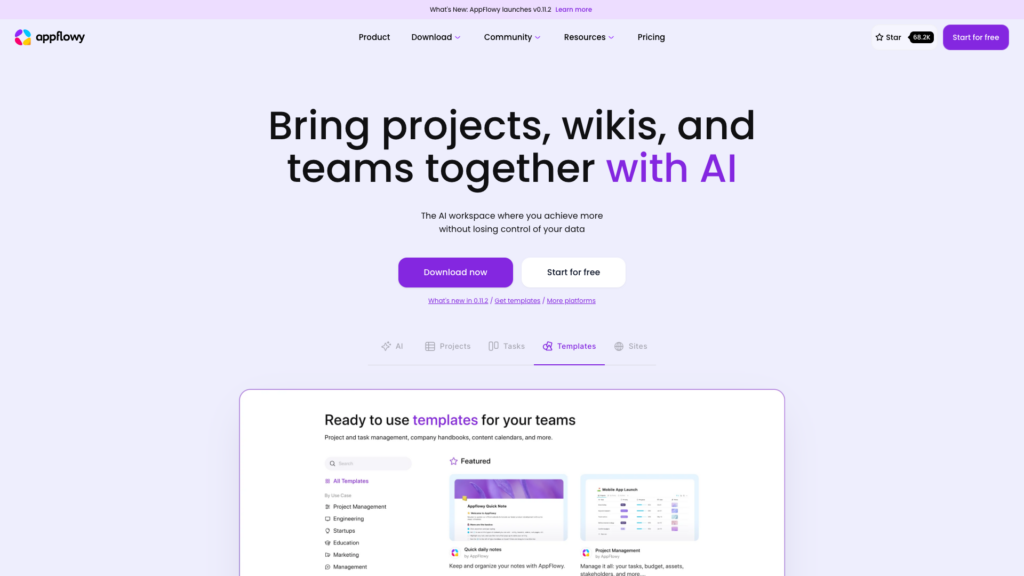
AppFlowy is an open-source productivity workspace built with Flutter and Rust, giving it native performance on desktop and mobile. It’s designed as a direct Notion competitor with multi-view databases (Grid, Kanban, Calendar), full offline support, and deep AI integration — including the ability to plug in local models via Ollama for completely private AI assistance.
Where AppFlowy excels over most alternatives is its native app experience. Unlike browser-based tools, the desktop and mobile apps feel fast and responsive because they’re built with compiled code, not JavaScript.
Key Features
- Multi-view databases with Grid, Kanban, and Calendar layouts
- Full offline functionality — works without any network connection
- AI integration supporting both cloud APIs and local models (Ollama)
- Native desktop and mobile apps built with Flutter and Rust for speed
- Plugin system for extending functionality
System Requirements
| Resource | Minimum | Recommended |
|---|---|---|
| CPU | 1 core | 2 cores |
| RAM | 1 GB | 2 GB |
| Storage | 20 GB SSD | 40 GB SSD |
| Database | PostgreSQL | |
| Cache | Redis |
Docker Setup
AppFlowy Cloud (the sync server) runs as a set of Docker containers:
# Clone the AppFlowy Cloud repository
git clone https://github.com/AppFlowy-IO/AppFlowy-Cloud.git
cd AppFlowy-Cloud

# Copy and configure environment variables
cp deploy.env .env
# Edit .env with your domain and configuration

# Start all services
docker compose up -d
After the server is running, open your AppFlowy desktop app, go to Settings → Cloud Settings, and enter the URL of your self-hosted server. All your data will then sync through your own infrastructure.
Pros and Cons
Pros: Native app performance; AI that can run locally; closest database feature parity to Notion; strong offline experience; active development (30k+ GitHub stars).
Cons: Self-hosting the cloud sync server is more complex than some alternatives; mobile app still maturing; collaborative editing is newer than established tools like Outline.
Outline — Best for Team Documentation
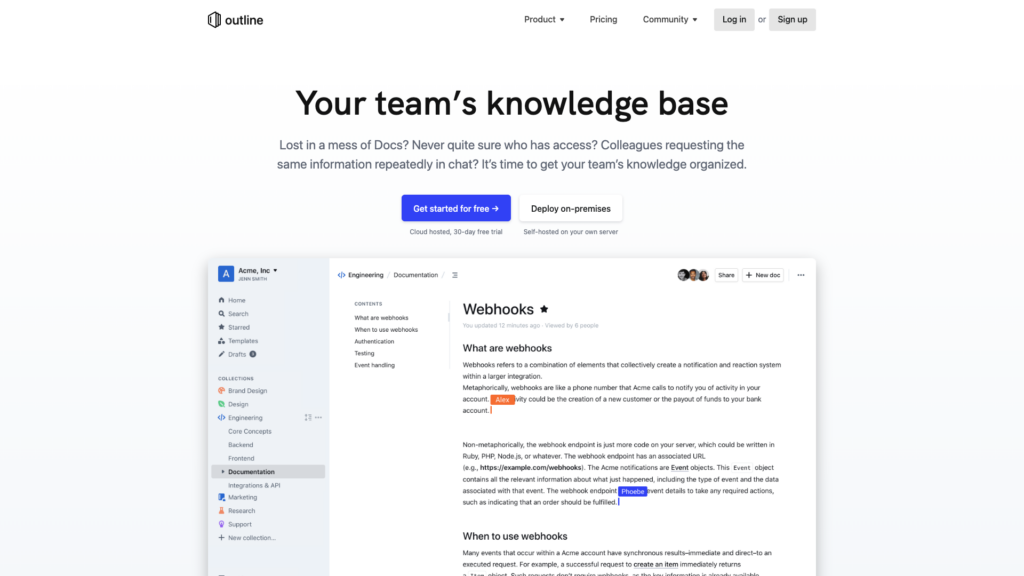
Outline is a polished, fast knowledge base built with React and Node.js. If your primary use of Notion is team documentation and wikis — rather than databases and project management — Outline is likely the best replacement. Its editor is beautifully designed, search is near-instant, and the overall experience feels as refined as any commercial product.
Outline supports SSO (SAML, OIDC), granular access controls, and integrations with Slack, Google Workspace, and more. Its focus on structured documentation with nested collections makes it ideal for engineering teams, product organizations, or any group that creates and maintains internal knowledge.
Key Features
- Fast, polished Markdown editor with slash commands and embeds
- Nested document collections for organized knowledge bases
- Real-time collaborative editing with comments and mentions
- Powerful search that indexes document content, not just titles
- SSO and granular permissions for enterprise security requirements
- API and webhooks for integration with other tools
System Requirements
| Resource | Minimum | Recommended |
|---|---|---|
| CPU | 1 core | 2 cores |
| RAM | 1 GB | 2 GB |
| Storage | 10 GB SSD | 20 GB SSD |
| Database | PostgreSQL | |
| Cache | Redis | |
| File Storage | Local filesystem or S3-compatible |
Docker Setup
Docker is the recommended way to run Outline. The official image is based on Alpine Linux and updated monthly:
# Create a project directory
mkdir outline && cd outline

# Download docker-compose.yml and configure
# You'll need to set these environment variables:
#   SECRET_KEY (openssl rand -hex 32)
#   UTILS_SECRET (openssl rand -hex 32)
#   DATABASE_URL, REDIS_URL, URL

# Generate your secrets
openssl rand -hex 32  # Use output for SECRET_KEY
openssl rand -hex 32  # Use output for UTILS_SECRET

# Start the services
docker compose up -d
The Docker Compose file includes Outline, PostgreSQL, Redis, and optionally MinIO for S3-compatible file storage (though Outline 0.72+ supports local file storage directly with FILE_STORAGE=local). Database migrations run automatically on startup.
Pros and Cons
Pros: Best-in-class editor experience; fast search; mature project with regular updates; enterprise-ready with SSO; clean, distraction-free design.
Cons: No database views or Kanban boards (it’s a wiki, not a full workspace); BSL license means it’s not fully open-source; requires an authentication provider (Slack, Google, or OIDC) — no simple email/password login out of the box.
Anytype — Best for Privacy-First Users
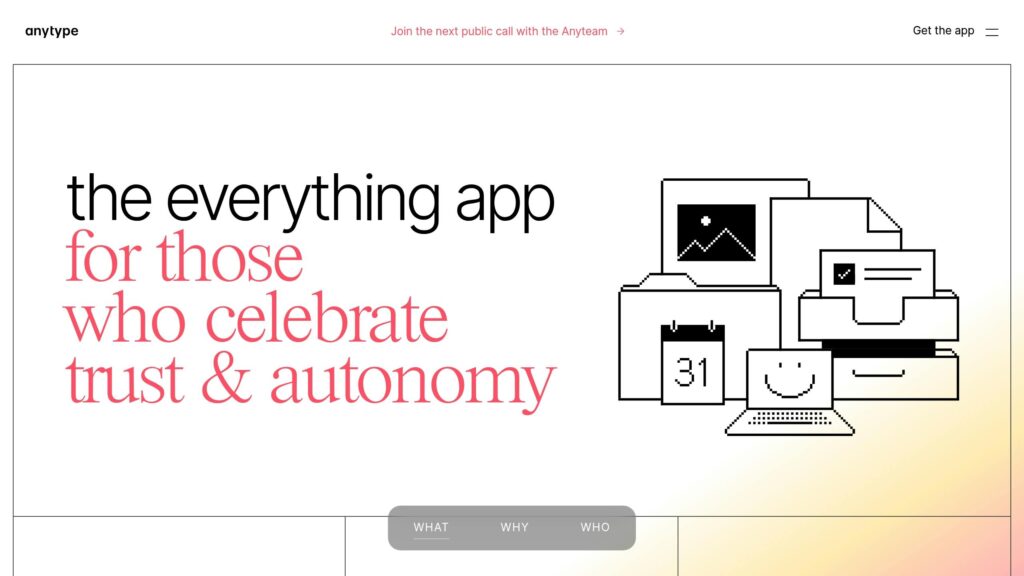
Anytype takes a fundamentally different approach from every other tool on this list. Instead of a traditional client-server architecture, it uses a peer-to-peer protocol where data syncs directly between your devices — no central server required. Everything is end-to-end encrypted by default, and the application works fully offline.
The organizational model is unique too: instead of pages in folders, you work with “objects” that have types and relations, forming a knowledge graph. Think of it as combining the flexibility of a database with the visual appeal of Notion’s interface.
Key Features
- Peer-to-peer sync — no central server; devices sync directly with each other
- End-to-end encryption on all data by default
- Object-based organization with custom types, relations, and views (Table, Kanban, Gallery)
- Offline-first — works fully without an internet connection
- Identity management using cryptographic keys, not traditional passwords
System Requirements
| Resource | Minimum | Recommended |
|---|---|---|
| CPU | 2 cores | 2 cores |
| RAM | 2 GB | 4 GB |
| Storage | 25 GB NVMe | 50 GB NVMe |
| Network | 1 Gbps |
Self-Hosting Notes
Anytype’s self-hosting model differs from the other tools here. Because it’s peer-to-peer, you don’t host a central server that everyone connects to. Instead, you can run a “sync node” on your VPS that acts as an always-on relay point between your devices, ensuring data is available even when your primary device is offline. The setup requires running the Anytype sync node via Docker, though the process is more involved than the other tools on this list.
Pros and Cons
Pros: Strongest privacy model (E2E encrypted, peer-to-peer); no central point of failure; innovative object-based data model; great offline performance; beautiful interface.
Cons: Steeper learning curve due to unique data model; self-hosting setup is more complex; collaboration features are limited compared to centralized tools; relatively young project.
SiYuan — Best for Researchers and Power Users
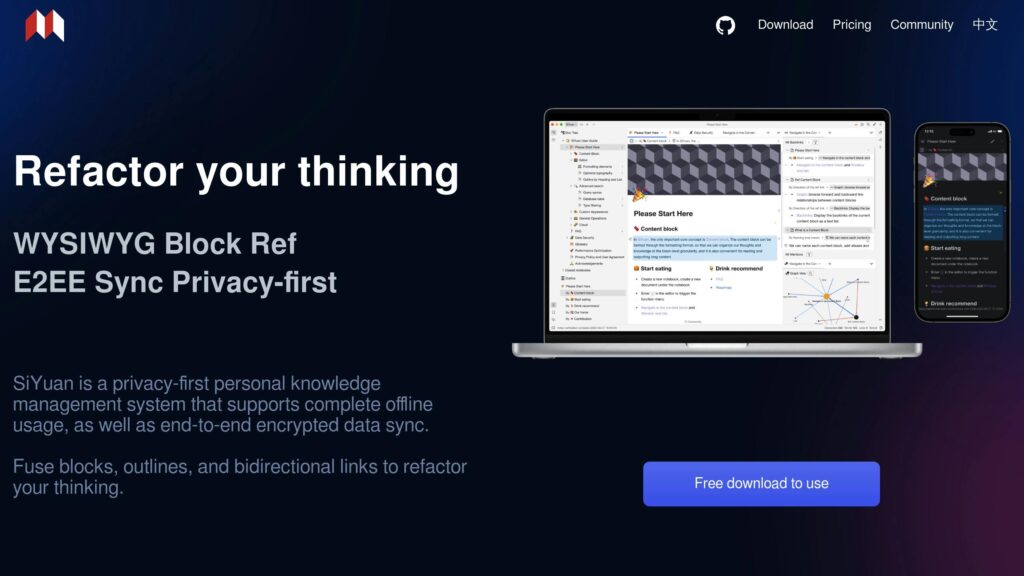
SiYuan is a personal knowledge management system that prioritizes local-first storage, powerful linking between blocks of content, and advanced features you won’t find in most alternatives: flashcards, OCR, database views, and even built-in AI via OpenAI integration (using your own API key).
Its block-based system lets you reference individual blocks across documents, creating a rich web of interconnected knowledge. If you use Notion primarily for research notes, technical documentation, or complex project planning, SiYuan’s depth is hard to beat.
Key Features
- Block-based storage with bi-directional links and a graph view
- Full-text search with SQL query support and custom filters
- Markdown editor with support for math equations, code blocks, and diagrams
- Flashcards and spaced repetition built directly into the note system
- AI features — writing assistance, translation, and grammar correction via OpenAI
- REST API and WebDAV support for integration and backup
System Requirements
| Resource | Minimum | Recommended |
|---|---|---|
| CPU | 1 core | 2 cores |
| RAM | 1 GB | 2 GB |
| Storage | 20 GB | 40 GB |
| Bandwidth | 100 Mbps |
Docker Setup
docker run -d \
  --name siyuan \
  -v /your/data/path:/root/.siyuan \
  -p 6806:6806 \
  b3log/siyuan:latest \
  --workspace=/root/.siyuan
SiYuan runs as a single container with minimal dependencies — no separate database or cache service required. Access it through your browser at http://your-server-ip:6806. For multi-device sync, configure the built-in sync service or use WebDAV with a cloud storage provider.
Pros and Cons
Pros: Most feature-rich for individual knowledge management; flashcards and spaced repetition are unique; graph view for visualizing connections; lightweight and efficient; AI features don’t require a paid hosting plan.
Cons: Collaboration features are limited (primarily a single-user tool); interface is less polished than Notion or AFFiNE; less intuitive for users who just want simple note-taking.
Docmost — Best for Small Teams on a Budget
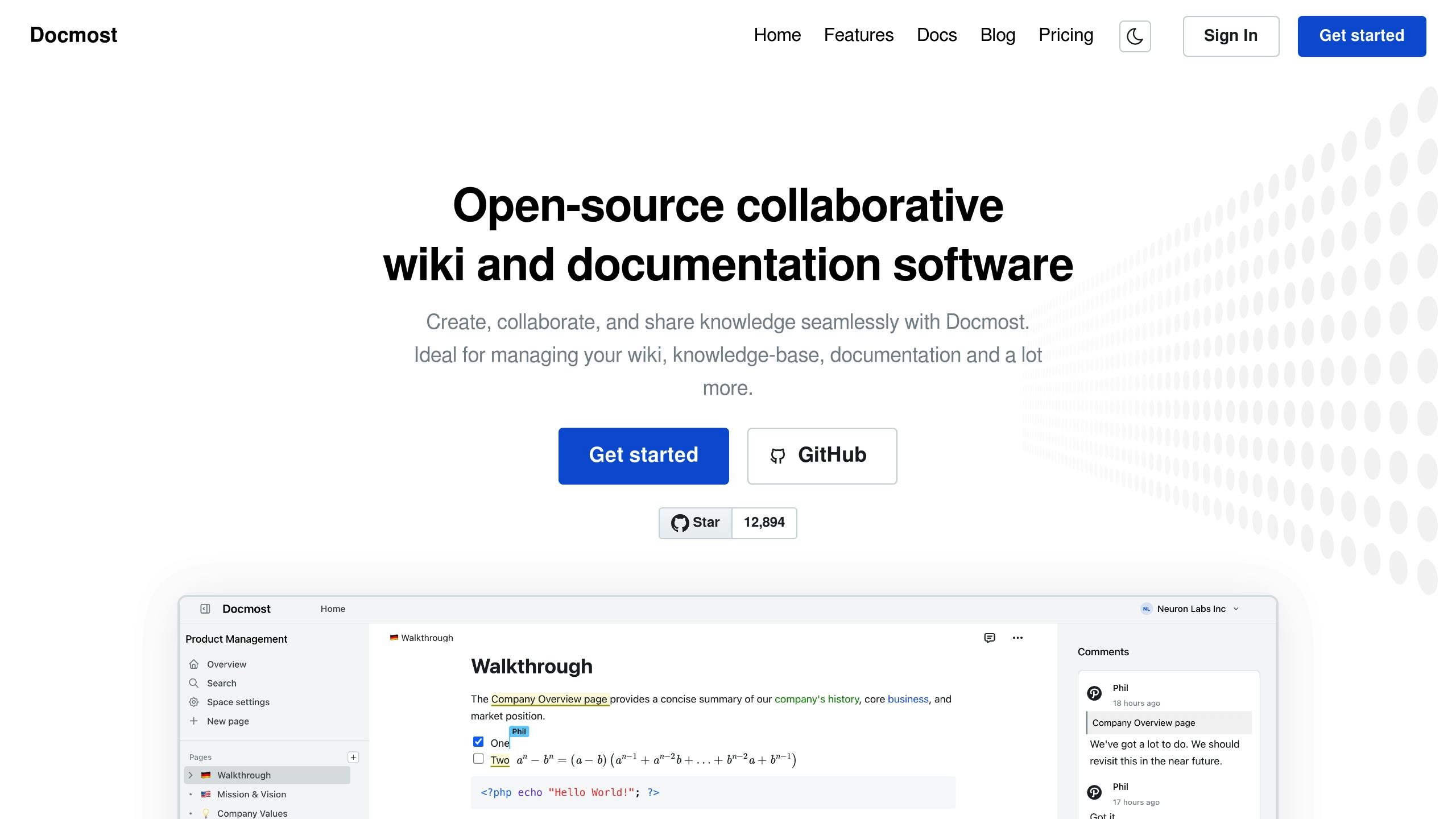
Docmost is a lightweight, open-source team documentation platform that focuses on doing a few things well: real-time collaborative editing, nested page organization, and clean Markdown support. It’s the simplest tool on this list to set up and maintain, making it ideal for small teams who need internal docs without the overhead of a full workspace platform.
If you find AFFiNE or XWiki overkill and just want a clean place to write and organize team knowledge, Docmost is the answer.
Key Features
- Real-time collaboration with inline comments and mentions
- Nested pages with a clean document tree for organization
- Markdown support with a WYSIWYG editor
- Spaces for organizing docs by team or project
- Permissions and groups for access control
- Minimal resource footprint — runs on very modest hardware
System Requirements
| Resource | Minimum | Recommended |
|---|---|---|
| CPU | 1 core | 1 core |
| RAM | 1 GB | 1 GB |
| Storage | 10 GB | 20 GB |
| Database | PostgreSQL |
Docker Setup
# Create a directory and docker-compose.yml
mkdir docmost && cd docmost

# docker-compose.yml should include:
# - Docmost application container
# - PostgreSQL database
# - Redis (optional, for caching)

docker compose up -d
Docmost has one of the simplest Docker setups of any tool on this list. The official documentation provides a ready-to-use Docker Compose file that gets you running in minutes.
Pros and Cons
Pros: Extremely lightweight and fast to set up; clean interface; real-time collaboration; good enough for most small team documentation needs; very low resource requirements.
Cons: No database views, Kanban, or project management features; limited customization options; smaller community than more established projects.
Trilium Notes — Best for Complex Personal Knowledge Bases
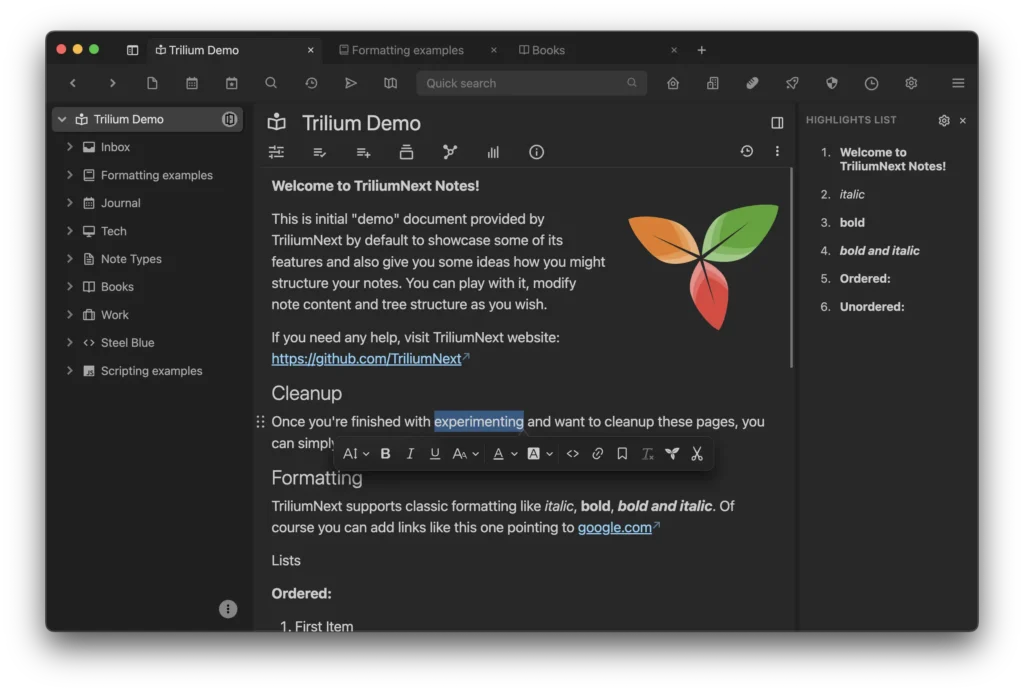
Trilium Notes is a hierarchical note-taking application with a focus on building large, deeply structured personal knowledge bases. It stores notes in a tree structure with rich content support (text, images, code, math), powerful search, and a unique “note cloning” feature that lets a single note appear in multiple places in your hierarchy without duplication.
Trilium is purpose-built for individuals who manage enormous volumes of notes, research, or documentation and need a system that scales with complexity.
Key Features
- Multi-level note hierarchy with drag-and-drop organization
- Note cloning — place one note in multiple locations without duplicating
- Advanced search with full-text and attribute-based queries
- Rich content including code blocks, math (KaTeX), diagrams, and file attachments
- Relation maps for visualizing connections between notes
- Scripting — extend functionality with custom scripts and widgets
System Requirements
| Resource | Minimum | Recommended |
|---|---|---|
| CPU | 1 core | 1 core |
| RAM | 512 MB | 1 GB |
| Storage | 10 GB | 20 GB |
Docker Setup
docker run -d \
  --name trilium \
  -p 8080:8080 \
  -v /your/data/path:/home/node/trilium-data \
  zadam/trilium:latest
Trilium runs as a single container with an embedded database — no PostgreSQL or Redis required. It’s the lowest-maintenance option on this list.
Pros and Cons
Pros: Lowest resource requirements; no external database needed; note cloning is powerful; scripting system allows deep customization; excellent for managing large volumes of personal notes.
Cons: Single-user only — no real-time collaboration; interface feels more technical than modern alternatives; development pace has slowed compared to AFFiNE or AppFlowy.
How to Choose the Right Alternative
The right choice depends on how you actually use Notion today:
If you use Notion as a full workspace (docs, databases, Kanban, wikis) → AFFiNE or AppFlowy. These are the only alternatives that cover all four use cases. AFFiNE adds whiteboard functionality; AppFlowy has stronger database views and native app performance.
If you use Notion mainly for team documentation → Outline or Docmost. Outline is more polished and feature-rich (SSO, integrations, powerful search); Docmost is simpler and easier to maintain.
If privacy is your top priority → Anytype. Its peer-to-peer, end-to-end encrypted architecture means no server ever holds your unencrypted data.
If you’re a researcher or power note-taker → SiYuan or Trilium Notes. SiYuan is more feature-rich with AI and flashcards; Trilium is simpler and more lightweight.
If you want the easiest setup → Docmost or Trilium Notes. Both can be running on a VPS in under 10 minutes with minimal configuration.
Deployment Difficulty: Which Tool Can You Actually Set Up?
Open-source doesn’t mean self-hosted is easy. Here’s a honest breakdown of what each tool requires:
Easiest: Outline & Docmost (Docker-First, ~15 minutes)
If you’ve run Docker before, Outline and Docmost are the fastest wins. Both use Docker Compose, come with working example configs, and don’t require database tuning out of the box. Outline is especially straightforward for teams migrating from Google Docs—the interface feels familiar and the admin interface is minimal.
Typical setup: SSH into your KVM VPS, clone the Docker repo, `docker-compose up`, and you’re live. SSL/TLS via Traefik is optional but recommended for production.
Moderate: AppFlowy & AFFiNE (Node.js + Database, ~30–45 minutes)
Both require Node.js and a database (PostgreSQL recommended for production). AppFlowy’s backend is simpler; AFFiNE’s is more feature-complete but more resource-intensive. You’ll need to configure environment variables, ensure your database is accessible, and test the connection.
Gotcha: AFFiNE’s development docs are more complete than production docs. If you’re deploying to production, expect to troubleshoot database migrations and SSL setup yourself.
Hardest: SiYuan (Custom Binary, Java Runtime, ~1 hour)
SiYuan is designed as a local-first desktop tool first, server second. It runs via a custom binary rather than Docker, requires Java runtime, and its self-hosted setup documentation is geared toward power users. You’ll likely need to debug port forwarding, certificate setup, and permission issues.
Best for: Advanced users who want privacy-first, local sync, and don’t mind spending time on infrastructure. Not recommended as your first self-hosted project.
Moving Your Data Out of Notion: Migration Guides by Tool
Notion lets you export everything as Markdown + JSON. Here’s how each alternative handles that import:
Outline (Recommended for Notion Exports)
Outline accepts Markdown imports and auto-converts Notion’s page structure. You lose some rich formatting (database relations don’t carry over), but documents, nested pages, and media all import cleanly. Process: Export Notion as Markdown → Create a directory in Outline → Drag-and-drop the folder.
AppFlowy (Better for Databases)
AppFlowy’s import pipeline is younger but improving. Database schemas from Notion can be recreated manually or via CSV import. Recommended approach: export Notion databases as CSV, then rebuild the structure in AppFlowy. More work upfront, but AppFlowy’s database engine is more powerful than Outline’s.
AFFiNE (Import Everything, But Verify)
AFFiNE accepts Markdown and PDF imports. However, it doesn’t have native Notion export support, so you’ll need to manually convert or use a third-party converter (like notion-to-markdown). Recommended for users with simpler Notion structures (mostly documents, fewer databases).
Migration Difficulty Recapitulative Rating
Leaving Notion is the hard part. Not because the alternatives are worse — but because Notion’s export format is inconsistent. Here’s what actually happens when you try to move your workspace:
| Tool | Difficulty (1–5) | What Migrates Cleanly | What You’ll Rebuild |
|---|---|---|---|
| Outline | 2/5 | Markdown pages, basic hierarchy, images | Databases, relations, embedded views |
| AppFlowy | 3/5 | Markdown content, simple tables | Database views, formulas, rollups |
| AFFiNE | 3/5 | Markdown import, images, basic structure | Whiteboard layouts, database schemas |
| Anytype | 4/5 | Markdown text via import | Types, relations, sets — Anytype’s data model is fundamentally different |
| Docmost | 2/5 | Markdown pages, hierarchy | Databases (Docmost is docs-only) |
| Trilium | 3/5 | HTML/Markdown import, note tree | Database views, automations |
| SiYuan | 4/5 | Markdown text | Block references, databases, backlinks — SiYuan’s block model is unique |
The migration reality check: Notion exports to Markdown and CSV. Text-heavy workspaces (documentation, wikis, meeting notes) migrate with minimal pain — export from Notion as Markdown, import into Outline or Docmost, clean up formatting. Database-heavy workspaces (project trackers, CRM, content calendars) are harder. Notion databases export as CSV, which loses relations, rollups, and views. You’ll need to recreate the database structure in your new tool and import the data rows.
Decision Framework: Which Alternative is Right for You?
Choose AppFlowy if: You want a Notion-like experience but need better databases and want to own your data. You have moderate technical skills and can spend 30 minutes on setup.
Choose Outline if: You primarily use Notion for team wikis, docs, and knowledge bases. You want the easiest self-hosted deployment with a polished UI. Migration from Notion is painless.
Choose Docmost if: You’re on a tight budget, want a lightweight alternative, and don’t need advanced database features. Perfect for small teams or documentation-only use cases.
Choose AFFiNE if: You want the full Notion-replacement feature set (docs + whiteboards + databases). You’re comfortable with moderate complexity and are willing to invest time in setup and configuration.
Choose SiYuan if: Privacy and local-first sync are your top priorities. You have advanced DevOps skills and plan to spend time fine-tuning. Best for power users managing sensitive personal or organizational knowledge.
Pros and Cons of Self-Hosting
Advantages
Full data ownership. Your notes, docs, and databases live on infrastructure you control. No third party can access, analyze, or lose your data.
No vendor lock-in. If a cloud service changes its pricing, features, or terms of service, you’re stuck. Self-hosted tools give you the freedom to migrate on your own terms.
Customization. Most open-source alternatives offer far more flexibility than Notion — from custom themes and plugins to API integrations and scripted automation.
Cost efficiency at scale. Notion charges $8-10 per user per month. A $20/month VPS can host a self-hosted alternative for an entire team.
Tradeoffs
Setup and maintenance. You’ll need to handle installation, updates, backups, and troubleshooting yourself. Docker makes this much easier than it used to be, but it’s still more work than signing up for a SaaS product.
No automatic updates. Cloud services update seamlessly. Self-hosted tools require you to pull new Docker images and verify compatibility before upgrading.
Collaboration limitations. While tools like AFFiNE and Outline offer excellent real-time collaboration, most self-hosted alternatives still lag behind Notion’s sharing and permission features.
Conclusion
The self-hosted Notion alternative landscape in 2026 is stronger than ever. AFFiNE and AppFlowy offer genuine full-workspace replacements with AI capabilities. Outline provides a best-in-class team wiki experience. Anytype pushes the boundaries of privacy with peer-to-peer architecture. And lightweight options like Docmost and Trilium make it easy to get started with minimal resources.
The key is matching the tool to your actual workflow rather than chasing the most feature-packed option. Start with the comparison table above, identify what you truly need, and spin up a Docker container to test it — most of these tools can be up and running on a VPS in under 15 minutes.
Get Started with Self-Hosting
Ready to run your own Notion alternative? VPS.us offers flexible VPS hosting that’s ideal for self-hosted platforms. Our KVM2-US plan provides 2 vCPU cores, 2 GB of RAM, and 25 GB SSD storage — enough to comfortably run any tool on this list. Start your hosting journey with VPS.us today.

