

Obsidian has become one of the most popular note-taking and knowledge management applications because of its local-first design, Markdown-based storage system, and highly customizable workflow. Unlike many cloud-focused platforms, Obsidian gives users direct control over their notes and file structures through locally stored Markdown files. Building a self-hosted Obsidian workflow means you manage the additional services—synchronization, backups, publishing, or collaboration—on your own infrastructure rather than relying solely on cloud solutions.
In short: you cannot self-host the Obsidian app itself, because it is a local application. You self-host the sync layer instead: Syncthing between your devices, a CouchDB server for the Self-hosted LiveSync plugin, a WebDAV server such as Nextcloud, or a Git remote. All four keep your notes as plain Markdown files you own, and a small always-on VPS is enough to run any of them for a personal vault.
What “Self-Hosted Obsidian” Actually Means
Obsidian is primarily a desktop and mobile application that uses Markdown files for storage. When discussing self-hosting, users refer to the extra services that support Obsidian vaults. These include tools such as Nextcloud, Syncthing, Git servers, or self-hosted publishing systems. For more insights into self-hosting best practices, check out Self-Hosting Essentials for Privacy-Focused Apps.
Why Users Move Away From Cloud-Only Note Platforms
Many users choose to avoid cloud-based systems due to concerns including subscription costs, platform lock-in, and privacy risks.
Data Ownership and Privacy
Cloud platforms store data on third-party servers, posing potential privacy risks. Self-hosting allows you to manage backups, encryption, and storage policies independently, reducing reliance on external providers.
Long-Term Portability
Since Obsidian stores notes as Markdown files, your vaults remain accessible and portable even outside the app. This approach safeguards your content against proprietary formats and vendor lock-in.
Avoiding Subscription Dependence
Self-hosting eliminates recurring fees associated with proprietary synchronization services. Although it requires more technical oversight, you benefit from owning the infrastructure outright.
Common Self-Hosted Obsidian Workflows
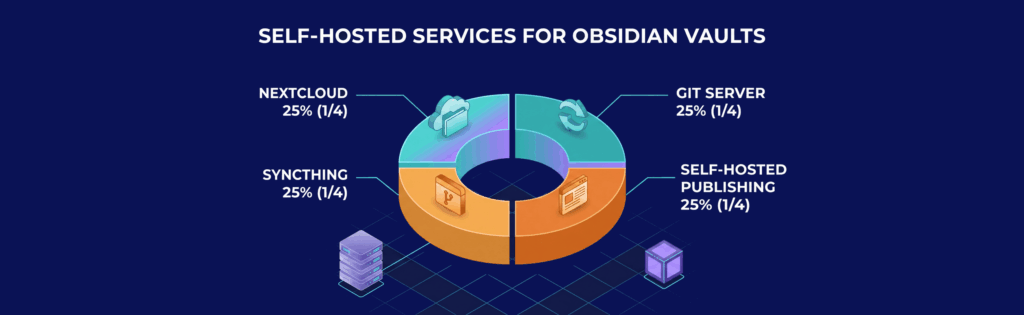
There is no single solution for self-hosting Obsidian. Your ideal workflow will depend on whether simplicity, privacy, collaboration, or automation is most important for your needs. Here are several common approaches, compared at a glance:
| Method | Obsidian plugin | What runs on your server | Sync style | Best for |
|---|---|---|---|---|
| Syncthing | None (Syncthing app on each device) | Optional always-on Syncthing node | Peer-to-peer, conflicts possible on simultaneous edits | One person, a few devices |
| WebDAV / Nextcloud | Remotely Save | Nextcloud or another WebDAV server | Periodic or on-demand | Users who already run Nextcloud |
| CouchDB | Self-hosted LiveSync | CouchDB (or S3-compatible storage) | Near real-time, end-to-end encryption option | Several devices, frequent edits |
| Git | Obsidian Git | A Git remote (e.g. Gitea) | Commit-based, full version history | Developers, researchers |
Syncthing-Based Personal Sync
Syncthing is popular for syncing Obsidian vaults between devices using peer-to-peer connections without a centralized cloud. It gives you direct control over your notes, though synchronization conflicts can occur when editing simultaneously.
Nextcloud and WebDAV Setups
Nextcloud provides file storage, synchronization, and browser-based access in one package. Many users integrate Nextcloud with WebDAV-compatible Obsidian plugins to synchronize vaults across devices, ensuring centralized file management.
Git-Based Vault Management
For technically inclined users, managing Obsidian vaults through Git repositories provides version history and change tracking. This workflow is popular among developers and researchers already using Git for other projects.
Self-Hosted Publishing Systems
Some users publish parts of their Obsidian vaults publicly without using Obsidian Publish. By employing static site generators or self-hosted documentation systems, you can create searchable public knowledge bases from your Markdown notes. Although this configuration is more involved, it gives enhanced control over published data.
Hosting Requirements for Self-Hosted Obsidian

While many setups are lightweight, hosting requirements vary by factors such as synchronization methods, attachment sizes, and collaboration needs. Key considerations include:
- Storage Space: Large vaults containing PDFs, images, or other attachments require ample storage.
- Reliable Connectivity: Stable connections reduce synchronization issues between devices.
- Encrypted Access: HTTPS and secure authentication safeguard data during transit.
- Backup Redundancy: Keeping multiple backups minimizes the risk of data loss.
- Scalability: Collaborative environments may necessitate more powerful hosting solutions.
For an in-depth understanding of backup strategies in self-hosted scenarios, consider reading Self Hosted Backup Software: Tools, Setup, and Best Practices.
Plugins That Complement Self-Hosted Workflows
The Obsidian ecosystem includes plugins that improve self-hosted setups by automating synchronization, organizing content, and integrating with external systems:
- Obsidian Git: Automates commits and synchronizations from within Obsidian, ideal for users who prefer a graphical interface over command-line operations.
- Remotely Save: Facilitates synchronization through WebDAV, complementing self-hosted platforms like Nextcloud.
- Obsidian LiveSync: Provides near real-time vault synchronization via CouchDB, suited for advanced or collaborative use cases.
- Dataview: Structures your knowledge base using dynamic queries on note metadata, especially helpful for managing large vaults.
Security Responsibilities in Self-Hosted Setups
Self-hosting enhances privacy but requires you to manage security measures:
- Encrypted Connections: Use HTTPS and secure transfers to maintain data integrity.
- Authentication Controls: Implement strong passwords and access restrictions to prevent unauthorized access.
- Backup Encryption: Keep backups encrypted even when stored externally.
- Ongoing Maintenance: Regular updates and patches are essential for mitigating vulnerabilities.
For additional guidance on securing self-hosted environments, see Mastering Self-Hosting: Take Control of Your Apps and Data.
Simple Personal Vaults vs. Multi-User Knowledge Systems

Not all Obsidian setups are created equal. Some users require only lightweight personal synchronization across a few devices, while teams might need comprehensive collaborative environments with advanced storage, permission management, and backup solutions.
Self-Hosted Obsidian for Teams and Businesses
While Obsidian is often associated with personal productivity, its flexibility makes it suitable for team collaboration and business documentation. Organizations use shared vaults for internal documentation, DevOps workflows, research collaboration, and private company wikis.
Self-Hosted Obsidian vs. Cloud-Based Knowledge Platforms
Comparing self-hosted workflows with cloud-based platforms like Notion or Evernote shows several trade-offs:
- Ownership and Portability: With self-hosting, you have complete control over your data and infrastructure.
- Offline Functionality: Obsidian remains useful even without an internet connection.
- Customization Options: Self-hosted systems allow for extensive automation and integration.
- Maintenance Requirements: You are responsible for updates, backups, and troubleshooting in a self-hosted setup.
- Collaboration: While cloud platforms offer easy collaboration out of the box, self-hosted systems provide more control over data handling and privacy.
Last verified October 2026: Obsidian Sync pricing on obsidian.md, and the backends supported by the Self-hosted LiveSync and Remotely Save plugins on their GitHub pages.
Frequently Asked Questions
Can you self-host Obsidian?
Not the app itself: Obsidian is a desktop and mobile application that edits Markdown files on your device. What you self-host is everything around it: the sync backend (Syncthing, CouchDB for LiveSync, WebDAV or Git), your backups and, if you want, a static site for publishing notes.
Is Obsidian cloud-based?
No. Notes are plain Markdown files stored locally, and the app works offline. The cloud only comes in if you add a sync or publishing service, either Obsidian’s own or one you host.
Obsidian Sync or self-hosted sync?
Obsidian Sync costs $4 per month billed annually or $5 billed monthly (obsidian.md/pricing) and needs no maintenance. A self-hosted backend costs the server and your time for updates and backups, and in exchange keeps every copy of your vault on infrastructure you control.

