

Self hosted music streaming puts you in control of your personal music collection by allowing you to store, organize, and stream your music from your own server. Instead of relying on external platforms with subscription fees and licensing limitations, you set up your own server so that your music remains available as long as you keep it. If you want the short version: run Navidrome on a 1 vCPU / 1 GB VPS with enough disk for your library, pair it with a Subsonic client such as Symfonium or play:Sub, and you have a private Spotify replacement for the price of the server. The rest of this guide explains when Jellyfin or Plexamp is the better call, how to size the server and bandwidth, and what breaks in practice.
What Self Hosted Music Streaming Actually Means
When you build a self hosted streaming service, your music files live on a server while client apps connect to stream content on demand. This setup typically involves a server running the streaming software, centralized storage for your music files, and various apps that play your collection. With this approach, your library remains consistent over time—files only disappear when you decide to remove them.
Why People Switch From Major Streaming Platforms
Users typically opt for a self hosted solution not because of extra features, but to gain full control and predictability over their music. With self hosting:
- Your entire music library is under your control with no surprises such as removed albums.
- There is no tracking of your listening habits by third parties.
- You can organize your files exactly as you prefer, including custom metadata and folder structures.
- Your collection is available on your local network without internet dependency.
- After the initial setup, you avoid recurring subscription fees.
This approach transforms how you interact with your music; you become an active curator rather than a passive consumer.
Infrastructure: What You Actually Need to Run It

Your choice of infrastructure has a significant impact on performance, reliability, and scalability.
Where to Run Your Server
You have three primary options:
- Home Server: The most cost-effective but depends entirely on your home internet connection. Limited upload speeds or unstable connections can hinder reliable remote streaming.
- NAS (Network Attached Storage): Simplifies management and benefits from a stable local network but may still become a bottleneck in performance.
- VPS (Virtual Private Server): A VPS offers consistent uptime, fast connectivity, and remote accessibility. If you plan to stream music outside your home regularly, a VPS generally provides the best performance. For example, VPSus offers KVM VPS hosting plans starting at $10/mo with NVMe SSD storage, full root access, and data centers in locations such as Atlanta and Los Angeles, ensuring smooth and reliable connectivity.
Storage and Library Growth
It is crucial to plan your storage needs from the start. A small MP3 collection might only require a few dozen gigabytes, but higher-quality formats like FLAC can quickly demand hundreds of gigabytes or more. Planning for future expansion is easier than migrating a fully populated library. For more tips on managing data, explore our article on self hosted cloud storage.
Network and Real-World Streaming
Music streaming requires dependable network performance. While a single high-quality stream isn’t bandwidth-heavy, multiple simultaneous streams or connections over unstable networks can cause buffering. A VPS typically provides the required bandwidth and predictable latency.
Searches for “dedicated server for audio streaming” overestimate what a music server needs: audio is a small fraction of a video stream. Use these figures to size the plan instead of guessing:
| What you stream | Bandwidth per listener | CPU per stream | Storage per 10,000 tracks | VPS tier that fits |
|---|---|---|---|---|
| FLAC, direct (no transcoding) | ≈ 0.9–1.1 Mbps | Negligible | 300–350 GB | 1 vCPU / 1 GB + block storage or a storage VPS |
| 320 kbps MP3/AAC, direct | ≈ 0.35 Mbps | Negligible | ≈ 100 GB | 1 vCPU / 1 GB |
| FLAC transcoded to 128–192 kbps for mobile data | ≈ 0.15–0.2 Mbps | ≈ 0.5 core per active transcode | Same library as FLAC | 2 vCPU / 2 GB for 3–4 simultaneous transcodes |
| Household of 5, mixed direct and transcoded | ≈ 3–5 Mbps peak | 1–2 cores at peak | Depends on formats | 2 vCPU / 4 GB — a dedicated server is overkill |
Monthly transfer is the number that surprises people: one listener streaming FLAC two hours a day moves roughly 25–30 GB a month, so a family library can pass 150 GB before you add transcoding for the car. Check the plan’s bandwidth allowance rather than its port speed — our explainer on unmetered versus unlimited VPS bandwidth covers what those labels actually include.
Backups
Regular backups are essential. Combining local and offsite backups protects your extensive music collection from hardware failures or configuration issues.
Choosing the Right Music Server Software
The software you choose will dictate your day-to-day experience. Consider the following options:
Navidrome and the Subsonic Ecosystem
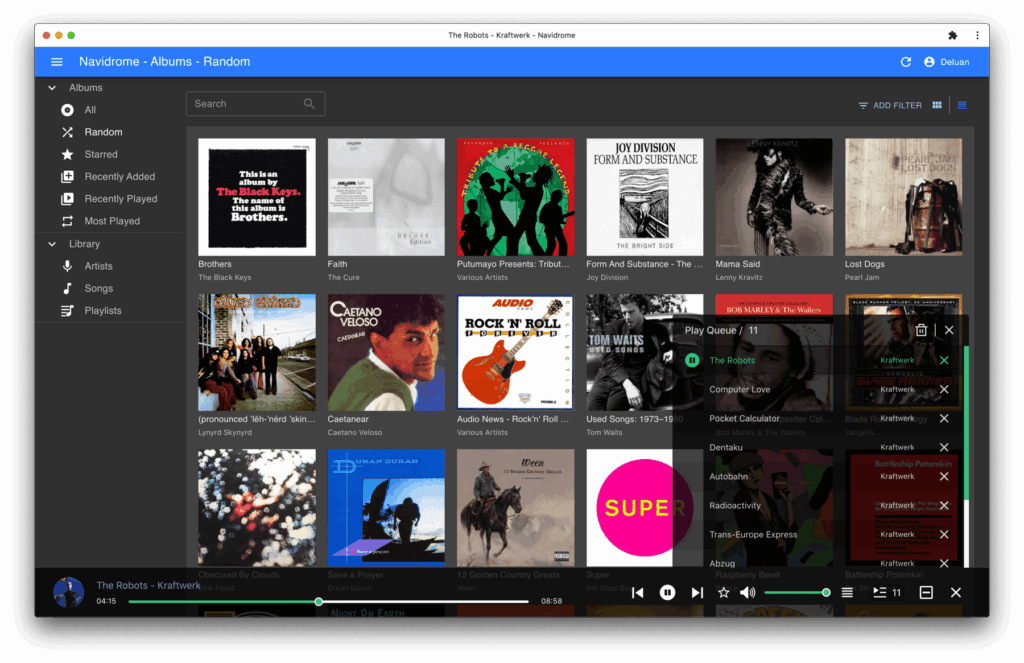
Navidrome is a lightweight and fast solution that supports many client apps through the Subsonic API, making it a solid choice for a minimal setup.
Plex With Plexamp
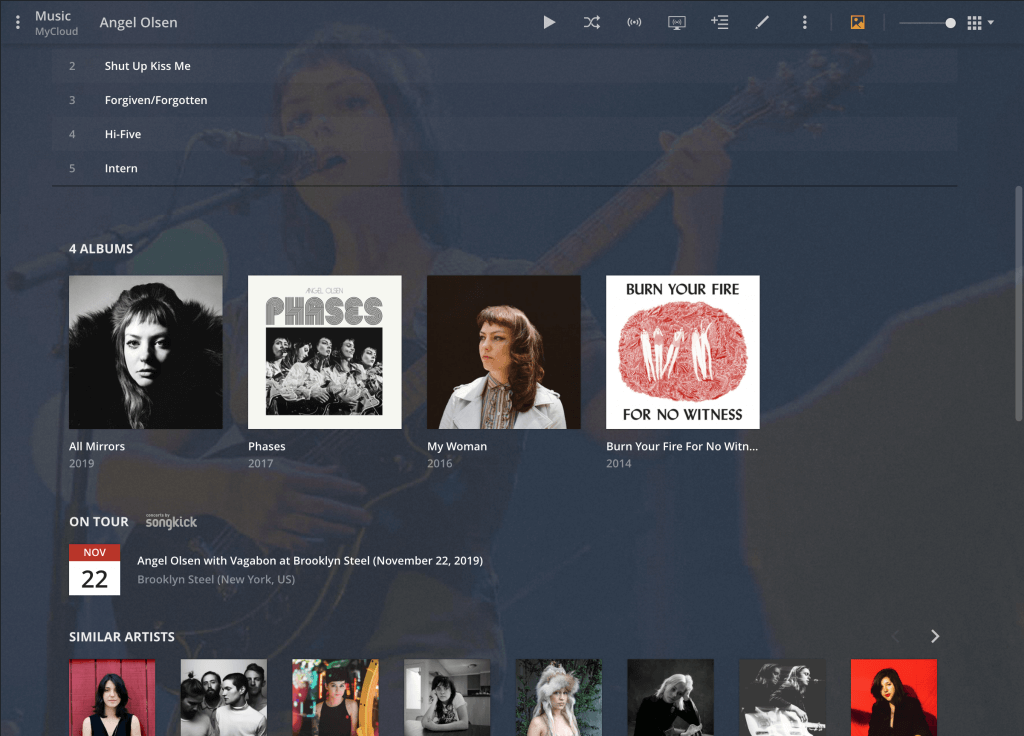
Plex offers an intuitive interface, straightforward setup, and multi-device compatibility. Its companion app, Plexamp, delivers a strong music streaming experience. However, Plex typically relies on external accounts and optional cloud integrations, which means it’s not completely self-contained.
Jellyfin
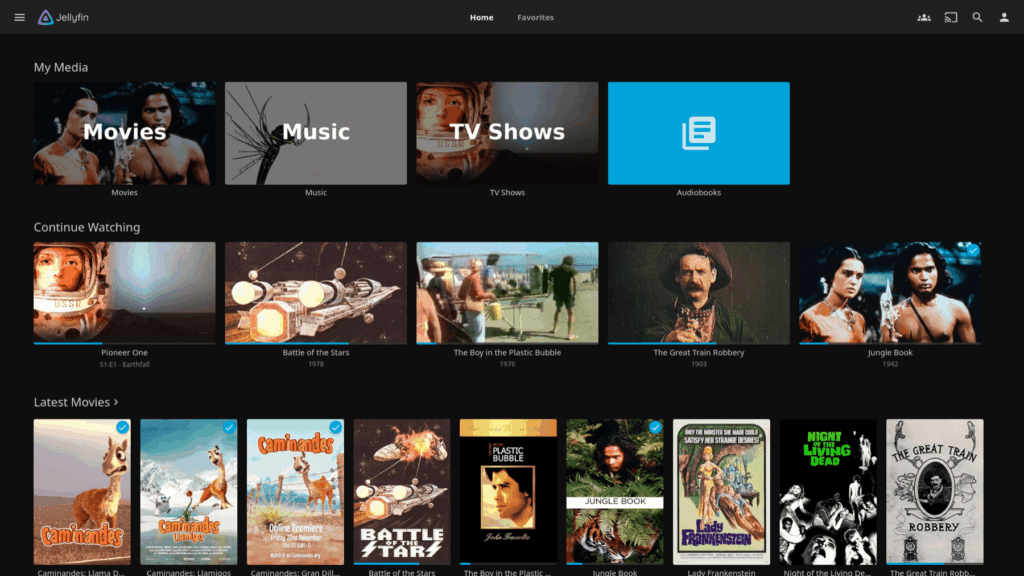
Jellyfin is a fully open source alternative that provides complete control over your media. Suitable for those who want one platform managing movies, TV shows, and music, its interface may not be as polished as Plex’s but continues to improve, fueled by community support.
How to Choose Between Them
The three differ less in sound than in footprint, client apps and how much of your setup depends on someone else’s account. Side by side:
| Navidrome | Jellyfin (music) | Plex + Plexamp | |
|---|---|---|---|
| Scope | Music only | Full media server (video first) | Full media server |
| Idle RAM | ≈ 50 MB | ≈ 250 MB | 300 MB+ |
| Client apps | 20+ Subsonic clients (Symfonium, play:Sub, Amperfy, Feishin…) | Finamp, Jellyfin apps, Feishin | Plexamp (excellent), Plex apps |
| Transcoding | FFmpeg, per-client bitrate | FFmpeg | FFmpeg, hardware-assisted |
| Accounts / cost | None — fully offline capable; free | None; free | Plex account required; Plexamp needs a paid Plex Pass (subscription or lifetime) |
| Smart playlists, scrobbling | Built-in (Last.fm, ListenBrainz) | Via plugins, limited | Built-in |
| Pick it if | Music is the point and you want the lightest server | You already run Jellyfin for video | You want the most polished app and accept the Plex dependency |
Navidrome is the default recommendation for a music-only server: it is roughly five times lighter than Jellyfin and opens the whole Subsonic client ecosystem. Choose Jellyfin to avoid running a second service next to your video library, and Plexamp only if the app experience outweighs depending on Plex’s account infrastructure. All three read the same music folder, so switching later is a rescan, not a migration — play counts and ratings are the only thing you lose.
Setting Up Your Music Streaming Server
Once you understand the components, the setup is straightforward. Prepare your server—whether it’s a VPS, NAS, or home machine—install your chosen software, and point it to your music directory. The server then scans your files to build a library accessible via web interfaces or apps.
Using Docker for deployment simplifies the process and minimizes dependency conflicts. Our guide on Docker VPS Hosting provides additional insights into containerized setups. When configuring remote access, tools like NGINX as a reverse proxy can manage HTTPS, domain attachment, and traffic routing effectively. It’s best to start with a workable version and then optimize it gradually.
Organizing Your Music Library Properly
A well-organized folder structure is vital for ensuring smooth streaming. Organize your music by Artist, then Album, and finally Track. This structure minimizes scanning issues and makes it easier for software to correctly group albums and display artwork. Embedding album art directly into files can further improve consistency across different devices.
Apps and Daily Usage Experience

The client apps you choose affect your everyday experience. Good client software transforms your system from a basic file browser into a fully functional personal streaming service. Many apps in the Subsonic ecosystem support mobile usage, with several options for Android and iOS that even offer offline sync capabilities.
Performance and Real-World Usage
Key factors influencing performance include:
- Transcoding: Direct playback keeps server load low, while real-time conversion uses more CPU.
- Storage Speed: Using NVMe or SSD drives speeds up file scanning, especially for larger libraries.
- Concurrent Streaming: A server managing multiple simultaneous streams needs to handle concurrent connections efficiently. Generally, VPS environments support higher performance under load compared to home servers.
Common Issues You May Encounter
Even a well-set-up system can face challenges such as:
- Metadata errors leading to incorrect album groupings.
- Buffering due to network limitations or unnecessary transcoding.
- DNS or port configuration issues affecting remote access.
- File permission issues causing library scan errors.
Recognizing these common issues early on can make troubleshooting much simpler.
Conclusion
Self hosted music streaming is a way to fully control how your music is stored, organized, and enjoyed. Unlike commercial platforms with licensing restrictions and fluctuating subscriptions, a self hosted solution ensures that your music remains accessible and consistent over time. While it requires you to manage maintenance and organization, the benefits of ownership and predictability make it a worthwhile endeavor. Start with a basic setup on a reliable platform and gradually expand and tune your system as needed.
Frequently Asked Questions
Do I need a dedicated server for audio streaming, or is a VPS enough?
Navidrome or Jellyfin for music?
How much bandwidth does self hosted music streaming use?

