
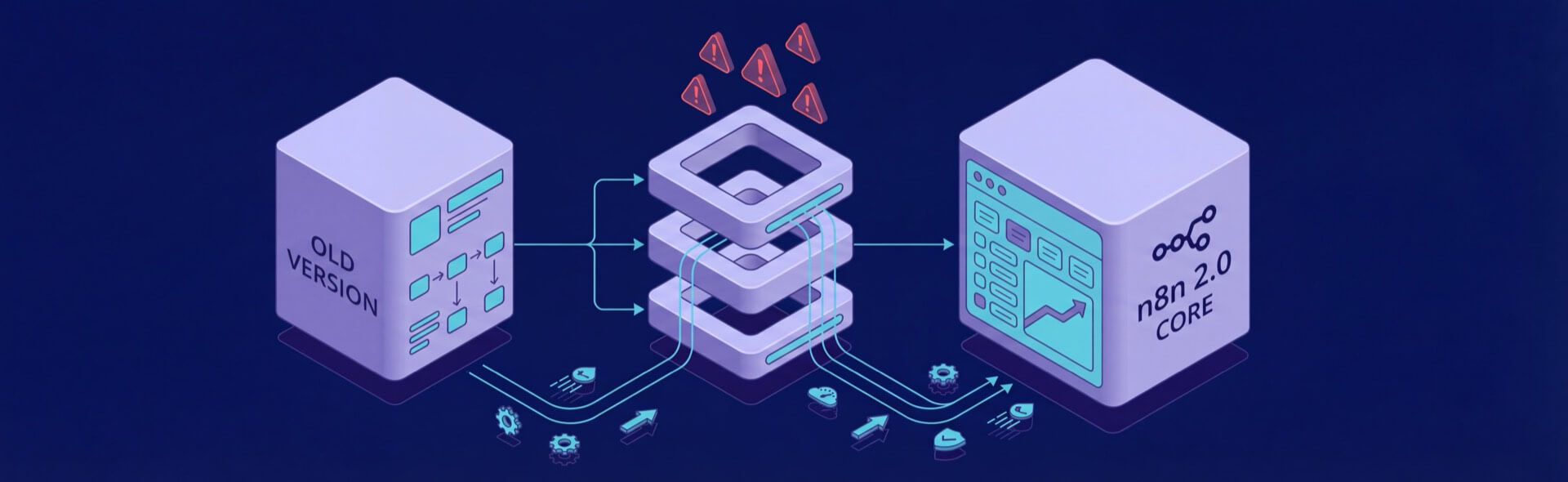
Upgrading to n8n 2.0 is a game-changer for anyone managing workflows in production environments. Released in December 2025, this update focuses on security, performance, and workflow management – not adding flashy features, but fixing pain points that matter. Here’s what you need to know:
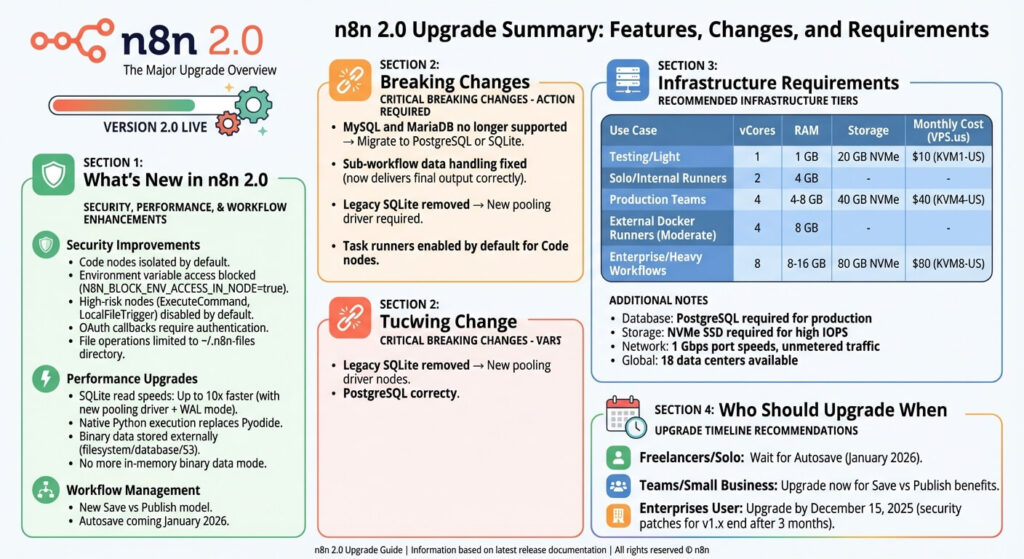
- Stronger Security: Code nodes are isolated, risky nodes are disabled by default, and OAuth callbacks now require authentication.
- Faster Performance: SQLite read speeds are up to 10x faster, native Python execution supports real pip packages, and binary data is no longer stored in RAM.
- Safer Workflow Management: The new Save vs. Publish model separates edits from live workflows, reducing the risk of accidental disruptions.
However, there are breaking changes. MySQL and MariaDB are no longer supported, requiring a move to PostgreSQL or SQLite. Sub-workflow data handling has been fixed, and legacy SQLite is replaced with a faster pooling driver.
For teams and enterprises, upgrading ensures better stability and security, but planning ahead is key. Use the Migration Report Tool to identify and resolve compatibility issues before upgrading. Whether you’re a solo user or part of a large organization, n8n 2.0 is built to handle modern workflow challenges with ease.
What’s New in n8n 2.0
8n 2.0 brings major updates to security, performance, and workflow management, elevating it to a tool ready for production environments.
Security Improvements: Built-In Protections
n8n 2.0 takes security seriously by making certain measures mandatory. Code node executions are now isolated by default, with JavaScript and Python scripts running in separate environments instead of directly interacting with system resources. You can choose between lightweight internal runners or external Docker runners using the n8nio/runnersimage for enhanced isolation. These changes make n8n a reliable choice for handling critical operations.
Environment variable access is blocked by default (controlled via N8N_BLOCK_ENV_ACCESS_IN_NODE=true), reducing the risk of accidental credential leaks. If a workflow needs access to environment variables, you’ll need to enable this deliberately. However, n8n encourages using the credentials system or secure secret stores for better security.
Nodes with higher risks, like ExecuteCommand and LocalFileTrigger, are disabled by default. These nodes, capable of executing arbitrary commands or accessing the file system, can be re-enabled through configuration but are no longer active out of the box. OAuth callback endpoints now require authentication (N8N_SKIP_AUTH_ON_OAUTH_CALLBACK defaults to false), and file operations are limited to the ~/.n8n-files directory unless you expand access manually.
These updates make n8n 2.0 a more secure and stable platform for managing workflows.
Performance Upgrades: Speed and Stability
n8n 2.0 introduces several performance enhancements to improve speed and reliability. The new SQLite pooling driver with WAL mode increases read speeds by up to 10x, while native Python execution replaces Pyodide, unlocking the ability to use real pip packages, native binaries, and subprocesses. This upgrade supports advanced workflows like machine learning pipelines, complex web scraping, and scientific data processing.
Additionally, binary data is now stored externally on the filesystem, database, or S3, eliminating the in-memory binary data mode. This change prevents crashes when handling large files and ensures more predictable memory usage, making the platform more robust.
While these performance improvements enhance reliability, n8n also introduces changes to improve workflow management and user experience.
User Experience Changes: New Workflow Management Model
n8n 2.0 introduces a Save vs Publish model to separate workflow editing from production updates. In earlier versions, saving an activated workflow would immediately update the live version. Now, saving preserves your edits without affecting the live workflow, while a dedicated Publish button pushes changes to production when you’re ready.
This approach reduces the risk of accidental outages and makes team collaboration safer. It also sets the stage for future features like Autosave, coming in January 2026, which will protect against data loss if the editor closes unexpectedly.
These updates not only make n8n easier to use but also introduce a more controlled and deliberate way to manage workflows in production environments.
Breaking Changes and How to Migrate

n8n 2.0 introduces stricter defaults, so you’ll need to update your workflows and configurations before upgrading.
What Breaks in n8n 2.0
MySQL and MariaDB are no longer supported as backend databases. These databases have been deprecated since version 1.0. To continue, migrate to PostgreSQL or SQLite using the official migration tool. For production environments, PostgreSQL is the better choice because it handles concurrency and transactions more efficiently. Note: this change only affects n8n’s internal data store; the MySQL node for external connections will still work.
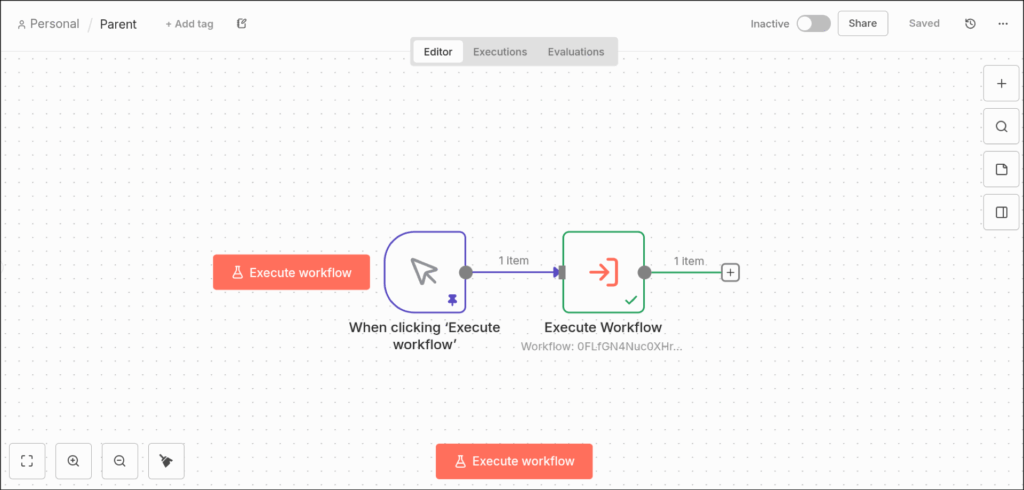
Sub-workflow data handling now correctly delivers the final output. Previously, if a parent workflow called a sub-workflow that entered a waiting state (e.g., waiting for a webhook or form submission), the parent workflow would incorrectly receive the input data instead of the final output. This issue made approval flows unreliable. With version 2.0, the parent workflow now gets the actual output from the sub-workflow, allowing for proper approval gates, manual review steps, and seamless AI-to-human-to-AI loops.
Legacy SQLite has been removed; the new pooling driver with WAL mode is now required. This upgrade improves read performance – up to 10 times faster – but you’ll need to update your configuration if you’re still using the old driver.
To address these changes, use the built-in Migration Report Tool.
Using the Migration Report Tool
n8n includes a Migration Report Tool (available since version 1.121.0) to help you identify workflows and configurations that need adjustments before the upgrade. You can access it under Settings > Migration Report.
“We’ve built a tool to take the guesswork out of upgrading where you can see exactly which workflows and configurations need attention before you upgrade.” – n8n Blog
The tool provides a compatibility summary, such as “X out of Y workflows are compatible with n8n 2.0”, and organizes issues into two categories: Workflow Issues (specific to workflows) and Instance Issues (related to your n8n configuration). Each issue is labeled with a severity badge – Critical, Medium, or Low – and includes a description, documentation link, and, for workflow issues, a count of affected workflows. You can also drill down to see details like the affected workflows’ active/deactivated status, execution counts, and last execution dates.
Start by resolving Critical issues, then move on to Medium and Low ones. After making changes, refresh the report to ensure all issues have been addressed. Once both tabs are clear, your instance is ready for the upgrade to version 2.0.
Task Runner Setup Options
After making database and workflow updates, configuring task runners is essential. In n8n 2.0, task runners are enabled by default for all Code node executions. Depending on your needs, you can choose between two deployment modes:
- Internal runners: These run within the main n8n process and are ideal for solo users or low-risk code execution. They require no additional setup and work out of the box.
- External Docker runners: These run code in separate containers using the
n8nio/runnersimage. This option is better for teams or environments with strict security and control requirements. To enable this mode, setN8N_RUNNERS_ENABLED=trueandN8N_NATIVE_PYTHON_RUNNER=truein your environment variables. Note that the mainn8nio/n8nDocker image no longer includes the task runner for external mode, so you’ll need to deploy the separate runners image alongside your main n8n instance.
Infrastructure Requirements for n8n 2.0

Database and Task Runner Needs
To run n8n 2.0 in a production environment, you’ll need PostgreSQL as your database. If you’re just starting out, a single VPS hosting both n8n and PostgreSQL can suffice, provided it has at least 2 vCores and 4 GB of RAM. However, as your team grows, it’s wise to move the database to its own VPS or use a managed PostgreSQL service. This ensures better handling of concurrent tasks and keeps transactions stable under heavier loads.
Task runners introduce another layer of resource planning. Internal runners can operate on a VPS with 2 vCores and 4 GB of RAM for lightweight tasks. External Docker-based runners, however, require more robust setups: 4 vCores and 8 GB of RAM for moderate tasks, and 8 vCores and 16 GB of RAM for handling heavier, concurrent workflows. Keep an eye on CPU and memory usage, and limit runner concurrency to avoid overloading your system.
For storing binary data, avoid using RAM. Instead, opt for disk storage, PostgreSQL, or S3-compatible storage solutions. SSDs are a must – NVMe drives are even better – to handle high IOPS demands. If your workflows involve large files like images, PDFs, or videos, offload those binaries to S3-compatible storage. This approach keeps your VPS disk usage manageable and prevents I/O bottlenecks.
These requirements set the stage for why dedicated VPS hosting is the best fit for n8n 2.0.
Why VPS Hosting Works Well for n8n 2.0
🚀 Launch Your First n8n Automation in Under 5 Minutes
Your quick start checklist
Considering the resource demands of n8n 2.0, dedicated VPS hosting becomes a necessity. The platform’s architecture requires full root access to manage Docker-based task runners, configure PostgreSQL with custom connection pooling, and handle file system permissions for jailed storage. Shared hosting or low-control PaaS platforms simply don’t provide the level of control needed. With VPS hosting, you can install Docker, run external runner containers, fine-tune kernel parameters, and set up firewalls – all of which are critical for n8n 2.0’s secure and efficient operation.
For example, VPS.us offers KVM-based VPS plans with dedicated vCores, NVMe storage, and unmetered traffic. If you’re testing or working on light automations, the KVM1-US plan at $10/month (1 vCore, 1 GB RAM, 20 GB NVMe) is a good starting point. For production teams, the KVM4-US plan at $40/month (4 vCores, 4 GB RAM, 40 GB NVMe) provides enough capacity for PostgreSQL, Docker runners, and moderate workflow concurrency. Enterprises managing complex workflows should look at the KVM8-US plan at $80/month (8 vCores, 8 GB RAM, 80 GB NVMe). This setup ensures smooth operation for high-throughput PostgreSQL, multiple runner containers, and binary file handling without resource conflicts.
For latency-sensitive workflows, global deployment is key. VPS.us operates 18 data centers across locations in the U.S., Europe, Asia, and Africa. Placing n8n instances close to your data sources or users – whether in Atlanta, Los Angeles, Frankfurt, or Singapore – can significantly reduce execution times. With 1 Gbps port speeds and unmetered traffic, you can run demanding workflows without worrying about bandwidth limitations, even during peak usage.
Is n8n 2.0 Worth Upgrading?
With a focus on security, performance, and workflow enhancements, n8n 2.0 offers clear advantages for those managing production environments.
Upgrading to n8n 2.0 delivers production-grade security, stability, and speed. The new SQLite pooling driver boosts read speeds by up to 10x, while secure-by-default execution reduces risks during sensitive operations. Features like task runner isolation and blocked access to certain environment variables further shrink the attack surface. Additionally, the updated Save vs. Publish model minimizes the chance of accidental production deployments.
Here’s a closer look at how these changes impact freelancers, teams, and enterprises:
Freelancers and Solo Builders
If you depend on autosave, it’s worth waiting for its January 2026 release. Autosave will address risks like losing progress due to browser crashes or network issues, making it a valuable addition for independent users.
Teams and Small Businesses
Teams can start benefiting from n8n 2.0 right away. The separation of staging and production environments, enabled by the Save vs. Publish workflow, ensures you can test changes safely without disrupting live workflows. Fixes for sub-workflows with Wait nodes also improve approval flows and manual review processes, making collaboration smoother and more reliable.
Enterprises and Security-Critical Teams
For larger organizations, upgrading by December 15, 2025, is crucial. The refined production architecture, which requires PostgreSQL and disables high-risk nodes, is designed to meet the demands of enterprise-level workflows. Removing in-memory binary data mode ensures consistent memory usage, even as workflows scale. Keep in mind, security patches for version 1.x will only be available for three months post-2.0 release, so upgrading promptly is essential to maintain protection.
Each of these improvements makes n8n 2.0 a strong contender for anyone aiming to streamline workflows with greater security and efficiency.

