
In modern hosting environments, understanding how your stack operates can make a big difference in performance and cost. One area where confusion often arises is the distinction between web servers and application servers. While they may sound similar, they serve very different purposes. Understanding the difference between a web server vs application server can clarify where each fits in your architecture. In this guide, we’ll explore how each one works, what they’re designed for, and when you need both—especially when deploying them on a VPS.
What is a Web Server?
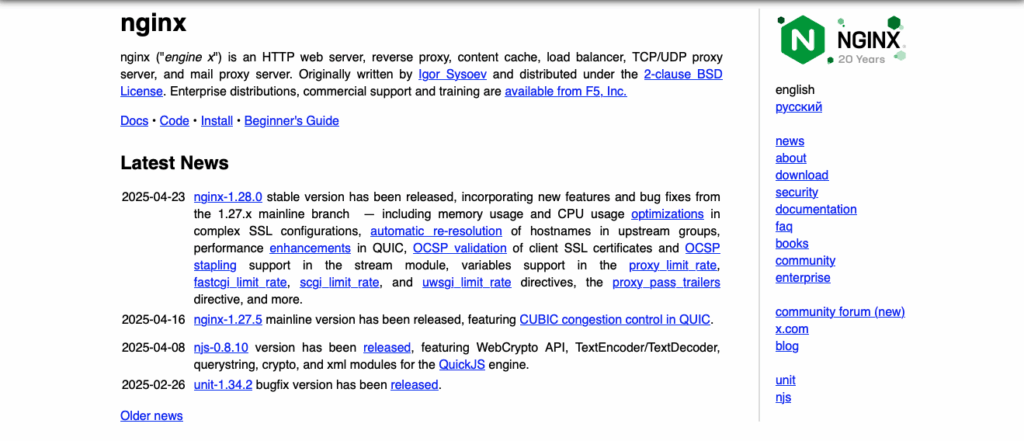
A web server is responsible for handling HTTP requests and serving static content to users. When you open a website in your browser, it’s usually a web server that sends you the HTML, CSS, JavaScript, and image files needed to load the page.
Popular web servers like Apache HTTP Server, Nginx, and Microsoft IIS are optimized for delivering this kind of static content quickly and efficiently. They’re often used to host websites, static documentation, landing pages, and lightweight apps that don’t require server-side processing.
Web servers are also commonly used as reverse proxies, acting as the front line in more complex setups to manage and forward traffic to other services.
What is an Application Server?
An application server goes a step further by executing dynamic code and handling backend logic. Instead of just serving pre-written files, it processes requests, interacts with databases, and generates responses on the fly based on business logic.
This includes user authentication, form handling, API responses, and anything else that requires logic beyond static files. Application servers can be built on platforms like Node.js, Apache Tomcat, JBoss, Django, Flask, or Laravel, depending on your stack.
They are ideal for hosting web applications, APIs, dashboards, and full-featured dynamic platforms.
Key Differences Between Web Server and Application Server
While both handle web traffic, their responsibilities are distinct.
A web server is designed to serve static content—HTML, CSS, JavaScript, and media files—without modification. It responds quickly to browser requests by sending files as-is. An application server, on the other hand, runs backend code and builds responses based on logic, user input, or data from external sources. To clearly understand the role of a web server vs application server, it helps to break down how they handle content, processing, and resource demands.
Key distinctions include:
To break it down more clearly, here are some of the main functional differences between the two server types:
- Content: Web servers serve static files; application servers generate dynamic content.
- Processing: Web servers do not execute backend logic; application servers run application code.
- Performance impact: Web servers are lightweight; application servers use more system resources due to processing demands.
- Use case: Web servers are suited for fast delivery of assets; application servers handle business logic and workflows.
They are often deployed together—web servers act as entry points and traffic routers, while application servers handle the heavy lifting. Understanding the role of an application server vs web server is key to building an efficient and scalable architecture.
How They Work Together
Most modern architectures benefit from using both types in a layered setup.
The web server handles all incoming requests first. If a request is for a static asset—like an image or CSS file—it serves it directly. If the request requires processing (like logging in, submitting data, or accessing user-specific content), the web server forwards it to the application server.
This approach offers several advantages:
- Efficiency: Static files don’t burden the application server, keeping response times low.
- Security: The web server acts as a buffer, exposing only the necessary endpoints.
- Scalability: You can add more application servers behind the web server without changing how users access your site.
- TLS termination and caching: Web servers can handle SSL/TLS encryption and cache common responses before they even reach the application layer, reducing load and improving speed.
By clearly separating roles, each server type can be optimized independently.
Use Cases and Examples
Deciding when to use a web server vs application server—or both together—depends on your project’s structure and delivery needs.
Use a web server alone when:
Some environments only require a simple static delivery layer. Here’s when a web server alone is likely enough:
- Hosting a static website with no backend logic.
- Serving a collection of static assets like documentation or marketing pages.
- Acting as a CDN or reverse proxy with caching enabled.
If your site doesn’t rely on dynamic features, you might not need a dedicated web server or application server at all—just a basic static hosting platform.
Use an application server alone when:
There are also cases where a standalone application server makes sense, especially in lightweight or internal projects:
- Building a small app or API that handles both frontend and backend logic in one runtime.
- Using a framework like Node.js or Django with built-in HTTP support.
- Running internal tools or development builds without static delivery needs.
Use both together when:
In most modern deployments, combining both is the most efficient and scalable approach. This setup is ideal when:
- You need to serve both static assets and dynamic content.
- Your application uses a frontend framework (like React) alongside a backend API.
- You want to isolate processing logic from public-facing infrastructure.
This combination is the most common in production and allows for better performance tuning, security hardening, and traffic management.
Choosing the Right Server Setup

Your project’s needs will determine how to structure your servers.
If your content rarely changes, a web server by itself might be enough. But if your application handles form submissions, user sessions, or data queries, you’ll need an application server. Most modern apps benefit from using both. Whether you need a web server or application server comes down to how your application delivers content and handles traffic.
When planning your setup, consider:
Your tech stack
Some stacks (like PHP with Apache) blend web and app server roles using modules like mod_php. Others (like Node.js or Django) need a dedicated app server. In these cases, a reverse proxy like Nginx often fronts the application.
Traffic type
High-volume static traffic should go through a web server. Backend processing should be handled separately. This separation ensures that heavy dynamic workloads don’t interfere with the speed of static content delivery.
Deployment flexibility
Using both allows you to isolate components, optimize performance, and scale only the layers that need it. This modular setup also makes it easier to troubleshoot issues, update services independently, and adapt to changing traffic patterns.
With a VPS, you get full control over both environments. You can install your own stack, fine-tune performance settings, and adjust resources independently. This flexibility makes it easy to adapt as your app grows or changes. Choosing how to structure an application server vs web server setup depends heavily on how much control you need over each component.
Ideal Hosting Environment for Combined Server Setups
Running both a web server and an application server in tandem requires flexibility, control, and enough resources to support parallel workloads. This rules out most shared hosting plans, which typically limit your ability to customize server behavior or run background processes. “The difference between a web server vs application server becomes especially important when you’re managing both in a setup with multiple moving parts.
For projects that involve dynamic content, backend logic, or layered server architecture, you’ll want a hosting environment that lets you:
- Install and configure custom software.
- Manage ports, services, and firewalls.
- Allocate system resources to different server roles.
- Scale vertically or horizontally as your application grows.
Virtual private servers (VPS) and dedicated servers are the best options for this. A VPS gives you full root access to set up web and application servers exactly how you want—whether that’s Nginx and Node.js, Apache and Tomcat, or any other combination. It also allows you to isolate processes, fine-tune performance, and optimize security.
Container-based deployments are another option for advanced users. Tools like Docker and Kubernetes let you separate services by container, keeping your web and application layers modular and easy to manage. However, these require more setup and knowledge compared to a traditional VPS.
Managed hosting platforms (PaaS) like Heroku or Render can also support web and application server logic, but they often come with constraints on configuration, higher costs, and limitations on background processes. If you need full control, a VPS or dedicated server is a better fit.
Choosing the right hosting comes down to how much control and customization your project demands. If you’re building anything beyond a simple static site, you’ll want a hosting plan that supports multiple running services, unrestricted configurations, and root-level access.
Conclusion
Web servers and application servers each have distinct roles. Web servers specialize in serving static content efficiently, while application servers are built to handle logic-heavy, dynamic applications. When used together, they create a powerful and scalable architecture that can meet the needs of virtually any modern website or app. Here is a recapitulative table:
| Aspect | Web Server | Application Server |
|---|---|---|
| Main Role | Serves static content (HTML, CSS, JS, images) | Executes business logic and dynamic responses |
| Content Type | Static | Dynamic |
| Examples | Nginx, Apache HTTP, IIS | Node.js, Tomcat, Django, Flask |
| Resource Usage | Lightweight | Higher CPU & RAM demand |
| Use Cases | Static websites, CDN, landing pages | APIs, dashboards, user-auth systems |
| Typical Deployment | Front-facing / reverse proxy layer | Behind web server for internal logic |
| Interaction | Receives and routes HTTP requests | Processes requests and generates content |
If you’re planning to run both components in a single environment, a VPS is the best option—and VPS.us gives you the tools and control to make it happen.
Get Started With A Flexible KVM VPS Today
At VPS.us, we offer KVM VPS plans with full root access and flexible configuration options that are perfect for running both your web server and application server. Choose the stack you want, configure it your way, and enjoy full root access with powerful performance under the hood. Try our KVM2-US plan for a balanced setup with 2 vCPU cores, 2 GB RAM, and SSD storage—ready for both static delivery and dynamic application hosting.