

A control panel is not just an admin screen. It directly affects how quickly you can deploy sites, manage updates safely, and reduce routine issues. In the world of web hosting, choosing the right panel—especially when comparing cPanel to alternatives—can lower maintenance overhead and prevent tasks like SSL renewals, backups, PHP version changes, and email setups from becoming recurring support problems.
For most website owners, six factors determine the outcome: performance, security, user interface, cost, ecosystem, and migration. Performance matters because slower systems increase page load times and put additional strain on the server during traffic spikes. Security is critical since weak defaults and missing hardening features can expose you to malware, downtime, or data loss. A clear user interface speeds up routine work. Cost includes not only license fees but also your time and administrative effort. Ecosystem considerations include available plugins, integrations, and documentation that affect future expansion. Lastly, migration tools affect how smoothly you can move a live site without complications.
| Criterion | Why it matters in practice | Best fit priority |
|---|---|---|
| Performance | Handles traffic better, lowers resource usage, improves load times | High-traffic sites, stores |
| Security | Reduces breach risk and recovery work | Business sites, customer data |
| UI / Ease of use | Speeds up daily tasks and minimizes mistakes | Solo site owners, agencies |
| Cost | Affects monthly spending and long-term overhead | Blogs, side projects |
| Ecosystem | Enhances future functionality with add-ons | Growing businesses |
| Migration | Reduces risk when moving existing sites | Established production sites |
Match the panel to your workload rather than basing your decision solely on marketing. In the following sections, each criterion leads to a practical verdict—whether it is best for budget, ease of management, or handling high traffic.
Key Criteria for Choosing a Control Panel

These six factors influence three key aspects: site responsiveness, the workload on your server, and predictability of your yearly expenses.
Performance and caching are essential because visitors notice speed immediately. The control panel affects the web stack you run, how caching is set up, and how efficiently PHP and static files are served. A panel that simplifies server-side caching can noticeably reduce page generation time, a benefit for heavy WordPress sites.
Ease of use and UI affect how quickly you can deploy a site. If adding a domain, installing SSL, creating email, and switching PHP versions takes only a few clicks, you launch faster and have fewer opportunities for errors. For further insight on managing these tasks effectively, consider reading Using cPanel to Manage Your Website and Hosting.
Security and hardening provide a crucial baseline of protection. Features such as firewall integration, brute-force protection, SSL handling, isolated accounts, and regular updates help minimize your attack surface. This is especially important for sites handling sensitive customer data.
Pricing and total cost of ownership involve more than just the monthly license fee. Consider annual expenses on the control panel, VPS resources, backup tools, and your administrative time. A cheaper panel might incur hidden costs in support and management time.
Ecosystem and add-ons determine how well your control panel can grow with your needs. Extensive plugins, integrations, and documentation allow expansion of functionality as your site evolves. For a broader perspective on alternatives, see Top Solid cPanel Alternatives in 2025.
Migration and support are key when moving a live site. A panel with built-in migration tools and dedicated support minimizes downtime as you transfer email, databases, DNS records, and other custom configurations. For more details, refer to cPanel VPS Hosting: Simplifying Server Management.
Performance & Caching Comparison
For high-traffic sites, the control panel’s impact is seen in metrics such as time-to-first-byte (TTFB) and throughput. CyberPanel, running on OpenLiteSpeed with LSCache integrated, has a performance edge for dynamic sites. cPanel, when configured with Apache, Nginx reverse proxies, FastCGI caching, and OpCache, performs well. Simplified server-side caching can significantly reduce TTFB, which is particularly beneficial for busy WordPress sites.
Consider these performance points:
- LSCache on CyberPanel integrates full-page caching, reducing server load.
- cPanel typically combines Nginx FastCGI cache with standard PHP caching tools.
- Benchmark tests using ApacheBench and Siege can help determine which configuration yields a lower TTFB.
ab -n 1000 -c 50 https://example.com/
siege -c 50 -r 20 https://example.com/
After testing, verify caching headers such as `x-litespeed-cache: hit` or its equivalent:
curl -I https://example.com/ | grep -Ei 'x-litespeed-cache|x-cache|server'
Hardware also influences performance. NVMe storage, faster RAM, and efficient CPU performance all enhance caching and overall speed, which benefits configurations like CyberPanel’s integrated approach.
Ease of Use & Dashboard Experience
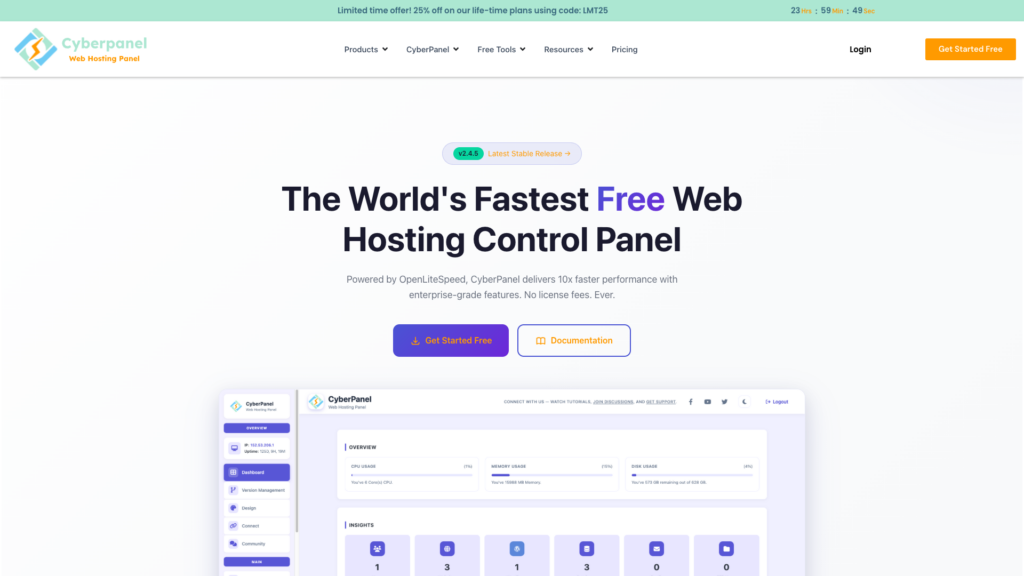
Quick server deployment to a live site is important. For users without extensive technical expertise, cPanel usually offers an intuitive experience with guided flows for tasks like adding domains, installing SSL, and managing email. CyberPanel provides a strong platform for those who are comfortable with more hands-on server management, while cPanel’s clearly labeled menus reduce the risk of errors. The navigation in cPanel groups features logically into files, domains, email, databases, and security, making it quicker to locate the needed tools.
Security & Hardening Features

When risk reduction is a priority, cPanel commonly delivers stronger out-of-the-box security. While CyberPanel includes basic protection measures, cPanel often comes pre-integrated with tools such as Imunify360, which performs malware scanning, reputation-based blocking, and automated cleanup. Integrated firewall management and auto-patching further reduce the need for manual interventions, lowering the chance for misconfigurations.
Pricing & Total Cost of Ownership
Cost comparisons should factor in direct licensing fees as well as overall operational expenses like VPS resources, backup solutions, and administrative time. CyberPanel is usually more budget-friendly due to its lower upfront costs, though cPanel may offset its higher fees with saved administrative time and more streamlined operations in multi-account environments.
For businesses looking to optimize their hosting spend alongside management efficiency, consider that VPSus offers KVM VPS Hosting plans starting at $10/mo. These plans include NVMe storage and feature availability across multiple regions (USA, Europe, Asia, and Africa). With cPanel license add-ons starting at $26/mo, VPSus provides a competitive solution if you require robust management and security features.
Ecosystem & Add-On Support
A broad ecosystem of add-ons, plugins, and community resources can significantly extend a panel’s functionality. cPanel benefits from extensive third-party support, a wealth of documentation, and commercial integrations for backups, billing, and server management. Although CyberPanel has a more streamlined offering, cPanel’s broader ecosystem may be more appropriate for users planning long-term growth and requiring advanced integrations.
Migration & Support Considerations
Migrating live sites can be challenging. cPanel simplifies this process with mature backup and account-transfer tools designed to preserve emails, databases, DNS settings, and cron jobs. While CyberPanel can handle migrations, it often requires more manual intervention and technical knowledge.
A basic migration checklist might include:
- Lowering DNS TTL to 300 seconds 24 hours before the move
- Taking a full backup and VPS snapshot
- Syncing files with rsync and exporting/importing databases
- Recreating mailboxes and verifying DNS records
- Testing using local hosts-file overrides and reissuing SSL
To confirm the active server stack and caching behavior after migration, run:
curl -I https://yourdomain.com | grep -Ei 'server|x-litespeed-cache|x-cache'
Ultimately, if cost and speed are your primary concerns, CyberPanel may be the better pick. However, for smoother operations and reduced downtime risk, cPanel stands out as the preferred option.
Choosing the Right Panel for Your Website
Here’s a concise guide:
- Choose CyberPanel if your primary constraint is budget and you are comfortable handling more technical management.
- Choose cPanel if minimizing downtime, easing migrations, and ensuring consistent operations are your main priorities.
Mapping these criteria to real-world scenarios:
| Use-case profile | Typical workload | Technical skill | Budget focus | Recommended panel | Why it wins |
|---|---|---|---|---|---|
| Personal blog/side project | Low to moderate | Moderate | High | CyberPanel | Lower costs outweigh extra administrative work |
| Growing content site/WordPress site | Moderate to high | Low to medium | Medium | CyberPanel | Enhanced caching benefits for WordPress workloads |
| Online store/business site | High, revenue-critical | Low to medium | Medium | cPanel | Superior management, security, and support |
| Agency hosting client sites | Multiple accounts | Mixed | Medium to low | cPanel | Easier onboarding and predictable workflows |
The next step is to conduct a pilot test with the same VPS resources in the same region. Migrate one non-critical domain first, measure administrative time versus performance, and decide which panel aligns best with your operational requirements.
Create a quick checklist for the pilot:
time curl -I https://yourdomain.com
time wp option get siteurl --allow-root
time rsync -avz /var/www/html/ backup-test/
After testing, run:
curl -I https://yourdomain.com | grep -Ei 'server|x-litespeed-cache|x-cache'
Conclusion
This will confirm the active server stack and caching behavior. Ultimately, if lower cost and speed are your prime requirements, CyberPanel might be the smarter pick. However, if smoother operations and reduced downtime risk matter more, cPanel stands out as the better option.
Frequently Asked Questions
What is a web hosting control panel?
How does cPanel differ from CyberPanel?
Which control panel is better for non-technical users?
Why is performance caching important in a control panel?
Can I easily migrate my live site between control panels?

